

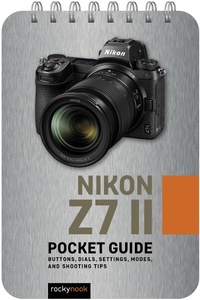
Nikon Z7 II: Pocket Guide
Buttons, Dials, Settings, Modes, and Shooting Tips
Published on 9. May 2023
38 pages
978-1-68198-872-6 (ISBN)
Description

Designed for photographers who havent memorized every button, dial, setting, and feature on their Nikon Z7 II, Rocky Nooks handy and ultra- Confirm that your camera is set up properly with the pre-shoot checklist Identify every button and dial on your camera Learn the essential modes and settings you need to know Dive deeper with additional features of your camera Execute step-by-step instructions for shooting multiple exposures, in-camera HDR, time-lapse movies, and more Follow tips and techniques for getting great shots in typical scenarios (portrait, landscape, freezing action, low light, etc.)
More details
Other editions
Additional editions
Content
- Cover
- Table of Contents
- 01. Pre-Shoot Checklist
- 02. Buttons, Dials, and Screens
- Camera Body Top
- Camera Body Back
- Camera Body Front
- Camera Body Bottom
- Viewfinder Display
- Monitor Display
- Viewfinder Display (Movie)
- Monitor Display (Movie)
- Info Display
- Control Panel
- 03. Essential Modes And Settings
- Shooting Modes
- Metering Modes
- Exposure Compensation
- Focus Modes
- Af-Area Modes (Focus Area)
- Release Modes
- White Balance
- File Format / Image Quality
- 04. Other Helpful Settings
- Picture Controls
- Flash Modes
- Color Space
- Highlight Warning (Blinkies)
- Noise Reduction
- Auto ISO
- Disp Button
- Active D-Lighting
- Auto Bracketing
- Wireless Connection (Snapbridge)
- 05. Step-By-Step Shooting Instructions
- Multiple Exposures
- HDR
- Time-Lapse Movies
- Interval Timer Photography
- 06. Typical Shooting Scenarios
- Portrait
- Group Portrait
- Landscape
- Freeze Action
- Showing Motion-Panning
- Low-Light Action
- Long Exposure
