

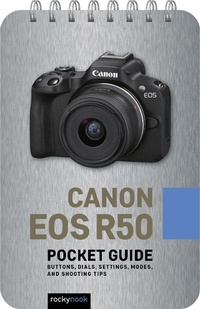
Canon EOS R50: Pocket Guide
Buttons, Dials, Settings, Modes, and Shooting Tips
Published on 20. May 2024
42 pages
979-8-88814-266-0 (ISBN)
Description

Designed for photographers who havent memorized every button, dial, setting, and feature on their Canon R50, Rocky Nooks handy and ultra-portable quick reference Pocket Guidehelps you get the shot when youre out and about. Confirm that your camera is set up properly with the pre-shoot checklist Identify every button and dial on your camera Learn the essential modes and settings you need to know for still shots and taking video Dive deeper with additional features of your camera, including helpful information about video recording functionality Execute step-by-step instructions for shooting multiple exposures, in-camera HDR, time-lapse movies, and more Follow tips and techniques for getting great shots in typical scenarios (portrait, landscape, freezing action, low light, etc.)
More details
Other editions
Additional editions
Book
11/2024
Rocky Nook
€16.50
Shipment within 10-20 days
E-Book
05/2024
Rocky Nook
€13.49
Available for download
Content
- Cover
- Table of Contents
- 01. Pre-Shoot Checklist
- 02. Buttons, Dials, and Screens
- Camera Body Top
- Camera Body Back
- Camera Body Front
- Shooting Screen (Still Photo)
- Shooting Screen (Movie)
- 03. Essential Modes and Settings
- Shooting Modes
- Movie Shooting Modes
- Metering Modes
- Exposure Compensation
- Focus Operation
- Autofocus Area
- Additional Autofocus Options
- Drive Modes
- White Balance
- File Formats
- Movie Recording Size
- 04. Other Helpful Settings
- Display Simulation
- Picture Styles
- Custom White Balance
- Color Space
- Noise Reduction
- AUTO ISO
- Exposure Bracketing
- Wireless Connection
- Reset Camera
- 05. Step-By-Step Shooting Instructions
- HDR
- Time-Lapse Movies
- 06. Typical Shooting Scenarios
- Portrait
- Group Portrait
- Landscape
- Freeze Action
- Showing Motion-Panning
- Low-Light Action
- Long Exposure
- Macro/Close-Up
- Video Recording/Vlogging
