

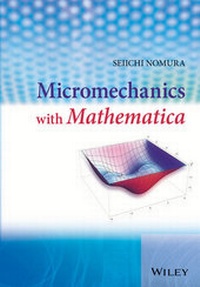
Micromechanics with Mathematica
Description

More details
Other editions
Additional editions
Person
Seiichi Nomura, The University of Texas at Arlington, USA
Professor Nomura studied his BSc and MSc at the University of Tokyo, Japan before completing his PhD at the University of Delaware. He is now Professor in the Department of Mechanical and Aerospace Engineering at the University of Texas at Arlington, USA. Professor Nomura has undertaken research on the analysis of mechanical and thermal properties of heterogeneous materials including composite materials and functionally graded materials (FGMs) and has published extensively in this area.
Content
Chapter 1
Coordinate Transformation and Tensors
To describe the state of the deformation for a deformable body, the coordinate transformation plays an important rule, and the most appropriate way to represent the coordinate transformation is to use tensors. In this chapter, the concept of coordinate transformations and the introduction to tensor algebra in the Cartesian coordinate system are presented along with their implementation in Mathematica. As this book is not meant to be a textbook on continuum mechanics, the readers are referred to some good reference books including Romano et al. (2006) and Fung (1965), among others. Manipulation involving indices requires a considerable amount of algebra work when the expressions become lengthy and complicated. It is not practical to properly handle and evaluate quantities that involve tensor manipulations by conventional scientific/engineering software such as FORTRAN, C, and MATLAB. Software packages capable of handling symbolic manipulations include Mathematica (Wolfram 1999), Maple (Garvan 2001), and others. In this book, Mathematica is exclusively used for implementation and evaluation of derived formulas. A brief introduction to the basic commands in Mathematica is found in the appendix, which should be appropriate to understand and execute the Mathematica code used in this book.
1.1 Index Notation
If one wants to properly express the deformation state of deformable bodies regardless of whether they are solids or fluids, the use of tensor equations is essential. There are several different ways to denote notations of tensors, one of which uses indices and others without using indices at all. In this book, the index notation is exclusively used throughout to avert unnecessary abstraction at the expense of mathematical sophistication.
The following are the main compelling reasons to mandate the use of tensor notations in order to describe the deformation state of bodies correctly.
- 1. The principle of physics stipulates that a physically meaningfulobject must be described independent of the frame of references.1 If the equation for a physically meaningful object changes depending on the coordinate system used, that equation is no longer a correct equation.
- 2. Tensor equations can be shown to be invariant under the coordinate transformation. Tensor equations are thus defined as those equations that are unchanged from one coordinate system to another.
Hence, by combining the two aforementioned statements, it can be concluded that only tensor equations can describe the physical objects properly. In other words, if an equation is not in tensorial format, the equation does not represent the object physically.
The index notation, also known as the Einstein notation (Einstein et al. 1916)2 or the summation convention, is the most widely used notation to represent tensor quantities, which will be used in this book. The index notation in the Cartesian coordinate system is summarized as follows:
- 1. For mathematical symbols that are referred to quantities in the , , and directions, use subscripts, 1, 2, 3, as in or , instead of or . The subscripted numbers 1, 2, and 3, refer to the , , and directions, respectively. Obviously, the upper limit of the number is 2 for 2-D and 3 for 3-D.
- 2. If there are twice repeated indices in a term of products such as , the summation with respect to that index () is always assumed. For example,
There is no exception to this rule. An expression such as is not allowed as the number of repetitions is 3 instead of 2.
A repeated index is called the dummy index as it does not matter what letter is used, and an unrepeated index is called the free index.3 For example,
all of which represent a summation . An unrepeated index such as (or or ) stands for one of , , or .
It should be noted that the notations and conventions introduced are valid for the Cartesian coordinate system only. In a curvilinear coordinate system such as the spherical coordinate system, the length of base vectors is not necessarily unity, and this mandates the aforementioned index notation to be modified to reflect the difference between the contravariant components and the covariant components, which will be discussed in Chapter 2.
1.1.1 Some Examples of Index Notation in 3-D
- 1.
As the index is repeated, the summation symbol, , must be added in front, i.e.,
Note that is different from . While represents a single expression with three terms, represents one of the three expressions (, , or ).
- 2.
Note that the index is a dummy index (repeated twice) while the index is a free index (no repeat). Therefore,
- 3.
This is not a valid tensor expression as the number of repeated indices must be 2.
1.1.2 Mathematica Implementation
As Mathematica itself does not support tensor manipulation natively, it is necessary to devise a way to handle index notation and tensor manipulation. In this book, a list or a list of lists (a nested list) is used to represent tensor quantities. Using a nested list to define a tensor of any rank is straightforward but at the same time limited to the Cartesian tensors. For tensors defined in a curvilinear coordinate system, a slightly different approach is needed.
When running Mathematica first time, a default directory should be selected so that all the notebook files can be saved and accessed in this directory. By default, Mathematica looks for all the files stored in c:users<user> where <user> is the user's home directory.4The SetDirectory command can change this location. For example, if you want to change the default directory to c:tmp, the SetDirectory command can specify the default directory as
It is noted that the directory delimiter needs to be entered as "/" (forward slash) even though the Windows delimiter character is "" (backslash).
To enter a three-dimensional vector, , the following Mathematica command can be entered to create a list with braces (curly brackets) as
An individual component of can be referenced using double square brackets ([[]]) as
The partial derivative of with respect to can be entered as
You can also differentiate an individual component as
Implementation of the coordinate component, , into Mathematica can be done by using the Table function. To define a position vector, , whose components are , enter
The given Table function generates a list of elements. For example, the following command generates a sequence of for .
In the definition of the position vector, , it is noted that the coordinate components, , are entered as x[1], x[2], x[3] instead of x[[1]], x[[2]], x[[3]]. It is important to distinguish a single square bracket ([]) and a double square bracket ([[]]). The single square bracket ([]) is for a parameter used in a function. The quantity, x[1], stands for a function, x, with the argument of 1. By using a single square bracket, the quantities such as x[1], x[2] can stand for themselves, meaning that initial values do not have to be preassigned. On the other hand, if x[[1]] were used instead of x[1], 0 would be returned unless a list x is previously defined.
To define a function in Mathematica, use the following syntax:
In the aforementioned example code, a user-defined function, f[x], that returns is defined. The syntax is such that variables of the function must be presented to the left of the equal sign with the underscore and the definition of the function is given to the right of a colon and an equal sign (). It is important to note that a function in Mathematica returns itself if no prior definition is given.
In the aforementioned example, f[x, y] is defined as a function that takes two variables returning . However, when f is called with only one variable, 1, it returns itself, i.e., f[1], as f with only one variable has not been defined. When g[a] is entered, it returns itself without evaluation as there is no prior definition of g[x] given. It is this property of a function in Mathematica that enables manipulating index notations.
As an example of using x[i] as the coordinate components, here is how to implement the summation convention. As Mathematica does not have support for the summation convention built in, if x[i]x[i]meant as is entered as
Mathematica does not automatically expand and reduce the result to . Hence, it is necessary to explicitly use the Sum[] command as
for .
However, it is possible to implement the summation convention in Mathematica with the following procedure.
The aforementioned three-line code adds a new rule to automatically replace x[i]x[i] by through pattern matching. When Mathematica evaluates the product of two quantities, it calls its internal function, Times, which tries to simplify...
