

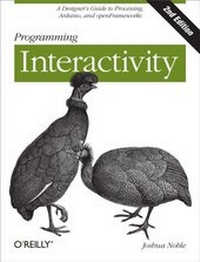
Programming Interactivity
A Designer's Guide to Processing, Arduino, and openFrameworks
1st Edition
Published on 12. January 2012
728 pages
978-1-4493-2151-2 (ISBN)
Description

Ready to create rich interactive experiences with your artwork, designs, or prototypes? This is the ideal place to start. With this hands-on guide, youll explore several themes in interactive art and designincluding 3D graphics, sound, physical interaction, computer vision, and geolocationand learn the basic programming and electronics concepts you need to implement them. No previous experience is necessary.Youll get a complete introduction to three free tools created specifically for artists and designers: the Processing programming language, the Arduino microcontroller, and the openFrameworks toolkit. Youll also find working code samples you can use right away, along with the background and technical information you need to design, program, and build your own projects.Learn cutting-edge techniques for interaction design from leading artists and designersLet users provide input through buttons, dials, and other physical controlsProduce graphics and animation, including 3D images with OpenGLUse sounds to interact with users by providing feedback, input, or an element they can controlWork with motors, servos, and appliances to provide physical feedbackTurn a users gestures and movements into meaningful input, using Open CV
More details
Other editions
Additional editions
Book
02/2012
2nd Edition
O'Reilly
€47.00
Shipment within 10-20 days
Content
- Intro
- Table of Contents
- Preface
- What Is-and Isn't-in This Book
- What's In
- What's Not In
- Conventions Used in This Book
- Companion Website
- Using Code Examples
- Safari® Books Online
- How to Contact Us
- Acknowledgments
- Chapter 1. Introducing Interaction Design
- What This Book Is For
- Programming for Interactivity
- The Nature of Interaction
- Messages and Interaction
- Interfaces and Interaction
- Languages of Interaction
- Design and Interaction
- Art and Interaction
- Data Exchange and Exploration
- Working Process
- Chapter 2. Programming Basics
- Why You'll Read This Chapter More Than Once
- The Nature of Code
- Variables
- Simple Types
- int
- Signed versus unsigned
- float
- char
- bool or boolean
- string
- byte
- long
- Arrays
- Casting
- Operators
- Control Statements
- if/then
- for Loop
- while Loop
- continue
- break
- Functions
- Defining a Function
- Passing Parameters to a Function
- Some Suggestions on Writing Functions
- Overloading Functions
- Objects and Properties
- Scope
- Review
- Chapter 3. Processing
- Downloading and Installing Processing
- Exploring the Processing IDE
- The Basics of a Processing Application
- The setup() Method
- The size() method
- The frameRate() method
- The print() method
- The draw() Method
- The Basics of Drawing with Processing
- The rect(), ellipse(), and line() Methods
- RGB Versus Hexadecimal
- The fill() Method
- The background() Method
- The line() Method
- The stroke() and strokeWeight() Methods
- The curve() Method
- The vertex() and curveVertex() Methods
- Capturing Simple User Interaction
- The mouseX and mouseY Variables
- The mousePressed() Method
- The mouseReleased() and mouseDragged() Methods
- The keyPressed and key Variables
- Importing Libraries
- Downloading Libraries
- Loading External Data into Processing
- Loading and Displaying Images
- The PImage class
- The loadImage() method
- The image() method
- Displaying Videos in the Processing Environment
- Using the Movie Class
- Reading and Writing Files
- The loadStrings() method
- The saveStrings() method
- Running and Debugging Applications
- Exporting Processing Applications
- Conclusion
- Review
- Chapter 4. Arduino
- Starting with Arduino
- Installing the IDE
- Mac OS X
- Windows
- Linux
- Configuring the IDE
- Touring an Arduino Board
- The Controller
- Uno Versus Mini Versus Mega
- What's a pin?
- Digital versus analog pins
- Pins on the Mini
- Pins on the Mega
- Touring the Arduino IDE
- The Basics of an Arduino Application
- The setup Statement
- The loop Method
- Features of the Arduino Language
- Constants
- Methods
- Arrays
- Strings
- How to Connect Things to Your Board
- Resistors
- Hello World
- Debugging Your Application
- Importing Libraries
- Running Your Code
- Running Your Board Without a USB Connection
- Review
- Chapter 5. Programming Revisited
- Object-Oriented Programming
- Classes
- The Basics of a Class
- Class Rules
- Public and Private Properties
- Inheritance
- Processing: Classes and Files
- C++: Classes and Files
- .cpp and .h
- A Simple C++ Application
- Pointers and References
- Pointer
- Reference
- When to Use Pointers
- When to Use References
- Some Rules for Pointers
- Some Rules for References
- Pointers and Arrays
- When Are You Going to Use This?
- Review
- Chapter 6. openFrameworks
- Your IDE and Computer
- Windows
- Visual Studio
- Code::Blocks for Windows
- Mac OS X
- Linux
- Code::Blocks for Linux
- Using makefiles
- Taking Another Quick Tour of C++
- Basic Variable Types
- Arrays
- Methods
- Classes and Objects in C++
- Getting Started with oF
- Touring an oF Application
- Methods
- Variables
- Creating "Hello, World"
- Drawing in 2-D
- Setting Drawing Modes
- Drawing Polygons
- Displaying Video Files and Images
- Images
- Video
- Compiling an oF Program
- Compiling in Xcode
- Compiling in Code::Blocks
- Debugging an oF Application
- Using the cout Statement
- Using the GNU Debugger
- Using the Debugger in Xcode
- Using the Debugger in Code::Blocks
- Importing Libraries
- ofxOpenCv
- ofxVectorGraphics
- ofxAssimpModelLoader
- ofxNetwork
- ofxOsc
- Review
- Chapter 7. Physical Input
- Interacting with Physical Controls
- Thinking About Kinetics
- Getting Gear for This Chapter
- Controlling Controls
- The Button As an Electrical Object
- The Button As an Interactive Object
- Reading the Value of a Button
- Turning Knobs
- The Dial As an Interactive Object
- Potentiometers
- Using Lights
- Wiring an LED
- Detecting Touch and Vibration
- Reading a Piezo Sensor
- Getting Piezo Sensors
- Detecting Proximity
- Proximity Through Capacitance
- Detecting Motion
- PIR Motion Sensor
- Reading Distance
- Reading Input from an Infrared Sensor
- Understanding Binary Numbers
- Binary Numbers
- Bits and Bit Operations
- Why Do You Need to Know Any of This?
- Communicating with Other Applications
- Sending Messages from the Arduino
- openFrameworks
- Detecting Forces and Tilt
- Introducing I2C
- Gyroscopes
- What's Next
- Review
- Chapter 8. Programming Graphics
- The Screen and Graphics
- Seeing Is Thinking, Looking Is Reading
- Math, Graphics, and Coordinate Systems
- Drawing Strategies
- Use Loops to Draw
- Use Vectors to Draw
- Draw Only What You Need
- Use Sprites
- Transformation Matrices
- Creating Motion
- Shaping the Gaze
- Setting the Mood
- Creating Tweens
- Using Vectors
- Using Graphical Controls
- ControlP5 Library
- Event Handling
- Importing and Exporting Graphics
- Using PostScript in Processing
- Using PostScript Files in oF
- What's Next
- Review
- Chapter 9. Bitmaps and Pixels
- Using Pixels As Data
- Using Pixels and Bitmaps As Input
- Providing Feedback with Bitmaps
- Looping Through Pixels
- ofPixels
- Manipulating Bitmaps
- Manipulating Color Bytes
- Using Convolution in Full Color
- Analyzing Bitmaps in oF
- Analyzing Color
- Analyzing Brightness
- Detecting Motion
- Using Edge Detection
- Using Pixel Data
- Using Textures
- Textures in oF
- Textures in Processing
- Saving a Bitmap
- What's Next
- Review
- Chapter 10. Sound and Audio
- Sound As Feedback
- Sound and Interaction
- How Sound Works on a Computer
- Audio in Processing
- Instantiating the Minim Library
- Generating Sounds with Minim
- Filtering Sounds with Minim
- Sound in openFrameworks
- openFrameworks and the FMOD Ex Library
- Maximilian
- Physical Manipulation of Sound with Arduino
- A Quick Note on PWM
- Creating Interactions with Sound
- Further Resources
- Review
- Chapter 11. Arduino and Feedback
- Using Motors
- DC Motors
- Stepper Motors
- Motor Shields
- Smart Feedback
- Using Servos
- Connecting a Servo
- Communicating with the Servo
- Wiring a Servo
- Using Household Currents
- Working with Appliances
- Introducing the LilyPad Board
- Using Vibration
- Nano, Fio, and Mini
- Using an LED Matrix
- Using the LEDControl Library
- Using the SPI Protocol
- Serial LED Matrix
- Using LCDs
- Using Solenoids for Movement
- What's Next
- Review
- Chapter 12. Protocols and Communication
- Communicating over Networks
- Using XML
- Understanding Networks and the Internet
- Network Organization
- Network Identification
- Network Data Flow
- Handling Network Communication in Processing
- Client Class
- Server Class
- Sharing Data Across Applications
- Understanding Protocols in Networking
- Using the ofxNetwork Add-on
- Creating Networks with the Arduino
- Initializing the Ethernet Library
- Creating a Client Connection
- Creating a Server Connection
- Wireless Internet on the Arduino
- Communicating with Bluetooth
- Using Bluetooth in Processing
- Installing Bluetooth on Linux and Windows
- Installing Bluetooth on Mac OS X
- Using the bluetoothDesktop Library
- Communicating Using MIDI
- Review
- Chapter 13. Graphics and OpenGL
- What Does 3-D Have to Do with Interaction?
- Understanding 3-D
- What Is OpenGL?
- Working with 3-D in Processing
- OpenGL in Processing
- Lighting in Processing
- Controlling the Viewer's Perspective
- Making Custom Shapes in Processing
- Using Coordinates and Transforms in Processing
- Transformations
- 3-D in openFrameworks
- Drawing in 3-D
- Transformations in openFrameworks
- Lighting in OpenGL
- Blending Modes in OpenGL
- Creating 3-D Objects in oF
- Using Textures and Shading in Processing
- Using Another Way of Shading
- What Does GLSL Look Like?
- Vertex Shaders
- Geometry Shader
- Fragment Shader
- Variables Inside Shaders
- Using ofShader
- Using Shaders in Processing
- What to Do Next
- Review
- Chapter 14. Motion and Gestures
- Computer Vision
- Interfaces Without Controls
- Example CV Projects
- OpenCV
- Using Blobs and Tracking
- Starting with ofxOpenCV
- Detecting Features with oF
- Using OpenCV in Processing
- Feature Tracking in Processing
- Using Blob Tracking with Physics
- Exploring Further in OpenCV
- Detecting Gestures
- Using ezGestures in Processing
- Using Gestures in oF
- Capturing iOS gestures with oF
- Touch with oF
- Tuio
- reacTIVision
- CCV
- What's Next
- Using the Microsoft Kinect
- Processing
- openFrameworks
- Review
- Chapter 15. Movement and Location
- Using Movement As and In Interaction
- Using Software-Based Serial Ports
- Understanding and Using GPS
- Storing Data
- Logging GPS Data to an Arduino
- Using the breadcrumbs Library
- Implementing Hardware-Based Logging
- Sending GPS Data
- Getting Location on a Mobile Device
- On the iPhone
- On an Android Phone
- What to Do Next
- Review
- Chapter 16. Spaces and Environments
- Using Architecture and Space
- Sensing Environmental Data
- Using an XBee with Arduino
- Creating a Simple Test
- Configuring the XBee Module
- Addressing in the XBee
- XBee Library for Processing
- Placing Objects in 2-D
- Using the X10 Protocol
- Setting Up an RFID Sensor
- Reading Heat and Humidity
- Determine Position of an Object
- What's Next
- Review
- Chapter 17. Further Resources
- What's Next?
- Software Tools
- ARToolKit
- PureData
- Max/MSP
- vvvv
- Flash
- Construction Processes
- Artificial Intelligence
- Neural nets
- Pathfinding
- Genetic algorithms
- Artificial life
- Physics
- Chipmunk
- Box2D
- Other Processing physics libraries
- ofAddons
- Hardware Platforms
- Phidgets
- Robotshop Rover
- Fritzing
- AVR
- ARM
- PIC
- Bibliography
- Interaction Design
- Programming
- Hardware
- Art
- Conclusion
- Index
