

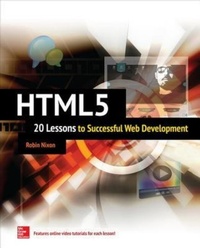
HTML5: 20 Lessons to Successful Web Development
1st Edition
Published on 30. January 2015
307 pages
978-0-07-183768-2 (ISBN)
Available for download
Description

Master HTML and HTML5 in 20 lessons--online video tutorials included! Based on the author's successful online courses, this complete, integrated learning tool provides easy-to-follow lessons that feature clear explanations, sample code and exercises, and video tutorials. Each lesson is designed to take you less than an hour to complete. HTML5: 20 Lessons to Successful Web Development covers the basics of HTML, including laying out an HTML document, using fonts, colors, and images, creating lists and tables, and building forms. Next, you'll learn how to use the HTML5 canvas, support geolocation, build advanced forms, implement local storage, add audio and video to your pages, and much more. Together, the book and almost five hours of video training make learning HTML5 easier than ever! Ready-to-use code at www.mhprofessional.com
More details
Other editions
Additional editions
Robin Nixon
HTML5: 20 Lessons to Successful Web Development
Book
02/2015
McGraw-Hill Professional
€41.50
Shipment within 15-20 days
Content
- Cover
- Title Page
- Copyright Page
- Dedication
- Contents at a Glance
- Contents
- Acknowledgments
- Introduction
- PART I Basic HTML
- LESSON 1 An Introduction to HTML
- What Is HTML?
- HTTP and HTML Basics
- The Request/Response Sequence
- The Difference Between Get and Post Requests
- HTML Tags
- Tag Attributes
- Summary
- Self-Test Questions
- LESSON 2 The Layout of an HTML Document
- The &!DOCTYPE& Declaration
- Internet Explorer Tweak for Local Documents
- The &html& Tag
- The &head& Tag
- Creating a Document Title
- Including Style Sheets
- Incorporating JavaScript
- Passing Metadata
- The &body& Tag
- Summary
- Self-Test Questions
- LESSON 3 The HTML Document Body
- Inserting Comments
- The HTML 4.01 Tags
- The ÷& and &span& Tags
- Headings
- Paragraphs
- Line Breaks
- Text Emphasis
- Summary
- Self-Test Questions
- LESSON 4 Fonts, Colors, and Images
- Changing Font Face and Color
- &font color=´.´& . &/font&
- &font face=´.´& . &/font&
- &font size=´.´& . &/font&
- &basefont&
- &body bgcolor=´.´&
- The Named Colors
- Coloring by Numbers
- Font Faces
- Displaying Images
- Summary
- Self-Test Questions
- LESSON 5 Creating Lists and Tables
- Building Lists
- Overriding the Defaults
- Definition Lists
- Creating Tables
- Table Rows and Columns
- Extending Rows and Columns
- Summary
- Self-Test Questions
- LESSON 6 Links, Forms, and Frames
- Using Hyperlinks
- The Query String
- Relative URLs
- Creating Links
- Building Forms
- The &input& Tag
- The &textarea& Tag
- The &select& Tag
- The &button& Tag
- The &label& Tag
- Frames and Iframes
- Summary
- Self-Test Questions
- LESSON 7 Using the Remaining HTML4 Tags
- Conditional HTML for Internet Explorer
- Simple Comparisons
- Higher or Lower Values
- The Not Operator
- The Mark of the Web
- &abbr& . &/abbr&
- &acronym& . &/acronym& (Obsolete)
- &address& . &/address&
- &applet& . &/applet& (Obsolete)
- &area&
- &base&
- &basefont& (Obsolete)
- &bdo& . &/bdo&
- &big& . &/big& (Obsolete) and &small& . &/small&
- &blockquote& . &/blockquote&
- ¢er& . &/center& (Obsolete)
- &cite& . &/cite&
- &code& . &/code&
- &col& and &colgroup&
- &del& . &/del&
- &fieldset& . &/fieldset&
- &font& . &/font& (Obsolete)
- &frameset& (Obsolete)
- &hr&
- &iframe& . &/iframe&
- &isindex& . &/isindex& (Obsolete)
- &menu& . &/menu& (Reserved)
- &optgroup& . &/optgroup&
- ⊂& . &/sub& and ⊃& . &/sup&
- Summary
- Self-Test Questions
- PART II HTML5 and the Canvas
- LESSON 8 What's New in HTML5
- The Canvas
- Geolocation
- Forms
- Local Storage
- Audio and Video
- The &embed& Tag
- Microdata
- Web Workers
- Web Applications
- Still to Come
- Summary
- Self-Test Questions
- LESSON 9 Accessing the Canvas
- An Ultra-Crash Course in JavaScript
- Accessing Form Elements from JavaScript
- Using the getElementById() Function
- The Simpler O() Function
- The Partner S() Function
- The &canvas& Tag
- Accessing the Canvas with JavaScript
- Converting a Canvas to an Image
- Summary
- Self-Test Questions
- LESSON 10 Creating Rectangles, Fills, Gradients, and Patterns
- Drawing Rectangles
- The fillRect() Function
- The fillStyle Property
- The clearRect() Function
- The strokeRect() Function
- Creating Gradients
- The createLinearGradient() Function
- The createRadialGradient() Function
- The addColorStop() Function
- Using Patterns
- The createPattern() Function
- Summary
- Self-Test Questions
- LESSON 11 Writing Text to the Canvas
- Writing Text
- The font Property
- The strokeText() Function
- The textAlign Property
- The textBaseline Property
- The fillText() Function
- Determining Text Width
- Summary
- Self-Test Questions
- LESSON 12 Drawing Lines, Paths, and Curves
- Drawing Lines
- The lineWidth Property
- The lineCap Property
- The lineJoin Property
- The miterLimit Property
- Drawing with Paths
- The beginPath() and closePath() Functions
- The moveTo() and lineTo() Functions
- The stroke() Function
- The rect() Function
- The fill() Function
- The clip() Function
- The isPointInPath() Function
- Creating Curves
- The arc() Function
- The arcTo() Function
- The quadraticCurveTo() Function
- The bezierCurveTo() Function
- Summary
- Self-Test Questions
- LESSON 13 Manipulating Images, Shadows, and Pixels
- Using Images
- The drawImage() Function
- Adding Shadows
- Pixel Editing
- The getImageData() Function
- The data[] Array
- The putImageData() Function
- The createImageData() Function
- Summary
- Self-Test Questions
- LESSON 14 Compositing, Transparency, and Transformations
- Compositing and Transparency
- The globalCompositeOperation Property
- The globalAlpha Property
- Using Transformations
- The scale() Function
- The save() and restore() Functions
- The rotate() Function
- The translate() Function
- The transform() Function
- The setTransform() Function
- Summary
- Self-Test Questions
- PART III Advanced HTML
- LESSON 15 Supporting Geolocation
- Accessing Geolocation with JavaScript
- The geolocation Property
- The getCurrentPosition() Function
- In the Real World
- The GPS Service
- Other Location Methods
- Summary
- Self-Test Questions
- LESSON 16 Building Advanced Forms
- New Form Attributes
- The autocomplete Attribute
- The autofocus Attribute
- The form Attribute
- Form Overrides
- The formaction Attribute
- The formenctype Attribute
- The formmethod Attribute
- The formnovalidate Attribute
- The formtarget Attribute
- The height and width Attributes
- The list Attribute and &datalist& and &option& Tags
- The min and max Attributes
- The multiple Attribute
- The novalidate and formnovalidate Attributes
- The pattern Attribute
- The placeholder Attribute
- The required Attribute
- The step Attribute
- New Form Input Types
- The color Input Type
- Date and Time Pickers
- The date Input Type
- The month Input Type
- The time Input Type
- The week Input Type
- The datetime Input Type
- The datetime-local Input Type
- The email Input Type
- The number Input Type
- The range Input Type
- The search Input Type
- The tel Input Type
- The url Input Type
- Summary
- Self-Test Questions
- LESSON 17 Implementing Local Storage and Cross-Document Messaging
- Using Local Storage
- Storing and Retrieving Local Data
- Removing and Clearing Local Data
- Cross-Document Messaging
- Summary
- Self-Test Questions
- LESSON 18 Playing Audio
- Understanding Codecs
- The &audio& and &source& Tags
- The &audio& and &source& Tag Attributes
- Supporting Older Browsers
- Summary
- Self-Test Questions
- LESSON 19 Displaying Video
- The Video Codecs
- The &video& and &source& Tags
- The &video& and &source& Tag Attributes
- Summary
- Self-Test Questions
- LESSON 20 Working with Microdata, Web Workers, and Web Applications
- Microdata
- Web Workers
- Offline Web Applications
- Drag and Drop
- Other HTML5 Tags
- Summary
- Self-Test Questions
- APPENDIX Answers to the Self-Test Questions
- Lesson 1 Answers
- Lesson 2 Answers
- Lesson 3 Answers
- Lesson 4 Answers
- Lesson 5 Answers
- Lesson 6 Answers
- Lesson 7 Answers
- Lesson 8 Answers
- Lesson 9 Answers
- Lesson 10 Answers
- Lesson 11 Answers
- Lesson 12 Answers
- Lesson 13 Answers
- Lesson 14 Answers
- Lesson 15 Answers
- Lesson 16 Answers
- Lesson 17 Answers
- Lesson 18 Answers
- Lesson 19 Answers
- Lesson 20 Answers
- Index

