

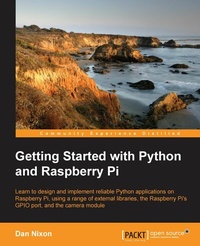
Getting Started with Python and Raspberry Pi (Redirected from Learning Python By Developing Raspberry Pi Applications)
Learn to design and implement reliable Python applications on the Raspberry Pi using a range of external libraries, the Raspberry Pis GPIO port, and the camera module
Published on 7. October 2025
200 pages
978-1-78528-583-7 (ISBN)
Description

Learn to design and implement reliable Python applications on the Raspberry Pi using a range of external libraries, the Raspberry Pis GPIO port, and the camera module.
Key Features
Book DescriptionThe Raspberry Pi is one of the smallest and most affordable single board computers that has taken over the world of hobby electronics and programming, and the Python programming language makes this the perfect platform to start coding with. The book will start with a brief introduction to Raspberry Pi and Python. We will direct you to the official documentation that helps you set up your Raspberry Pi with the necessary equipment such as the monitor, keyboard, mouse, power supply, and so on. It will then dive right into the basics of Python programming. Later, it will focus on other Python tasks, for instance, interfacing with hardware, GUI programming, and more. Once you get well versed with the basic programming, the book will then teach you to develop Python/Raspberry Pi applications. By the end of this book, you will be able to develop Raspberry Pi applications with Python and will have good understanding of Python programming for Raspberry Pi.What you will learn
Fundamentals of Python applications
Designing applications for multithreading
Interacting with electronics and physical devices
Debugging applications when they go wrong
Packaging and installing Python modules
User interface design using Qt
Building easy to use commandline interfaces
Connecting applications to the Internet
Who this book is forThis book is designed for those who are unfamiliar with the art of Python development and want to get to know their way round the language and the many additional libraries that allow you to get a full application up and running in no time.
Key Features
Book DescriptionThe Raspberry Pi is one of the smallest and most affordable single board computers that has taken over the world of hobby electronics and programming, and the Python programming language makes this the perfect platform to start coding with. The book will start with a brief introduction to Raspberry Pi and Python. We will direct you to the official documentation that helps you set up your Raspberry Pi with the necessary equipment such as the monitor, keyboard, mouse, power supply, and so on. It will then dive right into the basics of Python programming. Later, it will focus on other Python tasks, for instance, interfacing with hardware, GUI programming, and more. Once you get well versed with the basic programming, the book will then teach you to develop Python/Raspberry Pi applications. By the end of this book, you will be able to develop Raspberry Pi applications with Python and will have good understanding of Python programming for Raspberry Pi.What you will learn
Fundamentals of Python applications
Designing applications for multithreading
Interacting with electronics and physical devices
Debugging applications when they go wrong
Packaging and installing Python modules
User interface design using Qt
Building easy to use commandline interfaces
Connecting applications to the Internet
Who this book is forThis book is designed for those who are unfamiliar with the art of Python development and want to get to know their way round the language and the many additional libraries that allow you to get a full application up and running in no time.
All prices
More details
Edition
Digital original
Language
English
Place of publication
Birmingham
United Kingdom
Target group
Professional and scholarly
US School Grade: College Graduate Student
Edition type
Digital original
File size
4,62 MB
ISBN-13
978-1-78528-583-7 (9781785285837)
Copyright in bibliographic data and cover images is held by Nielsen Book Services Limited or by the publishers or by their respective licensors: all rights reserved.
Schweitzer Classification
Other editions
Additional editions
Book
09/2015
Packt Publishing
€50.30
Shipment within 3-4 weeks
Person
Nixon Dan :
Dan Nixon is a software and electronics engineer living in the north of England. He has past experience of creating software for data analysis, process control, and business intelligence applications. In most of these projects, Python was one of the main languages used. Dan previously authored another book on the uses of the Raspberry Pi, called Raspberry Pi Blueprints, and has worked on many personal projects that use both Python and the Raspberry Pi.
Dan Nixon is a software and electronics engineer living in the north of England. He has past experience of creating software for data analysis, process control, and business intelligence applications. In most of these projects, Python was one of the main languages used. Dan previously authored another book on the uses of the Raspberry Pi, called Raspberry Pi Blueprints, and has worked on many personal projects that use both Python and the Raspberry Pi.
Content
Table of Contents
Your first steps with Python on the Pi
Understanding Control flow and data types
Working with Data structures and I/O
Understanding Object Oriented Programming
Packaging code with setuptools
Accessing GPIO pins
Configuring the camera module
Extracting data from the Internet
Creating Command line interfaces
Debugging applications with PDB and log files
Designing your GUI with Qt
Your first steps with Python on the Pi
Understanding Control flow and data types
Working with Data structures and I/O
Understanding Object Oriented Programming
Packaging code with setuptools
Accessing GPIO pins
Configuring the camera module
Extracting data from the Internet
Creating Command line interfaces
Debugging applications with PDB and log files
Designing your GUI with Qt

