

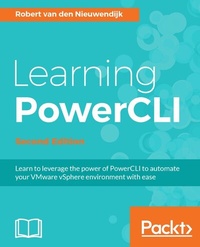
Learning PowerCLI
A comprehensive guide on PowerCLI
2nd Edition
Published on 13. January 2025
562 pages
978-1-78646-692-1 (ISBN)
Description

Learn to leverage the power of PowerCLI to automate your VMware vSphere environment with ease
Key Features
[*] This is first book on the market that will enlighten you on the latest version of PowerCLI and how to implement it
[*] Effectively manage virtual machines, networks, and reports with the latest features of PowerCLI
[*] A comprehensive and practical book on automating VMware vSphere
Book DescriptionVMware vSphere PowerCLI, a free extension to Microsoft Windows PowerShell, enables you to automate the management of a VMware vSphere or vCloud environment. This book will show you how to automate your tasks and make your job easier. Starting with an introduction to the basics of PowerCLI, the book will teach you how to manage your vSphere and vCloud infrastructure from the command line. To help you manage a vSphere host overall, you will learn how to manage vSphere ESXi hosts, host profiles, host services, host firewall, and deploy and upgrade ESXi hosts using Image Builder and Auto Deploy. The next chapter will not only teach you how to create datastore and datastore clusters, but you'll also work with profile-driven and policy-based storage to manage your storage. To create a disaster recovery solution and retrieve information from vRealize Operations, you will learn how to use Site Recovery Manager and vRealize Operations respectively. Towards the end, you'll see how to use the REST APIs from PowerShell to manage NSX and vRealize Automation and create patch baselines, scan hosts against the baselines for missing patches, and re-mediate hosts. By the end of the book, you will be capable of using the best tool to automate the management and configuration of VMware vSphere. What you will learn
Explore PowerShell and PowerCLI cmdlets and their output objects
See how to manage virtual machines and work with virtual networks
Manage vCloud Director from PowerCLI
Use Site Recovery Manager from PowerCLI to create a disaster recovery solution
Manage NSX and vRealize Automation using REST API with PowerCLI
Create and configure vSphere HA and DRS clusters
Use vSphere Update Manager with PowerCLI to create patch baselines and scan hosts
Explore reporting techniques to retrieve log files
Who this book is forThis book is ideal for you if you want to learn how to automate your VMware vSphere or vCloud infrastructure by getting the most out of PowerCLI. It's assumed that you have some experience in administrating a vSphere or vCloud environment. Knowledge of Microsoft's Windows PowerShell is not a prerequisite.
Key Features
[*] This is first book on the market that will enlighten you on the latest version of PowerCLI and how to implement it
[*] Effectively manage virtual machines, networks, and reports with the latest features of PowerCLI
[*] A comprehensive and practical book on automating VMware vSphere
Book DescriptionVMware vSphere PowerCLI, a free extension to Microsoft Windows PowerShell, enables you to automate the management of a VMware vSphere or vCloud environment. This book will show you how to automate your tasks and make your job easier. Starting with an introduction to the basics of PowerCLI, the book will teach you how to manage your vSphere and vCloud infrastructure from the command line. To help you manage a vSphere host overall, you will learn how to manage vSphere ESXi hosts, host profiles, host services, host firewall, and deploy and upgrade ESXi hosts using Image Builder and Auto Deploy. The next chapter will not only teach you how to create datastore and datastore clusters, but you'll also work with profile-driven and policy-based storage to manage your storage. To create a disaster recovery solution and retrieve information from vRealize Operations, you will learn how to use Site Recovery Manager and vRealize Operations respectively. Towards the end, you'll see how to use the REST APIs from PowerShell to manage NSX and vRealize Automation and create patch baselines, scan hosts against the baselines for missing patches, and re-mediate hosts. By the end of the book, you will be capable of using the best tool to automate the management and configuration of VMware vSphere. What you will learn
Explore PowerShell and PowerCLI cmdlets and their output objects
See how to manage virtual machines and work with virtual networks
Manage vCloud Director from PowerCLI
Use Site Recovery Manager from PowerCLI to create a disaster recovery solution
Manage NSX and vRealize Automation using REST API with PowerCLI
Create and configure vSphere HA and DRS clusters
Use vSphere Update Manager with PowerCLI to create patch baselines and scan hosts
Explore reporting techniques to retrieve log files
Who this book is forThis book is ideal for you if you want to learn how to automate your VMware vSphere or vCloud infrastructure by getting the most out of PowerCLI. It's assumed that you have some experience in administrating a vSphere or vCloud environment. Knowledge of Microsoft's Windows PowerShell is not a prerequisite.
All prices
More details
Edition
2nd Revised edition
Language
English
Place of publication
Birmingham
United Kingdom
Target group
Professional and scholarly
US School Grade: College Graduate Student
Edition type
Revised edition
File size
9,58 MB
ISBN-13
978-1-78646-692-1 (9781786466921)
Copyright in bibliographic data and cover images is held by Nielsen Book Services Limited or by the publishers or by their respective licensors: all rights reserved.
Schweitzer Classification
Other editions
Additional editions
Robert Van Den Nieuwendijk
Learning PowerCLI Second Edition
Book
02/2017
Packt Publishing
€65.20
Shipment within 3-4 weeks
Person
van den Nieuwendijk Robert :
Robert van den Nieuwendijk is an IT veteran from the Netherlands with over thirty years of experience in Information Technology. He holds a bachelor degree in software engineering. After working a few years as a programmer of air traffic control and vessel traffic management systems, he started his own company Van den Nieuwendijk Informatica in 1988. Since then he has worked as a freelance systems administrator of OpenVMS, Windows Server, Linux, and VMware vSphere systems, for Dutch governmental organizations and cloud providers. During winter he is also a ski and snowboard instructor at an indoor ski school. With his background as a programmer, he always tries to make his job easier by writing programs or scripts to perform repeating tasks. In the past, he used the C programming language, OpenVMS DCL, Visual Basic Script and KiXtart to do this. Now, he uses Microsoft PowerShell and VMware PowerCLI for all of his scripting work. Robert is a frequent contributor and moderator at the VMware VMTN Communities. Since 2012 VMware awarded him the vExpert title for his significant contributions to the community and a willingness to share his expertise with others. He has a blog at http://rvdnieuwendijk.com where he writes mainly about VMware PowerCLI, Microsoft PowerShell, and VMware vSphere. If you want to get in touch with Robert, then you can find him on Twitter. His username is @rvdnieuwendijk. Robert is also the author of Learning PowerCLI, Packt Publishing.
Robert van den Nieuwendijk is an IT veteran from the Netherlands with over thirty years of experience in Information Technology. He holds a bachelor degree in software engineering. After working a few years as a programmer of air traffic control and vessel traffic management systems, he started his own company Van den Nieuwendijk Informatica in 1988. Since then he has worked as a freelance systems administrator of OpenVMS, Windows Server, Linux, and VMware vSphere systems, for Dutch governmental organizations and cloud providers. During winter he is also a ski and snowboard instructor at an indoor ski school. With his background as a programmer, he always tries to make his job easier by writing programs or scripts to perform repeating tasks. In the past, he used the C programming language, OpenVMS DCL, Visual Basic Script and KiXtart to do this. Now, he uses Microsoft PowerShell and VMware PowerCLI for all of his scripting work. Robert is a frequent contributor and moderator at the VMware VMTN Communities. Since 2012 VMware awarded him the vExpert title for his significant contributions to the community and a willingness to share his expertise with others. He has a blog at http://rvdnieuwendijk.com where he writes mainly about VMware PowerCLI, Microsoft PowerShell, and VMware vSphere. If you want to get in touch with Robert, then you can find him on Twitter. His username is @rvdnieuwendijk. Robert is also the author of Learning PowerCLI, Packt Publishing.
Content
Table of Contents
Introduction to PowerCLI
Learning basic PowerCLI concepts
Working with Objects in PowerShell
Managing vSphere Hosts
Managing Virtual Machines
Managing Virtual Networks
Managing Storage
Managing High Availability and Clustering
Managing vCenter Server
Patching vSphere hosts and updating VMware Tools
Managing VMware vCloud Director(vCD) and vCloud Air
Using Site Recovery Manager (SRM)
Using vRealize Operations (vRO)
Using REST API to manage NSX and vRealize Automation (vRA)
Reporting with PowerCLI
Introduction to PowerCLI
Learning basic PowerCLI concepts
Working with Objects in PowerShell
Managing vSphere Hosts
Managing Virtual Machines
Managing Virtual Networks
Managing Storage
Managing High Availability and Clustering
Managing vCenter Server
Patching vSphere hosts and updating VMware Tools
Managing VMware vCloud Director(vCD) and vCloud Air
Using Site Recovery Manager (SRM)
Using vRealize Operations (vRO)
Using REST API to manage NSX and vRealize Automation (vRA)
Reporting with PowerCLI

