

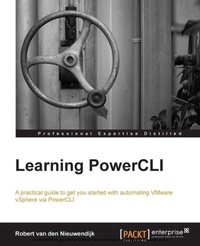
Learning PowerCLI for VMware VSphere
Automate your Vmware vSphere environment by learning how to install and use PowerCLI. This book takes a practical tutorial approach that will have you automating your daily routine tasks in no time.
Published on 7. October 2025
374 pages
978-1-78217-017-4 (ISBN)
Description

Key Features
Book DescriptionLearning PowerCLI is written in a friendly and practical style with a focus on getting you started and automating daily tasks quickly and efficiently. If you manage or administrate a vSphere environment, and want to make that easier and more efficient, then this book is for you! This book is ideal for you if you want to learn how to automate your VMware vSphere infrastructure, by getting the most out of PowerCLI. It's assumed that you have some experience in administrating a VMware vSphere environment. Knowledge of Microsoft's Windows PowerShell is not a prerequisite.What you will learn
Download and install PowerCLI
Add hosts to VMware vCenter Server
Configure vSphere Auto Deploy
Use the esxcli command from PowerCLI
Create OS Customization Specs
Monitor virtual machine performance
Configure distributed virtual switches and storage I/O Control
Enable VM and Application Monitoring
Manage licenses for multiple hosts to migrate them easily
Configure an alarm to monitor your networks virtual machines
Generate a goodlooking HTML report in no time
Who this book is for
Book DescriptionLearning PowerCLI is written in a friendly and practical style with a focus on getting you started and automating daily tasks quickly and efficiently. If you manage or administrate a vSphere environment, and want to make that easier and more efficient, then this book is for you! This book is ideal for you if you want to learn how to automate your VMware vSphere infrastructure, by getting the most out of PowerCLI. It's assumed that you have some experience in administrating a VMware vSphere environment. Knowledge of Microsoft's Windows PowerShell is not a prerequisite.What you will learn
Download and install PowerCLI
Add hosts to VMware vCenter Server
Configure vSphere Auto Deploy
Use the esxcli command from PowerCLI
Create OS Customization Specs
Monitor virtual machine performance
Configure distributed virtual switches and storage I/O Control
Enable VM and Application Monitoring
Manage licenses for multiple hosts to migrate them easily
Configure an alarm to monitor your networks virtual machines
Generate a goodlooking HTML report in no time
Who this book is for
More details
Edition
Digital original
Language
English
Place of publication
Birmingham
United Kingdom
Target group
Professional and scholarly
US School Grade: College Graduate Student
Edition type
Digital original
File size
3,60 MB
ISBN-13
978-1-78217-017-4 (9781782170174)
Copyright in bibliographic data and cover images is held by Nielsen Book Services Limited or by the publishers or by their respective licensors: all rights reserved.
Schweitzer Classification
Other editions
Additional editions
Robert Van Den Nieuwendijk
Learning PowerCLI for VMware VSphere
Automate your Vmware vSphere environment by learning how to install and use PowerCLI. This book takes a practical tutorial approach that will have you automating your daily routine tasks in no time.
Book
02/2014
Packt Publishing
€56.70
Shipment within 3-4 weeks
Person
van den Nieuwendijk Robert :
Robert van den Nieuwendijk is an IT veteran from the Netherlands with over thirty years of experience in Information Technology. He holds a bachelor degree in software engineering. After working a few years as a programmer of air traffic control and vessel traffic management systems, he started his own company Van den Nieuwendijk Informatica in 1988. Since then he has worked as a freelance systems administrator of OpenVMS, Windows Server, Linux, and VMware vSphere systems, for Dutch governmental organizations and cloud providers. During winter he is also a ski and snowboard instructor at an indoor ski school. With his background as a programmer, he always tries to make his job easier by writing programs or scripts to perform repeating tasks. In the past, he used the C programming language, OpenVMS DCL, Visual Basic Script and KiXtart to do this. Now, he uses Microsoft PowerShell and VMware PowerCLI for all of his scripting work. Robert is a frequent contributor and moderator at the VMware VMTN Communities. Since 2012 VMware awarded him the vExpert title for his significant contributions to the community and a willingness to share his expertise with others. He has a blog at http://rvdnieuwendijk.com where he writes mainly about VMware PowerCLI, Microsoft PowerShell, and VMware vSphere. If you want to get in touch with Robert, then you can find him on Twitter. His username is @rvdnieuwendijk. Robert is also the author of Learning PowerCLI, Packt Publishing.
Robert van den Nieuwendijk is an IT veteran from the Netherlands with over thirty years of experience in Information Technology. He holds a bachelor degree in software engineering. After working a few years as a programmer of air traffic control and vessel traffic management systems, he started his own company Van den Nieuwendijk Informatica in 1988. Since then he has worked as a freelance systems administrator of OpenVMS, Windows Server, Linux, and VMware vSphere systems, for Dutch governmental organizations and cloud providers. During winter he is also a ski and snowboard instructor at an indoor ski school. With his background as a programmer, he always tries to make his job easier by writing programs or scripts to perform repeating tasks. In the past, he used the C programming language, OpenVMS DCL, Visual Basic Script and KiXtart to do this. Now, he uses Microsoft PowerShell and VMware PowerCLI for all of his scripting work. Robert is a frequent contributor and moderator at the VMware VMTN Communities. Since 2012 VMware awarded him the vExpert title for his significant contributions to the community and a willingness to share his expertise with others. He has a blog at http://rvdnieuwendijk.com where he writes mainly about VMware PowerCLI, Microsoft PowerShell, and VMware vSphere. If you want to get in touch with Robert, then you can find him on Twitter. His username is @rvdnieuwendijk. Robert is also the author of Learning PowerCLI, Packt Publishing.
Content
Table of Contents
