

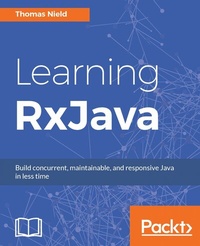
Learning RxJava
Reactive, Concurrent, and responsive applications
1st Edition
Published on 8. July 2025
400 pages
978-1-78712-374-8 (ISBN)
Description

Reactive Programming with Java and ReactiveXKey Features - [*]Explore the essential tools and operators RxJava provides, and know which situations to use them in
- [*]Delve into Observables and Subscribers, the core components of RxJava used for building scalable and performant reactive applications
- [*]Delve into the practical implementation of tools to effectively take on complex tasks such as concurrency and backpressure
Book DescriptionRxJava is a library for composing asynchronous and event-based programs using Observable sequences for the JVM, allowing developers to build robust applications in less time. Learning RxJava addresses all the fundamentals of reactive programming to help readers write reactive code, as well as teach them an effective approach to designing and implementing reactive libraries and applications. Starting with a brief introduction to reactive programming concepts, there is an overview of Observables and Observers, the core components of RxJava, and how to combine different streams of data and events together. You will also learn simpler ways to achieve concurrency and remain highly performant, with no need for synchronization. Later on, we will leverage backpressure and other strategies to cope with rapidly-producing sources to prevent bottlenecks in your application. After covering custom operators, testing, and debugging, the book dives into hands-on examples using RxJava on Android as well as Kotlin.What you will learn - Learn the features of RxJava 2 that bring about many significant changes, including new reactive types such as Flowable, Single, Maybe, and Completable
- Understand how reactive programming works and the mindset to "think reactively"
- Demystify the Observable and how it quickly expresses data and events as sequences
- Learn the various Rx operators that transform, filter, and combine data and event sequences
- Leverage multicasting to push data to multiple destinations, and cache and replay them
- Discover how concurrency and parallelization work in RxJava, and how it makes these traditionally complex tasks trivial to implement
- Apply RxJava and Retrolambda to the Android domain to create responsive Android apps with better user experiences
- Use RxJava with the Kotlin language to express RxJava more idiomatically with extension functions, data classes, and other Kotlin features
Who this book is forThe primary audience for this book is developers with at least a fundamental mastery of Java. Some readers will likely be interested in RxJava to make programs more resilient, concurrent, and scalable. Others may be checking out reactive programming just to see what it is all about, and to judge whether it can solve any problems they may have.
- [*]Delve into Observables and Subscribers, the core components of RxJava used for building scalable and performant reactive applications
- [*]Delve into the practical implementation of tools to effectively take on complex tasks such as concurrency and backpressure
Book DescriptionRxJava is a library for composing asynchronous and event-based programs using Observable sequences for the JVM, allowing developers to build robust applications in less time. Learning RxJava addresses all the fundamentals of reactive programming to help readers write reactive code, as well as teach them an effective approach to designing and implementing reactive libraries and applications. Starting with a brief introduction to reactive programming concepts, there is an overview of Observables and Observers, the core components of RxJava, and how to combine different streams of data and events together. You will also learn simpler ways to achieve concurrency and remain highly performant, with no need for synchronization. Later on, we will leverage backpressure and other strategies to cope with rapidly-producing sources to prevent bottlenecks in your application. After covering custom operators, testing, and debugging, the book dives into hands-on examples using RxJava on Android as well as Kotlin.What you will learn - Learn the features of RxJava 2 that bring about many significant changes, including new reactive types such as Flowable, Single, Maybe, and Completable
- Understand how reactive programming works and the mindset to "think reactively"
- Demystify the Observable and how it quickly expresses data and events as sequences
- Learn the various Rx operators that transform, filter, and combine data and event sequences
- Leverage multicasting to push data to multiple destinations, and cache and replay them
- Discover how concurrency and parallelization work in RxJava, and how it makes these traditionally complex tasks trivial to implement
- Apply RxJava and Retrolambda to the Android domain to create responsive Android apps with better user experiences
- Use RxJava with the Kotlin language to express RxJava more idiomatically with extension functions, data classes, and other Kotlin features
Who this book is forThe primary audience for this book is developers with at least a fundamental mastery of Java. Some readers will likely be interested in RxJava to make programs more resilient, concurrent, and scalable. Others may be checking out reactive programming just to see what it is all about, and to judge whether it can solve any problems they may have.
All prices
More details
Other editions
New editions
Nick Samoylov | Thomas Nield
Learning RxJava
Build concurrent applications using reactive programming with the latest features of RxJava 3
E-Book
09/2024
2nd Edition
Packt Publishing
€23.49
Available for download
Additional editions
Book
06/2017
Packt Publishing
€56.90
Shipment within 3-4 weeks
Person
Nield Thomas :
Thomas Nield is a business consultant for Southwest Airlines in Schedule Initiatives, and a maintainer for RxJavaFX and RxKotlin. Early in his career, he became fascinated with technology and its role in business analytics. After becoming proficient in Java, Kotlin, Python, SQL, and reactive programming, he became an open source contributor and an author/speaker at O'Reilly Media. He is passionate about sharing what he learns and enabling others with new skill sets. He enjoys making technical content relatable and relevant to those unfamiliar with it or who are intimidated by it. He is interested in data science, reactive programming, and the Kotlin language. He has also authored the book Getting Started with SQL, by O'Reilly Media.
Thomas Nield is a business consultant for Southwest Airlines in Schedule Initiatives, and a maintainer for RxJavaFX and RxKotlin. Early in his career, he became fascinated with technology and its role in business analytics. After becoming proficient in Java, Kotlin, Python, SQL, and reactive programming, he became an open source contributor and an author/speaker at O'Reilly Media. He is passionate about sharing what he learns and enabling others with new skill sets. He enjoys making technical content relatable and relevant to those unfamiliar with it or who are intimidated by it. He is interested in data science, reactive programming, and the Kotlin language. He has also authored the book Getting Started with SQL, by O'Reilly Media.
Content
- Intro
- Credits
- About the Author
- Acknowledgements
- About the Reviewers
- www.PacktPub.com
- Customer Feedback
- Table of Contents
- Preface
- Chapter 1: Thinking Reactively
- A brief history of ReactiveX and RxJava
- Thinking reactively
- Why should I learn RxJava?
- What we will learn in this book?
- Setting up
- Navigating the Central Repository
- Using Gradle
- Using Maven
- A quick exposure to RxJava
- RxJava 1.0 versus RxJava 2.0 - which one do I use?
- When to use RxJava
- Summary
- Chapter 2: Observables and Subscribers
- The Observable
- How Observables work
- Using Observable.create()
- Using Observable.just()
- The Observer interface
- Implementing and subscribing to an Observer
- Shorthand Observers with lambdas
- Cold versus hot Observables
- Cold Observables
- Hot Observables
- ConnectableObservable
- Other Observable sources
- Observable.range()
- Observable.interval()
- Observable.future()
- Observable.empty()
- Observable.never()
- Observable.error()
- Observable.defer()
- Observable.fromCallable()
- Single, Completable, and Maybe
- Single
- Maybe
- Completable
- Disposing
- Handling a Disposable within an Observer
- Using CompositeDisposable
- Handling Disposal with Observable.create()
- Summary
- Chapter 3: Basic Operators
- Suppressing operators
- filter()
- take()
- skip()
- takeWhile() and skipWhile()
- distinct()
- distinctUntilChanged()
- elementAt()
- Transforming operators
- map()
- cast()
- startWith()
- defaultIfEmpty()
- switchIfEmpty()
- sorted()
- delay()
- repeat()
- scan()
- Reducing operators
- count()
- reduce()
- all()
- any()
- contains()
- Collection operators
- toList()
- toSortedList()
- toMap() and toMultiMap()
- collect()
- Error recovery operators
- onErrorReturn() and onErrorReturnItem()
- onErrorResumeNext()
- retry()
- Action operators
- doOnNext(), doOnComplete(), and doOnError()
- doOnSubscribe() and doOnDispose()
- doOnSuccess()
- Summary
- Chapter 4: Combining Observables
- Merging
- Observable.merge() and mergeWith()
- flatMap()
- Concatenation
- Observable.concat() and concatWith()
- concatMap()
- Ambiguous
- Zipping
- Combine latest
- withLatestFrom()
- Grouping
- Summary
- Chapter 5: Multicasting, Replaying, and Caching
- Understanding multicasting
- Multicasting with operators
- When to multicast
- Automatic connection
- autoConnect()
- refCount() and share()
- Replaying and caching
- Replaying
- Caching
- Subjects
- PublishSubject
- When to use Subjects
- When Subjects go wrong
- Serializing Subjects
- BehaviorSubject
- ReplaySubject
- AsyncSubject
- UnicastSubject
- Summary
- Chapter 6: Concurrency and Parallelization
- Why concurrency is necessary
- Concurrency in a nutshell
- Understanding parallelization
- Introducing RxJava concurrency
- Keeping an application alive
- Understanding Schedulers
- Computation
- IO
- New thread
- Single
- Trampoline
- ExecutorService
- Starting and shutting down Schedulers
- Understanding subscribeOn()
- Nuances of subscribeOn()
- Understanding observeOn()
- Using observeOn() for UI event threads
- Nuances of observeOn()
- Parallelization
- unsubscribeOn()
- Summary
- Chapter 7: Switching, Throttling, Windowing, and Buffering
- Buffering
- Fixed-size buffering
- Time-based buffering
- Boundary-based buffering
- Windowing
- Fixed-size windowing
- Time-based windowing
- Boundary-based windowing
- Throttling
- throttleLast() / sample()
- throttleFirst()
- throttleWithTimeout() / debounce()
- Switching
- Grouping keystrokes
- Summary
- Chapter 8: Flowables and Backpressure
- Understanding backpressure
- An example that needs backpressure
- Introducing the Flowable
- When to use Flowables and backpressure
- Use an Observable If...
- Use a Flowable If...
- Understanding the Flowable and Subscriber
- The Subscriber
- Creating a Flowable
- Using Flowable.create() and BackpressureStrategy
- Turning an Observable into a Flowable (and vice-versa)
- Using onBackpressureXXX() operators
- onBackPressureBuffer()
- onBackPressureLatest()
- onBackPressureDrop()
- Using Flowable.generate()
- Summary
- Chapter 9: Transformers and Custom Operators
- Transformers
- ObservableTransformer
- FlowableTransformer
- Avoiding shared state with Transformers
- Using to() for fluent conversion
- Operators
- Implementing an ObservableOperator
- FlowableOperator
- Custom Transformers and operators for Singles, Maybes, and Completables
- Using RxJava2-Extras and RxJava2Extensions
- Summary
- Chapter 10: Testing and Debugging
- Configuring JUnit
- Blocking subscribers
- Blocking operators
- blockingFirst()
- blockingGet()
- blockingLast()
- blockingIterable()
- blockingForEach()
- blockingNext()
- blockingLatest()
- blockingMostRecent()
- Using TestObserver and TestSubscriber
- Manipulating time with the TestScheduler
- Debugging RxJava code
- Summary
- Chapter 11: RxJava on Android
- Creating the Android project
- Configuring Retrolambda
- Configuring RxJava and friends
- Using RxJava and RxAndroid
- Using RxBinding
- Other RxAndroid bindings libraries
- Life cycles and cautions using RxJava with Android
- Summary
- Chapter 12: Using RxJava for Kotlin New
- Why Kotlin?
- Configuring Kotlin
- Configuring Kotlin for Gradle
- Configuring Kotlin for Maven
- Configuring RxJava and RxKotlin
- Kotlin basics
- Creating a Kotlin file
- Assigning properties and variables
- Extension functions
- Kotlin lambdas
- Extension operators
- Using RxKotlin
- Dealing with SAM ambiguity
- Using let() and apply()
- Using let()
- Using apply()
- Tuples and data classes
- Future of ReactiveX and Kotlin
- Summary
- Appendix
- Introducing lambda expressions
- Making a Runnable a lambda
- Making a Supplier a lambda
- Making a Consumer a lambda
- Making a Function a lambda
- Functional types
- Mixing object-oriented and reactive programming
- Materializing and Dematerializing
- Understanding Schedulers
- Index

