

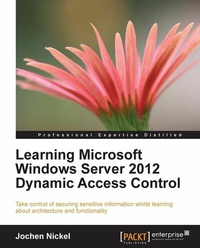
Learning Microsoft Windows Server 2012 Dynamic Access Control
When you know Dynamic Access Control, you know how to take command of your organization's data for security and control. This book is a practical tutorial that will make you proficient in the main functions and extensions.
Published on 13. January 2025
146 pages
978-1-78217-819-4 (ISBN)
Description

When you know Dynamic Access Control, you know how to take command of your organization's data for security and control. This book is a practical tutorial that will make you proficient in the main functions and extensions.
Key Features
Understand the advantages of using Dynamic Access Control and how it simplifies access control
Learn how to monitor, maintain, and secure your Dynamic Access Control environment
Troubleshoot and solve common misconfigurations and problems with professional techniques
Book DescriptionIdentifying and classifying information inside a company is one of the most important prerequisites for securing the sensitive information of various business units. Windows Server 2012 Dynamic Access Control helps you not only to classify information, but it also gives you the opportunity and the functionality to provide a safe-net policy across your file servers, showing you some helpful ways of auditing and access denied assistance to improve usability. Understanding the architecture, the design, and implementing the solution, to troubleshooting will be covered in a practical and easy-to-read manner. This book is packed with project-based examples with plenty of information about the architecture, functionality, and extensions of Dynamic Access Control to help you excel in real-life projects. The book guides you through all the stages of a successful implementation of Dynamic Access Control. Microsoft Windows Server 2012 Dynamic Access Control will teach you everything you need to know to create your own projects, and is an essential resource for reviewing or extending already existing implementations. The book initially takes you through the task of understanding all of the functionality and extensions with ideas and overviews to help guide you in the decision process. The whole architecture will be explained in the main building blocks of Dynamic Access control. You will have a strong foundation and understanding of the claims model and Kerberos. Classifying information, the hardest part of the prerequisites to fulfil, is also covered in depth. You will also spend time understanding conditional expressions, and the method used to deploy them across your file server infrastructure. A special chapter is included for handling the data quality and the integration in other systems and strategies. Last, but not least, to get your solution up and running you will learn how to troubleshoot a Dynamic Access Control solution.What you will learn
Understand how Dynamic Access Control can help your organization control access to information
Identify and get to know the main building blocks and functionality of Dynamic Access Control
Create Central Access and Auditing Policies, including Transformation Policies
Classify information using different methods, including a deep dive into the File Classification infrastructure
Design and implement Rights Management integration
Extend your solution with third-party tools in particular for classification
Integrate Dynamic Access Control in SharePoint and other products
Discover the possibilities you get by using Dynamic Access Control for BYOD
Explore how other Microsoft solutions can be used as an enhancement of your solution
Who this book is forIf you are an IT consultant/architect, system engineer, system administrator, or security engineers planning to implement Dynamic Access Control in your organization, or have already implemented it and want to discover more about the abilities and how to use them effectively, this book will be an essential resource. You should have some understanding of security solutions, Active Directory, Access Privileges/ Rights and Authentication methods, and a fundamental understanding of Microsoft technologies. Programming knowledge is not required but can be helpful for using PowerShell or the APIs to customize your solution.
Key Features
Understand the advantages of using Dynamic Access Control and how it simplifies access control
Learn how to monitor, maintain, and secure your Dynamic Access Control environment
Troubleshoot and solve common misconfigurations and problems with professional techniques
Book DescriptionIdentifying and classifying information inside a company is one of the most important prerequisites for securing the sensitive information of various business units. Windows Server 2012 Dynamic Access Control helps you not only to classify information, but it also gives you the opportunity and the functionality to provide a safe-net policy across your file servers, showing you some helpful ways of auditing and access denied assistance to improve usability. Understanding the architecture, the design, and implementing the solution, to troubleshooting will be covered in a practical and easy-to-read manner. This book is packed with project-based examples with plenty of information about the architecture, functionality, and extensions of Dynamic Access Control to help you excel in real-life projects. The book guides you through all the stages of a successful implementation of Dynamic Access Control. Microsoft Windows Server 2012 Dynamic Access Control will teach you everything you need to know to create your own projects, and is an essential resource for reviewing or extending already existing implementations. The book initially takes you through the task of understanding all of the functionality and extensions with ideas and overviews to help guide you in the decision process. The whole architecture will be explained in the main building blocks of Dynamic Access control. You will have a strong foundation and understanding of the claims model and Kerberos. Classifying information, the hardest part of the prerequisites to fulfil, is also covered in depth. You will also spend time understanding conditional expressions, and the method used to deploy them across your file server infrastructure. A special chapter is included for handling the data quality and the integration in other systems and strategies. Last, but not least, to get your solution up and running you will learn how to troubleshoot a Dynamic Access Control solution.What you will learn
Understand how Dynamic Access Control can help your organization control access to information
Identify and get to know the main building blocks and functionality of Dynamic Access Control
Create Central Access and Auditing Policies, including Transformation Policies
Classify information using different methods, including a deep dive into the File Classification infrastructure
Design and implement Rights Management integration
Extend your solution with third-party tools in particular for classification
Integrate Dynamic Access Control in SharePoint and other products
Discover the possibilities you get by using Dynamic Access Control for BYOD
Explore how other Microsoft solutions can be used as an enhancement of your solution
Who this book is forIf you are an IT consultant/architect, system engineer, system administrator, or security engineers planning to implement Dynamic Access Control in your organization, or have already implemented it and want to discover more about the abilities and how to use them effectively, this book will be an essential resource. You should have some understanding of security solutions, Active Directory, Access Privileges/ Rights and Authentication methods, and a fundamental understanding of Microsoft technologies. Programming knowledge is not required but can be helpful for using PowerShell or the APIs to customize your solution.
All prices
More details
Edition
Digital original
Language
English
Place of publication
Birmingham
United Kingdom
Target group
Professional and scholarly
US School Grade: College Graduate Student
Edition type
Digital original
File size
7,78 MB
ISBN-13
978-1-78217-819-4 (9781782178194)
Copyright in bibliographic data and cover images is held by Nielsen Book Services Limited or by the publishers or by their respective licensors: all rights reserved.
Schweitzer Classification
Other editions
Additional editions
Book
12/2013
Packt Publishing
€44.90
Shipment within 3-4 weeks
Person
Nickel Jochen :
Jochen Nickel is a Cloud, Identity and Access Management Solution Architect with a clear focus and in-depth technical knowledge of Identity and Access Management. He is currently working for inovit GmbH in Switzerland leading and executing projects in the field of Identity and Access Management including Data Classification and Information protection. Jochen is focused on Microsoft Technologies, especially in the Enterprise Mobility + Security Suite, Office 365 and Azure. He is an established speaker at many technology conferences like Azure Bootcamps, TrustInTech Meetups or the Experts Live Switzerland and Europe.
Jochen Nickel is a Cloud, Identity and Access Management Solution Architect with a clear focus and in-depth technical knowledge of Identity and Access Management. He is currently working for inovit GmbH in Switzerland leading and executing projects in the field of Identity and Access Management including Data Classification and Information protection. Jochen is focused on Microsoft Technologies, especially in the Enterprise Mobility + Security Suite, Office 365 and Azure. He is an established speaker at many technology conferences like Azure Bootcamps, TrustInTech Meetups or the Experts Live Switzerland and Europe.
Content
Table of Contents

