

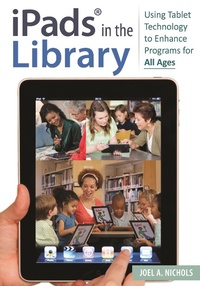
iPads (R) in the Library
Using Tablet Technology to Enhance Programs for All Ages
1st Edition
Published on 13. June 2013
160 pages
979-8-216-10477-3 (ISBN)
Description

Looking for a programming guide for computer tablet use in the library setting? This book provides detailed plans and instructions with specific literacy goals for child, teen, and adult audiences-exactly what librarians seeking to integrate iPad and other tablet use into their programs need.
Tablet computers are fast becoming a ubiquitous technology. These devices also represent a unique opportunity for librarians and teachers because they are relatively affordable, easy to configure and maintain, and highly adaptable. Written by a practicing digital literacy instruction librarian who is also a trained children's librarian, this book offers 50 practical programming scenarios that librarians can use to integrate iPads or other tablet devices into their programming, offering different plans for toddlers and pre-K child, school-aged patrons, teenagers, adults, and even seniors.
The plans provide easy-to-follow, step-by-step instructions and are designed to be easily adaptable to serve specific audiences. The book serves as a unique resource that helps librarians address digital literacy and bridge the digital divide by focusing on-and catering to-the needs of many age groups. Author Joel A. Nichols also provides annotated lists of apps that present librarians new to tablet computing simple and effective ways of integrating an iPad into their programs.
Tablet computers are fast becoming a ubiquitous technology. These devices also represent a unique opportunity for librarians and teachers because they are relatively affordable, easy to configure and maintain, and highly adaptable. Written by a practicing digital literacy instruction librarian who is also a trained children's librarian, this book offers 50 practical programming scenarios that librarians can use to integrate iPads or other tablet devices into their programming, offering different plans for toddlers and pre-K child, school-aged patrons, teenagers, adults, and even seniors.
The plans provide easy-to-follow, step-by-step instructions and are designed to be easily adaptable to serve specific audiences. The book serves as a unique resource that helps librarians address digital literacy and bridge the digital divide by focusing on-and catering to-the needs of many age groups. Author Joel A. Nichols also provides annotated lists of apps that present librarians new to tablet computing simple and effective ways of integrating an iPad into their programs.
More details
Edition
1. Auflage
Language
English
Place of publication
New York
United States
Publishing group
Bloomsbury Publishing Plc
Target group
Interest Age: From 7 to 17 years
Illustrations
4 bw illus
ISBN-13
979-8-216-10477-3 (9798216104773)
Copyright in bibliographic data and cover images is held by Nielsen Book Services Limited or by the publishers or by their respective licensors: all rights reserved.
Schweitzer Classification
Other editions
Additional editions
Book
06/2013
Libraries Unlimited Inc
€52.70
Shipment within 3-4 weeks
Person
Joel A. Nichols, MA, MSLIS, is data strategies manager at the Free Library of Philadelphia.
Content
Acknowledgments
Introduction: Why iPads in the Library
How to Use this Book
Program Series
1. Device Management Best Practices
iPads and iOS
iPad Tips and Best Practices
2. App Selection Criteria
iTunes Store Tips
Essential App Review Sources
3. Programs for Children Aged Birth to Five
Using Screens with Very Young Children: Reluctant Technology for the Under Fives
Baby & Me App Exploration
Face Game
Baby Storytime
T is for Toddler
Assembly Required
4. Programs for School-Aged Children
Family Bilingual Storytime
Classroom Visit
Folktales for Second Graders
After School Research Orientation
Geography Resources
Cartoon Creators
Lego Self-Portraits
Illustrated Acrostic
Animated Name Video
Climate (Afterschool Science)
The Moon
Graphing Pollution
Introduction to the Solar System
5. Teen Programs
Digital Storytelling and HoMaGo (Hanging Out, Messing Around, and Geeking Out)
Electronic Short Story Workshop
Choose Your Own Path Adventure
Comic Instructions
Two-Minute Memoir
My Own Personal Radio
Songster
Photo 101
Video 101
Video Survey
Now in Theaters!
Time Lapse Germination
Action Figure Party
Design Workshop
App Concept Design
Logo Maker
6. Programs for Adult Audiences
Local Resources for New Americans
English Conversation Practice
Citizenship Test Study
Resume Workshop
Interview Prep Workshop
Trolley, Train, or Trail?
Effective Presentations
Crafters' Digital Portfolio
Family Tree
eReader Program
Adaptive Tools
Brain Games
Virtual Museum Visits
Visual Recipe Pot Luck
Headline Discussion
7. Program Evaluation Tips
Media Created
Attendance and Circulation
Surveys
Appendix A: 85 Essential Apps for Library Programming
Appendix B: 85 Essential Apps for Library Programming (Grouped by Subject)
Index
Introduction: Why iPads in the Library
How to Use this Book
Program Series
1. Device Management Best Practices
iPads and iOS
iPad Tips and Best Practices
2. App Selection Criteria
iTunes Store Tips
Essential App Review Sources
3. Programs for Children Aged Birth to Five
Using Screens with Very Young Children: Reluctant Technology for the Under Fives
Baby & Me App Exploration
Face Game
Baby Storytime
T is for Toddler
Assembly Required
4. Programs for School-Aged Children
Family Bilingual Storytime
Classroom Visit
Folktales for Second Graders
After School Research Orientation
Geography Resources
Cartoon Creators
Lego Self-Portraits
Illustrated Acrostic
Animated Name Video
Climate (Afterschool Science)
The Moon
Graphing Pollution
Introduction to the Solar System
5. Teen Programs
Digital Storytelling and HoMaGo (Hanging Out, Messing Around, and Geeking Out)
Electronic Short Story Workshop
Choose Your Own Path Adventure
Comic Instructions
Two-Minute Memoir
My Own Personal Radio
Songster
Photo 101
Video 101
Video Survey
Now in Theaters!
Time Lapse Germination
Action Figure Party
Design Workshop
App Concept Design
Logo Maker
6. Programs for Adult Audiences
Local Resources for New Americans
English Conversation Practice
Citizenship Test Study
Resume Workshop
Interview Prep Workshop
Trolley, Train, or Trail?
Effective Presentations
Crafters' Digital Portfolio
Family Tree
eReader Program
Adaptive Tools
Brain Games
Virtual Museum Visits
Visual Recipe Pot Luck
Headline Discussion
7. Program Evaluation Tips
Media Created
Attendance and Circulation
Surveys
Appendix A: 85 Essential Apps for Library Programming
Appendix B: 85 Essential Apps for Library Programming (Grouped by Subject)
Index
