

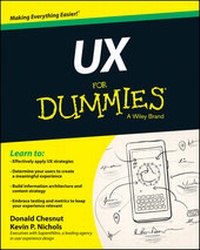
UX For Dummies
Published on 10. April 2014
384 pages
978-1-118-85271-2 (ISBN)
Description

Get up to speed quickly on the latest in user experiencestrategy and design
UX For Dummies is a hands-on guide to developing andimplementing user experience strategy. Written byglobally-recognized UX consultants, this essential resourceprovides expert insight and guidance on using the tools andtechniques that create a great user experience, along withpractical advice on implementing a UX strategy that aligns withyour organisation's business goals and philosophy. You'll learn howto integrate web design, user research, business planning and dataanalysis to focus your company's web presence on the needs of yourcustomers, gaining the skills you need to be effective in the fieldof user experience design.
Whether it's the interface, graphics, industrial design,physical interaction or a user manual, being anything less than onpoint can negatively affect customer satisfaction and retention.User experience design fully encompasses traditional human-computerinteraction design, and extends it to address all aspects of aproduct or service as perceived by users. UX For Dummiesprovides comprehensive guidance to professionals looking tounderstand and apply effective UX strategies.
* Defines UX and offers assistance with determining users andmodelling the user experience
* Provides details on creating a content strategy and buildinginformation architectures
* Explores visual design and designing for specific channels
* Delves into UX testing and methods for keeping your siterelevant
The UX field is growing rapidly as companies realise thatmeeting your business goals requires a web presence aligned withcustomer needs. This alignment demands smart strategy and evensmarter design. Consultants, designers and practitioners must allbe on board if the result is to be cohesive and effective. UXFor Dummies provides the information and expert advice you needto get up to speed quickly.
UX For Dummies is a hands-on guide to developing andimplementing user experience strategy. Written byglobally-recognized UX consultants, this essential resourceprovides expert insight and guidance on using the tools andtechniques that create a great user experience, along withpractical advice on implementing a UX strategy that aligns withyour organisation's business goals and philosophy. You'll learn howto integrate web design, user research, business planning and dataanalysis to focus your company's web presence on the needs of yourcustomers, gaining the skills you need to be effective in the fieldof user experience design.
Whether it's the interface, graphics, industrial design,physical interaction or a user manual, being anything less than onpoint can negatively affect customer satisfaction and retention.User experience design fully encompasses traditional human-computerinteraction design, and extends it to address all aspects of aproduct or service as perceived by users. UX For Dummiesprovides comprehensive guidance to professionals looking tounderstand and apply effective UX strategies.
* Defines UX and offers assistance with determining users andmodelling the user experience
* Provides details on creating a content strategy and buildinginformation architectures
* Explores visual design and designing for specific channels
* Delves into UX testing and methods for keeping your siterelevant
The UX field is growing rapidly as companies realise thatmeeting your business goals requires a web presence aligned withcustomer needs. This alignment demands smart strategy and evensmarter design. Consultants, designers and practitioners must allbe on board if the result is to be cohesive and effective. UXFor Dummies provides the information and expert advice you needto get up to speed quickly.
More details
Other editions
Additional editions
Persons
Donald Chesnut is Chief Experience Officer and globallead for Experience Design at SapientNitro, one of theworld's leading agencies in User Experience Design. KevinNichols is Director and Global Practice Lead for ContentStrategy at SapientNitro.
Content
Introduction 1
Part I: Getting Started with UX 5
Chapter 1: Defining UX and the Process 7
Chapter 2: Examining Why You Should Use UX 25
Chapter 3: Determining Your Users 37
Chapter 4: Modeling the Experience 57
Chapter 5: Understanding UX as (R)evolution 77
Part II: Components of Design 89
Chapter 6: Taming the Beast: Understanding What You Do andDon't Have 91
Chapter 7: Developing Content Strategy 111
Chapter 8: Designing the Content Strategy 131
Chapter 9: Building the Information Architecture 155
Chapter 10: Designing for Specific Channels 175
Chapter 11: Diving into Visual Design 201
Part III: Your UX in Action 217
Chapter 12: Testing: How It Can Save Your UX 219
Chapter 13: Measuring Your UX to Keep It Relevant 235
Chapter 14: Making It Past the Finish Line 257
Part IV: The Part of Tens 271
Chapter 15: Ten Reasons Why the User Is Your Most ImportantConsideration 273
Chapter 16: Ten Ways to Ensure That Your UX Is Best in Class279
Chapter 17: Ten UX Principles That Never Change 285
Glossary 289
Index 299
Part I: Getting Started with UX 5
Chapter 1: Defining UX and the Process 7
Chapter 2: Examining Why You Should Use UX 25
Chapter 3: Determining Your Users 37
Chapter 4: Modeling the Experience 57
Chapter 5: Understanding UX as (R)evolution 77
Part II: Components of Design 89
Chapter 6: Taming the Beast: Understanding What You Do andDon't Have 91
Chapter 7: Developing Content Strategy 111
Chapter 8: Designing the Content Strategy 131
Chapter 9: Building the Information Architecture 155
Chapter 10: Designing for Specific Channels 175
Chapter 11: Diving into Visual Design 201
Part III: Your UX in Action 217
Chapter 12: Testing: How It Can Save Your UX 219
Chapter 13: Measuring Your UX to Keep It Relevant 235
Chapter 14: Making It Past the Finish Line 257
Part IV: The Part of Tens 271
Chapter 15: Ten Reasons Why the User Is Your Most ImportantConsideration 273
Chapter 16: Ten Ways to Ensure That Your UX Is Best in Class279
Chapter 17: Ten UX Principles That Never Change 285
Glossary 289
Index 299
