

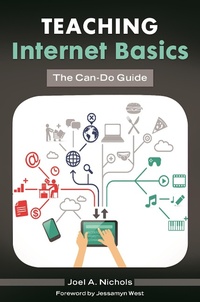
Teaching Internet Basics
The Can-Do Guide
1st Edition
Published on 14. October 2014
164 pages
979-8-216-15322-1 (ISBN)
Description

Perfect for public librarians, instructional librarians, technology and digital resource specialists, and library training specialists, this book is an essential resource for digital literacy instruction.
According to Pew research published in 2013, two-thirds of public libraries report that technology training is important in their communities, and that 86.5 percent of public libraries offer classes on general Internet use. Despite the ubiquitous nature of the Internet and digital media, digital literacy instruction remains one of the major job duties of 21st-century librarians. In this book, author Joel Nichols helps you to close the digital divide and make a difference in increasing information and digital literacy for your patrons, offering tested content and methods that will make it easier for librarians to provide effective digital literacy instruction.
With its discussion of key Internet safety and security topics for inexperienced Internet users, this hands-on, practical guide is what you need for approaching-and solving-these digital literacy instructional challenges. This manual serves librarians who are teaching computer and Internet basics to patrons with little or no experience by providing a packaged solution with ready-made training scripts and practical examples that teach basic digital literacy techniques. The guide also fills any gaps in your knowledge or experience and gets you up to speed with the latest digital information needs of users in order to form a solid foundation from which to provide instruction with the supplied curriculum.
According to Pew research published in 2013, two-thirds of public libraries report that technology training is important in their communities, and that 86.5 percent of public libraries offer classes on general Internet use. Despite the ubiquitous nature of the Internet and digital media, digital literacy instruction remains one of the major job duties of 21st-century librarians. In this book, author Joel Nichols helps you to close the digital divide and make a difference in increasing information and digital literacy for your patrons, offering tested content and methods that will make it easier for librarians to provide effective digital literacy instruction.
With its discussion of key Internet safety and security topics for inexperienced Internet users, this hands-on, practical guide is what you need for approaching-and solving-these digital literacy instructional challenges. This manual serves librarians who are teaching computer and Internet basics to patrons with little or no experience by providing a packaged solution with ready-made training scripts and practical examples that teach basic digital literacy techniques. The guide also fills any gaps in your knowledge or experience and gets you up to speed with the latest digital information needs of users in order to form a solid foundation from which to provide instruction with the supplied curriculum.
More details
Edition
1. Auflage
Language
English
Place of publication
New York
United States
Publishing group
Bloomsbury Publishing Plc
ISBN-13
979-8-216-15322-1 (9798216153221)
Copyright in bibliographic data and cover images is held by Nielsen Book Services Limited or by the publishers or by their respective licensors: all rights reserved.
Schweitzer Classification
Other editions
Additional editions
Book
10/2014
Libraries Unlimited Inc
€54.00
Shipment within 3-4 weeks
Persons
Joel A. Nichols, MA, MSLIS, is data strategies manager at the Free Library of Philadelphia.
Content
Contents
Foreword by Jessamyn West
Introduction
Chapter 1: Browsers and Getting Online
Chapter 2: Email
Chapter 3: Usernames and Logins
Chapter 4: Typing and Documents
Chapter 5: Introduction to Internet Search
Chapter 6: Online Shopping
Chapter 7: Dating Online
Chapter 8: Community: Lives Online
Chapter 9: Building and Sustaining Digital Literacy Instruction in Your Library
Appendix A: Free Online Courseware for Computer Basics
Appendix B: Bibliography and Resources
Appendix C: Sample Handouts
Index
Foreword by Jessamyn West
Introduction
Chapter 1: Browsers and Getting Online
Chapter 2: Email
Chapter 3: Usernames and Logins
Chapter 4: Typing and Documents
Chapter 5: Introduction to Internet Search
Chapter 6: Online Shopping
Chapter 7: Dating Online
Chapter 8: Community: Lives Online
Chapter 9: Building and Sustaining Digital Literacy Instruction in Your Library
Appendix A: Free Online Courseware for Computer Basics
Appendix B: Bibliography and Resources
Appendix C: Sample Handouts
Index
