

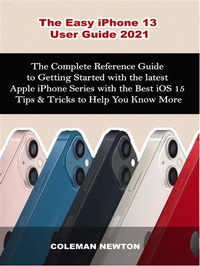
The Easy iPhone 13 User Guide 2021
The Complete Reference Guide to Getting Started with the latest Apple iPhone Series with the Best iOS 15 Tips & Tricks to Help You Know More
Published on 29. September 2021
979-12-208-5262-3 (ISBN)
Description

Get the Tips and Tricks of the Latest Apple iPhone Device (iPhone 13) with this User Guide Now!
The new iPhone 13 and iPhone 13 mini recently introduced by Apple, deliver a stunning breakthrough powerhouse chip and camera innovations with an outstanding leap in battery life, which both feature a lasting and sleek design, an upgraded new dual-camera system for improved photos and videos in low light, made possible as a result of its the new wide camera featuring bigger pixels with sensor-shift optical image stabilization - the best ever in iPhone, and of course, introducing the Cinematic mode.
It consists of a modern way to get your camera personalized with Cinematic mode and Photographic styles that bring a new style to video storytelling.
Moreover, with your new iPhone 13, you are rest assured of a super-fast experience and power durability with A15 Bionic, brighter Super Retina XDR display, amazing efficiency with the Ceramic shield front cover, double entry-level storage at 128GB, advanced 5G experience, an impressive design that protects against spills from common liquids, and an IP68 rating for water resistance.
In a nutshell, this book will guide you so well as a beginner up to the pro status of how you can efficiently use your new iPhone 13, as sufficient details are discussed with pictures, which could aid and assist your quick understanding.
Some of the things you would learn in this book include the following details:
- The Basics of Widgets on iPhone 13,
- Checking through & Closing the Recently used Apps
- Turning on and setting up your New iPhone 13
- Waking and Unlocking your iPhone 13
- Setting Up Cellular Service on your iPhone 13
- Connecting iPad, iPod Touch, and another iPhone to your Hotspot
- Apple ID and iCloud
- Syncing iPhone with Your Computer
- Hand Off Tasks Between Your iPhone 13 and MacBook
