

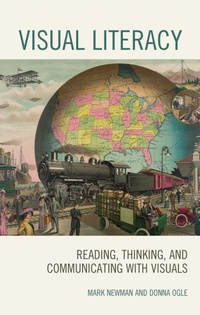
Visual Literacy
Reading, Thinking, and Communicating with Visuals
1st Edition
Published on 31. October 2019
216 pages
978-1-4758-4012-4 (ISBN)
Description

Visual Literacy examines how teachers can use visuals to improve learning for all students. It provides teachers with a foundation in visual literacy, defined as the ability to read, think, and communicate with visually presented information. Results of studies of students' using visual information indicate that most students are clearly lacking in the tools needed to use visuals effectively. The book orients teachers to visual literacy and the world of visuals. It discusses various classroom tested strategies and activities for all students, including second language learners, and students with special needs. Stressing visual literacy skills helps students understand a visual more deeply so they can master the content they are learning. Teachers will learn to employ a literacy triad of reading, thinking, and communicating to aid students in their study of visuals. First, they inquire into the visual, reading it for content and context, including assessing the authenticity of the document. Second, they think about the document by analyzing, interpreting, and evaluating it to come up with answers to their inquiry. Graphic organizers help students decipher the content and understand the meaning of the visual document, connecting it to prior and future instruction. Third, they communicate their findings using visuals.
More details
Edition
1. Auflage
Language
English
Place of publication
New York
United States
Publishing group
Bloomsbury Publishing Plc
Illustrations
50 b/w illustrations; 7 tables
ISBN-13
978-1-4758-4012-4 (9781475840124)
Copyright in bibliographic data and cover images is held by Nielsen Book Services Limited or by the publishers or by their respective licensors: all rights reserved.
Schweitzer Classification
Other editions
Additional editions
Book
10/2019
Rowman & Littlefield Publishers
€113.00
Shipment within 10-20 days
Book
10/2019
Rowman & Littlefield Publishers
€60.60
Shipment within 10-20 days
Persons
Mark Newman is Professor of Social Studies Education at National College of Education, National Louis University. He has a Ph.D. in History from UCLA and has written articles and books, and edited journals on primary sources, geography, and visual culture. Newman was co-director on five National Endowment for the Humanities grants and director of a Library of Congress Teaching with Primary Sources project.
Donna Ogle is Professor Emeritus of Language and Literacy at National College of Education, National Louis University. Her research and school-based work focuses around reading and learning with informational texts in content areas. Donna has served as President of the International Reading (now Literacy) Association, is a member of the ILA Research Panel, and consultant to the Terra Foundation for American Art Project using art in integrated instructional units.
Donna Ogle is Professor Emeritus of Language and Literacy at National College of Education, National Louis University. Her research and school-based work focuses around reading and learning with informational texts in content areas. Donna has served as President of the International Reading (now Literacy) Association, is a member of the ILA Research Panel, and consultant to the Terra Foundation for American Art Project using art in integrated instructional units.
Content
Acknowledgments
Introduction
Chapter One: Understanding Visual Literacy
Chapter Two: Understanding Visuals
Chapter Three: Working with Visuals as Texts
Chapter Four: Combining the Visual and Verbal
Chapter Five: Visuals as Learning Aids
Chapter Six: Creating Visuals
Chapter Seven: Visual literacy and English Language Learners
Chapter Eight: Visual Literacy for Students with Special Needs
Bibliography
About the Authors
Introduction
Chapter One: Understanding Visual Literacy
Chapter Two: Understanding Visuals
Chapter Three: Working with Visuals as Texts
Chapter Four: Combining the Visual and Verbal
Chapter Five: Visuals as Learning Aids
Chapter Six: Creating Visuals
Chapter Seven: Visual literacy and English Language Learners
Chapter Eight: Visual Literacy for Students with Special Needs
Bibliography
About the Authors
