

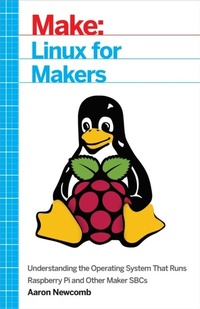
Linux for Makers
Understanding the Operating System That Runs Raspberry Pi and Other Maker SBCs
1st Edition
Published on 11. April 2017
264 pages
978-1-68045-181-8 (ISBN)
Description

Linux is a powerful open-source operating system that has been around for many years and is widely used for running servers and websites. But most students and Makers encounter it for the first time when they are working on projects with their Raspberry Pi or similar single-board computers (SBCs) such as BeagleBone Black or Intel Galileo. Linux for Makers is the first book that explains the Linux operating system specifically for Makers, as opposed to programmers and administrators. By gaining a deeper understanding of Linux, Makers can add another useful tool to their kit that will help them build their projects more easily.Written with the Maker in mind, this book will focus mostly on Rasbian running on the Raspberry Pi as it is the most prolific in the ecosystem today. However most of the topics covered will apply broadly to other Linux distributions and will be called out when they may differ. Many times users cut and paste from a website tutorial into the Linux command line without understanding what they are actually doing only to be frustrated when they want to modify or tweak something to suit their needs. Also, many Makers shy away from using the Raspberry Pi or similar board because they feel Linux is too foreign and they think using a command line will be more difficult than using a GUI. This book aims to overcome those fears and provide a foundation for further learning and exploration. To that end, this book will focus on the basic principles that a Maker would need to know as opposed to other resources that go into detail that is not particularly relevant to building projects.
More details
Other editions
Additional editions
Aaron Newcomb
Linux for Makers
Understanding the Operating System That Runs Raspberry Pi and Other Maker Sbcs
Book
05/2017
Make Community, LLC
€24.00
Shipment within 3-4 weeks
Content
- Intro
- Copyright
- Table of Contents
- Preface
- Conventions Used in This Book
- O'Reilly Safari
- How to Contact Us
- Acknowledgments
- Chapter 1. Getting Started
- Choosing and Downloading a Disk Image
- Uncompressing the Disk Image
- Windows
- MacOS
- Linux
- Writing the Disk Image to the SD Card
- Windows
- MacOS
- Linux
- Booting the Raspberry Pi for the First Time
- Expanding the Filesystem
- Changing the Localization Options
- Changing the Default Password
- Why This Matters for Makers
- Chapter 2. Linux Principles
- The Linux Desktop
- The Terminal or Console
- The Shell in a Nutshell
- Try It for Yourself
- Filesystems and Structures
- Try It for Yourself
- Users and Groups
- Permissions and sudo
- Try It for Yourself
- Try It for Yourself
- Services
- Try It for Yourself
- Processes
- Try It for Yourself
- Why This Matters for Makers
- Chapter 3. Using the Desktop
- When to Use the Desktop?
- When Not to Use the Desktop?
- Understanding the Layout
- Connecting to the Network
- Changing the Look and Feel
- Changing the Panel Location
- Changing the Background Image
- Changing the Shortcuts in the Application Launch Bar
- Creating a Desktop Shortcut
- Why This Matters for Makers
- Chapter 4. Command-Line Basics
- Understanding the Prompt
- Try It for Yourself
- Orienting Yourself in the Filesystem
- Where Am I?: pwd
- Changing the Working Directory: cd
- Printing Out the Contents of a Directory: ls
- Creating New Files and Directories: mkdir and touch
- Moving and Deleting Files: cp, mv, and rm
- Try It for Yourself
- Get Help with a Command: help, man, and info
- Try It for Yourself
- Eliminate Some Typing
- Auto-Complete a Command: Tab
- Search for a Previous Command: Up, Ctrl-R
- Try It for Yourself
- Connecting to the Network via the Command Line
- The Interfaces File
- Wired Ethernet
- Static IP Address
- WiFi
- More Secure WiFi with Multiple Networks
- Installing Software: apt
- Using apt-get update
- Using apt-get upgrade
- Using apt-cache
- Using apt-get install
- apt-get remove
- apt-get dist-upgrade
- Fixing Conflicts
- Try It for Yourself
- Rebooting and Shutting Down
- Why This Matters for Makers
- Chapter 5. Headless Operation
- Turning Off the Desktop
- Finding Your System on the Network
- Raspberry Pi
- Router
- Android/iPhone
- Command-Line Access: ssh
- Windows
- MacOS
- Linux
- Android/iPhone
- Remote Desktops: vnc
- Setting Up the Raspberry Pi
- Windows
- MacOS
- Linux
- Android/iPhone
- Transferring Files: scp, sftp
- Windows
- MacOS
- Linux
- From the Command Line: MacOS and Linux
- Why This Matters for Makers
- Chapter 6. Tips and Tricks
- Changing Your Hostname
- Starting a Script on Bootup: rc.local
- Try It for Yourself
- Aliases
- Try It for Yourself
- Checking Disk and File Space Usage: df, du
- Performance Monitoring: top
- Try It for Yourself
- Killing a Process: Ctrl-C, ps, kill
- Stop, Background, and Foreground Jobs: Ctrl-Z, &, fg
- Try It for Yourself
- Finding USB Devices: lsusb
- Logging the Output of a Script: &, &&
- Searching the Output of a Command: grep
- Monitoring a Log File: tail
- Adding a User: adduser, addgroup
- Changing File Ownership and Permissions: chown, chmod
- Running More Than One Command at the Same Time: &&, ||
- Opening Another Console Session
- Dealing with Long Commands
- Scheduling Jobs: cron
- Why This Matters for Makers
- Chapter 7. Controlling the Physical World
- GPIO
- I²C and SPI
- Talking to Arduino
- Why This Matters for Makers
- Chapter 8. Using Multimedia
- Choosing HDMI or Analog
- Playing Audio and Video Files
- Controlling the Volume
- Playing Media from a Script
- Why This Matters for Makers
- Chapter 9. Accessing Cloud Services
- Cloud Storage Services from the Command Line
- IFTTT
- Try It for Yourself
- Run a Dedicated Web Server
- Installation
- Configuration for Python
- Test It Out
- Roll Your Own
- Nimbus
- Tonido
- Why This Matters for Makers
- Chapter 10. Virtual Raspberry Pi
- Requirements
- Installation
- Usage
- Why This Matters for Makers
- Appendix A. Linux Background
- Brief History of the Original Maker Operating System
- Try It for Yourself
- Linus Torvalds
- The Linux Kernel
- Distributions
- Try It for Yourself
- How Open Source Software Works
- Single-Board Computers Versus Microcontrollers
- Why This Matters for Makers
- Index
- About the Author
