

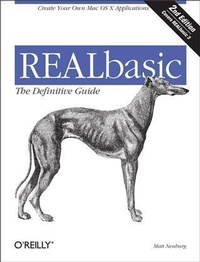
REALBasic: TDG
The Definitive Guide, 2nd Edition
Published on 18. September 2001
752 pages
978-1-4493-6733-6 (ISBN)
Description

REALbasic is a programming language in the best Macintosh tradition: visual, intuitive, and easy to learn. It allows you to create interfaces in minutes and entire, compiled applications without having to learn a complicated language; the strong object orientation makes it very easy even for beginners to develop, maintain, and alter projects. Best of all, an REALbasic 3, a single button click generates your project as a Mac OS 8/9 application, a Mac OS X native ("e;Carbon"e;) application, or a Windows executable. No other application framework lets you compile for users on so many platforms so quickly and easily.REALbasic: The Definitive Guide not only gives you a firm grasp of the program's essential concepts, but also tells you things you won't learn from the official documentation alone. If you've never programmed before, the book offers both a primer in REALbasic and an intuitive approach to the concepts of programming itself, as you quickly reach the ability to program every aspect of REALbasic. You start out drawing the interface much as you would do in a drawing program: by selecting buttons, menus, dialog boxes, and the like from a tools menu. Then you use the code editor to fill in the code that tells these pieces what to do.The widely hailed first edition of REALbasic: The Definitive Guide has been completely rewritten to encompass reader suggestions and the many improvements of REALbasic 3--like its ability to compile and run under OS X.The book is divided into three sections:Fundamentals: a detailed summary of the language that quickly shows you how to think about programming and accomplish your goals in less timeUser Interface: how to create a complete application using the rich classes and pre-defined tools that make life so much easier for the REALbasic programmer.Reaching Out: Internet communications, databases, multimedia, game programming and more!
More details
Other editions
Additional editions
Book
10/2001
2nd Edition
O'Reilly
€32.00
Article exhausted; check different version
Content
- Intro
- Table of Contents
- Preface
- How This Book Came to Be Written
- What REALbasic Is Like
- Versions, Editions, and Systems
- Acknowledgments
- How to Contact Us
- Conventions
- Beyond This Book
- Part I
- The Workspace
- The Project Window
- The Project
- Project Components
- External and Imported Components
- Folders
- Editing Windows
- The Tools Window
- Manipulating Controls
- The Properties Window
- Adding Functionality
- Code Editors
- Editing and Executing Code
- Maintaining Code
- How the Three Editors Relate
- Editing Property Values
- Initial Values and Subsequent Values
- Names
- Testing Without Building
- Online Help
- Shortcuts
- The Basic Language
- Lines and Commands
- Variables and Constants
- Assignment
- Datatypes and Declaration of Variables
- Constants
- Subroutines
- Subroutine Declarations
- Return
- Calling a Subroutine
- Calling a procedure
- Calling a function
- Parameter matching
- Flow and Side Effects
- Editing Subroutine Declarations
- Pass by Reference
- Regulating Flow
- If and Select
- While
- Do
- For
- Exit and GoTo
- Arrays
- Declaring Arrays
- Resizing Arrays
- Multidimensional Arrays
- Array Parameters
- Recursion
- Comments
- Objects, Classes, and Instances
- Messages and Dot Notation
- Object Design Philosophy
- Encapsulation of Functionality
- Maintenance of State
- Summary
- Classes and Instances
- Anatomy of a Class
- An Instance Is Born
- The Application Class
- The Default Window Class
- Control Classes
- Menu Items
- Noncontrol Classes
- Referring to Instances
- Maintaining a Name
- Functions as References
- Self
- Resolution of Names
- Referring to Controls
- Me
- The Window Global Instance Name
- The Truth About Controls
- Control Clones and Control Arrays
- Control Arrays
- Cloning in the IDE
- Cloning in Code
- Being Careful with Instance References
- Initialization Is Not Instantiation
- Assignment Is not Cloning
- Short names
- Linked data structures
- Multiple references
- Parameters Pass Pointers
- Comparison Tests Identity
- Destruction of Instances
- Class Relationships and Class Features
- New Classes and Inheritance
- Casting
- Overriding
- Class Interfaces
- Events and New Events
- The Class Hierarchy
- Global Members
- Modules
- The Application Subclass
- Advanced Class Features
- What's My Window?
- Constructors and Destructors
- Overloading
- Class-Directed Messages
- Privacy
- Class Properties and Class Methods
- Example Classes
- Stack Class
- Array Class
- Hash Class
- Map Class
- Datatypes
- Booleans
- Coercion of Booleans
- Side Effects
- Strings
- Concatenation and Conversion
- Length, Search, Comparison, and Sort
- Substrings and Case
- Extending REALbasic's Abilities
- Converting Between Encodings
- Numbers
- Coercion of Numbers
- Bases
- Operators
- Trigonometry and Exponentiation
- Miscellaneous Arithmetic
- Internal Representation
- Variants
- Coercion of Varients
- Templates
- Collections
- Dates
- Date Class Properties
- Date Calculations
- Colors
- Memoryblocks
- Creating a Memoryblock
- Exchanging Data with a Memoryblock
- Using Memoryblocks for Speed
- Threads
- Creating and Using a Thread
- Arbitration of Threads
- Menus
- Menu Overview
- How Menus Are Enabled
- Menu Item Classes
- Cloning Menu Items
- Editing Menus
- Special Menu Items
- The Menu-Enabling Moment
- What It Is
- What Happens During It
- How It Is Triggered
- Menu Enabling on Windows
- Menu Item Functionality
- Menu Events
- Menu Event Handlers
- Modifying Default Menu Item Functionality
- Dynamic Menus
- Menu Examples
- Creating the Menus
- The Application Subclass
- The Window
- The EditField
- The Font Menu
- The Window Menu
- Cross-Platform Considerations
- The Architecture of an Application
- Three Pillars of Zen
- Events Make Choices
- Scope
- References Are the Thread
- Parameters
- Drops
- Choosing between a parameter and a drop
- The Application Subclass
- Order of Events
- Debugging and Building
- Compile Errors
- Punctuation Problems
- Dangling Participles
- Number of Parameters
- Define Your Terms
- Exceptions
- The Calling Chain
- Exception Blocks
- RuntimeException and Its Subclasses
- Raise
- Custom RuntimeExceptions
- The Debugger
- Breakpoints and Stepping
- The Debugging Windows
- Additional Debugging Strategies
- Building
- Minor Options
- Build Type
- Heap Size and Memory Management
- Pragmas
- Target Flags and Conditional Compilation
- Part II
- Windows
- Window Types
- Modal, Nonmodal, and Floating Windows
- The Frame Property
- Global Floating Windows
- Opening and Closing, Showing and Hiding
- Invisible Windows
- When a New Window Is Shown
- ShowModal
- Title, Position, and Size
- Events
- Drawing in a Window
- Abstract Control Classes
- Lifetime Events
- Appearance
- Position and Size
- Mouse Movement Events
- Redrawing
- Canvases
- Canvas Events, Properties, and Methods
- Picture Class
- Properties
- Getting a Picture
- Graphics Class
- Pen-Based Drawing
- String Drawing
- Pixels and Pixel Blocks
- Backdrop Property
- Imported Image File
- Imported Resource File
- Image File at Runtime
- File Resource at Runtime
- NewPicture
- Fun With Graphics Properties
- Image Transformations
- Changing a Backdrop
- Animation
- Limitations of Graphics Methods
- Canvas Graphics Property
- Paint Event
- Smooth Animation
- Scrolling
- Transparency and Icons
- Transparent Property
- Mask Property
- Icons
- Speed
- Prepared Images
- Nonflickering Canvas
- Pixel Access
- Interaction with Other Objects
- Screen Shots
- Shifting Other Controls
- Covering Other Controls
- Buttons and StaticTexts
- PushButton
- BevelButton
- Placard
- LittleArrows
- CheckBox
- RadioButton and GroupBox
- DisclosureTriangle
- StaticText
- Custom Buttons
- Colored Right-Aligned RadioButtons
- Popdown List
- EditFields
- Types of EditField
- EditField Events, Properties, and Methods
- Physical Characteristics
- Focus
- Selection, Text, Font, and Style
- Keyboard
- The Focus
- Summary of Rules About the Focus
- Order of Focus-Related Events
- Controlling the Focus in Code
- Floating Find Window
- Validation Field
- Manipulating Text and Styles
- Tickertape Field
- Styled Word Processor
- Styled HTML Editor
- Word Selection Field
- Finding Styles
- Scrolling
- Combining EditFields
- Reacting to User Input
- After the Fact
- Intercepting Input
- Code Field
- Live Input Validation
- Drawing Styled Text
- Miscellaneous Tips
- ListBoxes
- ListBox Features
- ListBox Events, Properties, and Methods
- Contents and Format
- Selection
- Hierarchy
- Headings and Sorting
- Checkboxes and Editable Cells
- Keyboard
- Focus
- Basic ListBox Techniques
- Contents and Formatting
- Column Display
- Pictures
- Selection
- Hierarchical ListBoxes
- One Folder Row
- General Single-Depth Hierarchy
- General Multiple-Depth Hierarchy-First Try
- General Multiple-Depth Hierarchy
- Other ListBox Features
- ProgressBars, Sliders, and Scrollbars
- ProgressBar
- Slider
- Scrollbar
- Scrolling Canvas
- Scrolling Pane
- Big ListBox
- Scrolling Nonwrapping Field
- Shapes and Decorations
- Line
- Shapes
- Separator
- ImageWell
- ChasingArrows
- PopupArrow
- Menus in Windows
- PopupMenu
- Contents and Format
- Selection
- Usage
- Initialization
- Changing an item's text
- Independent caption
- BevelButton
- Contents and Format
- Selection
- Usage
- ContextualMenu
- Contents
- Selection
- Usage
- Alternatives
- TabPanels
- Preparation
- Properties and Events
- Usage
- Keyboard
- Keyboard Communication
- Keyboard Object
- AsyncCommandKey and Its Friends
- AsyncKeyDown
- CommandKey and Its Friends
- UserCancelled
- Mouse and Cursor
- Mouse Communication
- Mouse Movement
- Mouseclick
- Polling the Mouse
- Balloon Help
- Cursor
- Getting a Cursor
- Negotiating the Cursor
- Overcoming the Watch
- Animated Cursors
- Part III
- Files
- Getting a FolderItem
- GetFolderItem and GetTrueFolderItem
- Volumes
- Special Folders
- User Dialogs
- Relative FolderItems
- File Types
- File Properties and File Actions
- File Properties
- File Actions
- Recursive Techniques
- AppleScript Techniques
- Aliases
- Arbitrary Data: Binary Streams
- Getting a BinaryStream Instance
- Reading and Writing Data
- Saving and Restoring Preferences
- Sequential Data: Text Streams
- Reading
- Parsing a Mailbox File
- Writing
- Find-and-Replace
- Resources
- Getting a ResourceFork
- Referring to Resources
- Parsing Resources
- Predefined Data Formats
- Sounds
- Pictures
- Movies
- Styled Text
- References to Files
- Databases
- Database Files and Classes
- Database Class
- DatabaseRecord Class
- DatabaseCursor and DatabaseCursorField Classes
- Schemas
- Displaying Data
- Other Data Sources
- Clipboard
- Clipboard Class
- Usage
- ListBox Copy-and-Paste
- Show Clipboard
- Private Scrap
- Drag-and-Drop
- Beginning a Drag
- The DragItem
- Multiline EditField
- ListBox
- MouseDown Receivers
- Receiving a Drop
- Finder Drop
- Internal Drag-and-Drop
- Limitations and Workarounds
- Time
- Ticks and Microseconds
- Timers
- Getting a Timer
- Timer Behavior
- When Timers Run
- Timers as Idle Handlers
- Yielding Time
- Sound
- Beep
- Sound Object
- MIDI Notes
- Movies
- Movie Class
- MoviePlayer
- Appearance
- Action
- Events
- Movie Usage
- Making Movies
- Analyzing Movies
- Animation
- Configuring the SpriteSurface
- Basic Sprite Techniques
- Motion
- Image Animation
- User Interaction
- Collisions
- Basic Background Techniques
- Improving the Classes
- Intelligent Sprite Behavior
- Responding to Keys
- Intelligent Collisions
- Printing
- Page Setup
- Proceeding To Print
- Measurement Problems
- Printing Text
- TCP/IP Communications
- Socket Properties, Methods, and Events
- Connecting and Disconnecting
- Receiving Data
- Sending Data
- Errors
- Yielding
- Client
- Buffered Read
- Dictionary Client
- Buffered Write
- SMTP Client
- Server
- Web-Based Time Server
- Tiny Web Server
- Multiple Connections
- Interapplication Communications
- Sending Apple Events
- Anatomy of an Apple Event
- Building an Apple Event
- Remote Targets and Send-to-Self
- Receiving Apple Events
- Apple Event Scriptability
- AppleScript Scriptability
- The Object Model
- Apple Event Classes, Properties, and Methods
- Classes
- Building and Parsing an Apple Event
- Records and Lists
- Building an Object Specifier
- Apple Event Inadequacies
- AppleScripts
- Shell
- Language Extensions
- Direct Toolbox Calls
- Know Your Enemy
- Declare Your Datatypes
- Parsing and Passing Structs
- Sharpening Pointers
- Grasping Handles
- Who Was That Masked Man?
- 68K
- Windows
- XCMDs
- Shared Libraries
- Plug-ins
- Growing an Application
- Principles of Approach
- An Example Project: Tic-Tac-Toe
- Won't You Be My Neighbor?
- Three in a What?
- What's My Row?
- He Thought About the Game
- Can We Talk?
- May I Cut In?
- Three in a Row
- Draw, Partner
- Stop the World, I Want to Get Off
- Cleanup
- Exercises
- Index
