

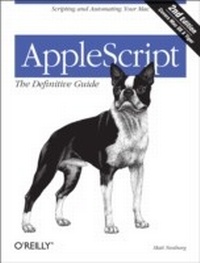
AppleScript: The Definitive Guide
Scripting and Automating Your Mac
1st Edition
Published on 4. January 2006
590 pages
978-0-596-52162-2 (ISBN)
Description

Mac users everywhere--even those who know nothing about programming--are discovering the value of the latest version of AppleScript, Apple's vastly improved scripting language for Mac OS X Tiger. And with this new edition of the top-selling AppleScript: The Definitive Guide, anyone, regardless of your level of experience, can learn to use AppleScript to make your Mac time more efficient and more enjoyable by automating repetitive tasks, customizing applications, and even controlling complex workflows.Fully revised and updated--and with more and better examples than ever--AppleScript: The Definitive Guide, 2nd Edition explores AppleScript 1.10 from the ground up. You will learn how AppleScript works and how to use it in a variety of contexts: in everyday scripts to process automation, in CGI scripts for developing applications in Cocoa, or in combination with other scripting languages like Perl and Ruby. AppleScript has shipped with every Mac since System 7 in 1991, and its ease of use and English-friendly dialect are highly appealing to most Mac fans. Novices, developers, and everyone in between who wants to know how, where, and why to use AppleScript will find AppleScript: The Definitive Guide, 2nd Edition to be the most complete source on the subject available. It's as perfect for beginners who want to write their first script as it is for experienced users who need a definitive reference close at hand. AppleScript: The Definitive Guide, 2nd Edition begins with a relevant and useful AppleScript overview and then gets quickly to the language itself; when you have a good handle on that, you get to see AppleScript in action, and learn how to put it into action for you. An entirely new chapter shows developers how to make your Mac applications scriptable, and how to give them that Mac OS X look and feel with AppleScript Studio. Thorough appendixes deliver additional tools and resources you won't find anywhere else. Reviewed and approved by Apple, this indispensable guide carries the ADC (Apple Developer Connection) logo.
More details
Other editions
Additional editions
Book
02/2006
2nd Edition
O'Reilly
€37.50
Article not available at the moment
Content
- Intro
- Table of Contents
- Preface
- The Scope of This Book
- Versions
- How This Book Is Organized
- Part I, AppleScript Overview
- Part II, The AppleScript Language
- Part III, AppleScript in Action
- Part IV, Appendixes
- Conventions Used in This Book
- How to Contact Us
- Safari® Enabled
- Acknowledgments (First Edition)
- Acknowledgments (Second Edition)
- Part I
- Why to Use AppleScript
- The Nature and Purpose of AppleScript
- Is This Application Scriptable?
- Calculation and Repetition
- Reduction
- Customization
- Combining Specialties
- Where to Use AppleScript
- Script Editor
- Apple's Script Editor
- Smile
- Script Debugger
- Internally Scriptable Application
- Script Runner
- Automatic Location
- Application
- Applet
- AppleScript Studio
- Cocoa
- Unix
- Hyperlinks
- Automator
- Basic Concepts
- Apple Events
- Reply
- Scriptability
- The Life of an Apple Event
- What an Apple Event Looks Like
- Go and Catch an Apple Event
- What All This Has to Do with AppleScript
- The Open Scripting Architecture
- Components
- Other Scripting Languages
- Talking to a Scripting Component
- Maintenance of State
- Script
- Script as Drive
- Script as Program
- Script as Script Object
- Script as Scripting Component Operand
- Script as File
- Compiling and Decompiling
- Compiling
- Decompiling
- Compiled Script Files
- Compiled Script File Formats
- Run-only Scripts
- Script Text File
- Applet and Droplet
- Scripting Addition
- Dictionary
- Dictionary Formats
- Dictionary Troubles
- Missing External Referents
- Application Missing at Compile Time
- Application Missing at Decompile Time
- Application Missing When a Compiled Script Runs
- Application Missing When an Applet Launches
- Scripting Addition Missing
- Modes of Scriptability
- Recordability
- Attachability
- Part II
- Introducing the Language
- A Little Language
- Extensibility and Its Perils
- The "English-likeness" Monster
- Object-likeness
- LISP-likeness
- The Learning Curve
- Syntactic Ground of Being
- Lines
- Line-Break Characters
- Line-Break Characters in Strings
- Continuation Character
- Result
- Explicit Result
- Implicit Result
- Comments
- Abbreviations and Synonyms
- Blocks
- The
- A Map of the World
- Scope Blocks
- Levels and Nesting
- The Top Level
- Code and the Run Handler
- Variables
- Variables
- Assignment and Retrieval
- set
- copy
- Set by Reference
- Multiple Assignment
- Retrieval
- Declaration and Definition of Variables
- Definition
- Initialization
- Typing
- Variable Names
- Case-Insensitivity of Variable Names
- Memory of Variable Names
- Variable Names and Vertical Bars
- Script Objects
- Script Object Definition
- Run Handler
- Script Properties
- Script Objects as Values
- Top-Level Entities
- Accessing Top-Level Entities
- Persistence of Top-Level Entities
- What reinitializes top-level entities
- File-level persistence
- Compiled Script Files as Script Objects
- load script
- run script
- store script
- Data Storage
- Library
- Inheritance
- Polymorphism
- Continue
- The Implicit Parent Chain
- Non-Script Parent
- Handler Calls, Commands, and Script Objects
- Handlers
- Handler Definition
- Returned Value
- Handlers as Values
- Parameters
- Pass by Reference
- Syntax of Defining and Calling a Handler
- Optional Parameters
- No Parameters
- Positional Parameters
- Prepositional Parameters
- Named Parameters
- Event Handlers
- The Run Handler
- Recursion
- Power Handler Tricks
- Handler and Script Object as Parameter
- Handler and Script Object as Result
- Scope
- Regions of Scope
- Kinds of Variable
- Scope of Top-Level Entities
- Scope of Locals
- Scope of Globals
- Global Declarations: The Downward Effect
- Global Declarations: The Upward Effect
- Global as static
- Global as script property
- The double effect of global declarations
- Scope of Undeclared Variables
- Declare Your Variables
- Free Variables
- Redeclaration of Variables
- Closures
- Closures and Handlers
- Closures and Stored Script Objects
- Objects
- Messages
- Attributes
- Class
- Target
- Direct Object
- Tell Block
- Of
- The Chain of Ofs and Tells
- Terms in Scope
- Nested Targets
- Get
- It
- Me
- Properties and Elements
- Element Specifiers
- Name
- Index
- ID
- Some
- Every
- Range
- Relative
- Boolean Test
- Operations on Multiple References
- Assignment of Multiple Attributes
- Object String Specifier
- References
- Reference as Target
- Reference as Incantation
- Preresolution of Terminology
- Being Careful with References
- Creating a Reference
- Identifying References
- Dereferencing a Reference
- Trouble with Contents
- Creating References to Variables
- Reference as Parameter
- Datatypes
- Application
- Machine
- Data
- Boolean
- Integer, Real, and Number
- Date
- Date Properties
- String
- String Properties
- String Elements
- Unicode Text
- Forming Unicode Text
- Other Text Classes
- File and Alias
- Alias
- Other File Classes
- File Properties
- File Classes in Applications
- List
- List Recursion
- Secondary List Classes
- List Properties
- List Elements
- Record
- Record Properties
- Coercions
- Implicit Coercion
- Explicit Coercion
- as
- get . . . as
- Coercion by AppleScript
- Coercion by a Scriptable Application
- Boolean Coercions
- Number, String, and Date Coercions
- File Coercions
- List Coercions
- Unit Conversions
- Operators
- Implicit Coercion
- Arithmetic Operators
- +
- -
- *
- /
- div
- mod
- ^
- Boolean Operators
- and
- or
- not
- Comparison Operators
- = (is)
- ¹ (is not)
- &
- &
- £
- ³
- Containment Operators
- contains, does not contain, is in, is not in
- begins with
- ends with
- Concatenation Operator
- &
- Parentheses
- Who Performs an Operation
- Direct Operations
- Boolean Test Element Specifiers
- Global Properties
- Strings
- Numbers
- Miscellaneous
- Constants
- true, false
- yes, no, ask
- missing value
- null
- plain, bold, italic, outline, shadow, underline, superscript, subscript, strikethrough, small cap...
- case, diacriticals, white space, hyphens, expansion, punctuation, numeric strings
- application responses
- current application
- Sunday, Monday, Tuesday, Wednesday, Thursday, Friday, Saturday
- January, February, March, April, May, June, July, August, September, October, November, December
- Commands
- Application Commands
- Standard Commands
- Logging Commands
- Control
- Branching
- Looping
- Repeat Forever
- Repeat N Times
- Repeat While
- Repeat Until
- Repeat With
- Repeat With . . . In
- Tell
- Using Terms From
- With
- Timeout
- Transaction
- Considering/Ignoring
- Ignoring Application Responses
- String Considerations
- Errors
- Throwing an Error
- Catching an Error
- Second-Level Evaluation
- Part III
- Dictionaries
- Resolution of Terminology
- Loading the Dictionary
- Translating the Terms
- The innermost application dictionary
- Hunting for each term
- Terminology Clash
- Compile-time Error
- Runtime Error
- No Error, Surprising Behavior
- Detecting Terminology Clash
- No Terminology Clash
- Resolving Terminology Clash
- Clash Between Dictionaries
- Nonsensical Apple Events
- Raw Four-Letter Codes
- Multiple-Word Terms
- What's in a Dictionary
- Value Types
- Enumerations
- Classes
- Plurals
- Class inheritance
- Properties and Elements
- Records
- Events
- Suites
- The 'aeut' Resource
- Inadequacies of the Dictionary
- Defects in the Object Model
- Defective Element Specifiers
- Properties with Eponymous Classes
- Clashes with AppleScript
- Wrong Value Types
- Wrong Parameter Details
- Make
- Selection
- Idioms for Common Tasks
- Events and Classes
- Coercions
- Bad Grammar
- Multiple Listings
- Busted Scriptability
- Bad Comments
- Scripting Additions
- Pros and Cons of Scripting Additions
- Classic Scripting Additions
- Loading Scripting Additions
- Standard Scripting Addition Commands
- Dialogs
- display dialog
- display alert
- choose from list
- choose file
- choose folder
- choose file name
- choose application
- choose URL
- choose remote application
- choose color
- Noises
- beep
- get volume settings
- set volume
- say
- File and Machine Information
- system info
- system attribute
- path to
- path to
- path to resource
- list disks
- list folder
- info for
- File Data
- open for access
- read
- write
- get eof
- set eof
- close access
- String and Clipboard
- ASCII character
- ASCII number
- offset
- summarize
- set the clipboard to
- clipboard info
- the clipboard
- Numbers and Dates
- round
- random number
- current date
- time to GMT
- Miscellaneous
- delay
- mount volume
- scripting components
- open location
- Speed
- Tools of the Trade
- Apple Events
- List Access
- Scripting Additions
- Context
- Scriptable Applications
- Targeting Scriptable Applications
- Local Applications
- Remote Applications
- XML-RPC and SOAP
- Some Scriptable Applications
- iApps and Utilities
- Finder
- System Events
- SpeechRecognitionServer
- URL Access Scripting
- Keychain Scripting
- Image Events
- Database Events
- Unscriptable Applications
- Historical Perspective
- Getting Started with Accessibility
- GUI Scripting Examples
- Unix
- Do Shell Script
- Osascript
- Triggering Scripts Automatically
- Digital Hub Scripting
- Folder Actions
- CGI Application
- Timers, Hooks, Attachability, Observability
- Writing Applications
- Applets
- Applet Options
- Editing an Applet
- Applet Event Handlers
- Droplets
- Persistence
- Applet Scriptability
- AppleScript Studio
- Cocoa and AppleScript Studio
- The Pieces of AppleScript Studio
- AppleScript Studio Example
- Automator Actions
- Cocoa Scripting
- AppleScript Studio Scriptability
- Part IV
- The AppleScript Experience
- The Problem
- A Day in the Life
- Caught in the Web of Words
- One for All and All for One
- Seek and Ye Shall Find
- Turning the Tables
- Refiner's Fire
- Naming of Parts
- Practice Makes Perfect
- Finder's Keepers
- I've Got a Little List
- Conclusions, Lessons, and Advice
- Apple Events Without AppleScript
- Pure Raw Apple Events
- JavaScript
- UserTalk
- Perl
- Python
- Tools and Resources
- Scripting Software and Tools
- Scriptable Software
- AppleScript Documentation
- Writing a Scripting Addition
- Writing a Scriptable Application
- Portals, Instruction, and Repositories
- Mailing Lists
- Books
- Unix Scripting
- Index
