

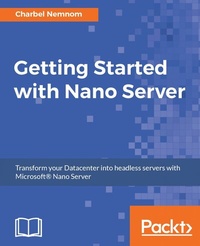
Getting Started with Nano Server
Automate multiple VMs and transform your datacenter
Published on 8. July 2025
406 pages
978-1-78528-465-6 (ISBN)
Description

Remain highly competitive in the server and VM market by gaining the practical skills needed to operate Nano Server
Key Features
[*] The days of the local server are numbered, and this book will make you an ace by giving you the skills needed to administer Nano Server and survive in the brave new server world
[*] Learn to quickly automate multiple VMs and support Hyper-V clusters, all through small footprints from a single host
[*] Apply up-to-date, real-world examples presented in this book and improve the scalability and efficiency of large-scale VM deployments
Book DescriptionNano Server allows developers and operations teams to work closely together and use containers that package applications so that the entire platform works as one. The aim of Nano Server is to help applications run the way they are intended to. It can be used to run and deploy infrastructures (acting as a compute host, storage host, container, or VM guest operating system) without consuming significant resources. Although Nano Server isn't intended to replace Server 2016 or 2012 R2, it will be an attractive choice for developers and IT teams. Want to improve your ability to deploy a new VM and install and deploy container apps within minutes? You have come to the right place! The objective of this book is to get you started with Nano Server successfully. The journey is quite exciting, since we are introducing you to a cutting-edge technology that will revolutionize today's datacenters. We'll cover everything from the basic to advanced topics. You'll discover a lot of added value from using Nano Server, such as hundreds of VM types on a single host through a small footprint, which could be a big plus for you and your company. After reading this book, you will have the necessary skills to start your journey effectively using Nano Server. What you will learn
[*] Understand Nano Server
[*] Deploy Nano Server
[*] Deploy Hyper-V Clusters on Nano Server
[*] Deploy Nano Server with SCVMM
[*] Manage Nano Server using PowerShell and Remote Server Management Tools
[*] Manage Nano Server with third-party tools
[*] Run Server Containers and Hyper-V Containers on Nano Server
[*] Troubleshoot Nano Server
[*] Validate developed applications that run on Nano Server
Who this book is forThis book opens up new potential for both developers and IT pros alike. The book is primarily for Server administrators and IT Professionals who would like to deploy and administer Nano Server within their organizations, and for developers who are trying to make maximal use of Server Containers and Hyper-V Containers with Nano Servers.
Key Features
[*] The days of the local server are numbered, and this book will make you an ace by giving you the skills needed to administer Nano Server and survive in the brave new server world
[*] Learn to quickly automate multiple VMs and support Hyper-V clusters, all through small footprints from a single host
[*] Apply up-to-date, real-world examples presented in this book and improve the scalability and efficiency of large-scale VM deployments
Book DescriptionNano Server allows developers and operations teams to work closely together and use containers that package applications so that the entire platform works as one. The aim of Nano Server is to help applications run the way they are intended to. It can be used to run and deploy infrastructures (acting as a compute host, storage host, container, or VM guest operating system) without consuming significant resources. Although Nano Server isn't intended to replace Server 2016 or 2012 R2, it will be an attractive choice for developers and IT teams. Want to improve your ability to deploy a new VM and install and deploy container apps within minutes? You have come to the right place! The objective of this book is to get you started with Nano Server successfully. The journey is quite exciting, since we are introducing you to a cutting-edge technology that will revolutionize today's datacenters. We'll cover everything from the basic to advanced topics. You'll discover a lot of added value from using Nano Server, such as hundreds of VM types on a single host through a small footprint, which could be a big plus for you and your company. After reading this book, you will have the necessary skills to start your journey effectively using Nano Server. What you will learn
[*] Understand Nano Server
[*] Deploy Nano Server
[*] Deploy Hyper-V Clusters on Nano Server
[*] Deploy Nano Server with SCVMM
[*] Manage Nano Server using PowerShell and Remote Server Management Tools
[*] Manage Nano Server with third-party tools
[*] Run Server Containers and Hyper-V Containers on Nano Server
[*] Troubleshoot Nano Server
[*] Validate developed applications that run on Nano Server
Who this book is forThis book opens up new potential for both developers and IT pros alike. The book is primarily for Server administrators and IT Professionals who would like to deploy and administer Nano Server within their organizations, and for developers who are trying to make maximal use of Server Containers and Hyper-V Containers with Nano Servers.
More details
Edition
Digital original
Language
English
Place of publication
Birmingham
United Kingdom
Target group
Professional and scholarly
US School Grade: College Graduate Student
Edition type
Digital original
File size
13,63 MB
ISBN-13
978-1-78528-465-6 (9781785284656)
Copyright in bibliographic data and cover images is held by Nielsen Book Services Limited or by the publishers or by their respective licensors: all rights reserved.
Schweitzer Classification
Other editions
Additional editions
Charbel Nemnom
Getting Started with Nano Server
Book
06/2017
Packt Publishing
€56.90
Shipment within 3-4 weeks
Person
Nemnom Charbel :
Charbel Nemnom is a Cloud Solutions Architect for itnetX (Switzerland) AG and a Microsoft Most Valuable Professional (MVP) for cloud and datacenter management. He has over 17 years of professional experience in IT. He works predominantly with the most recent versions of Windows Server, System Center, Microsoft Azure, and Azure Stack. Charbel has previously contributed to several books, all of which were published by Packt. He is Microsoft-, Cisco-, and PMI- certified and holds the following credentials: MCP, MCSA, MCTS, MCITP, MCS, MCSE, CCNP, ITIL, and PMP. You can follow him on Twitter at @CharbelNemnom.
Charbel Nemnom is a Cloud Solutions Architect for itnetX (Switzerland) AG and a Microsoft Most Valuable Professional (MVP) for cloud and datacenter management. He has over 17 years of professional experience in IT. He works predominantly with the most recent versions of Windows Server, System Center, Microsoft Azure, and Azure Stack. Charbel has previously contributed to several books, all of which were published by Packt. He is Microsoft-, Cisco-, and PMI- certified and holds the following credentials: MCP, MCSA, MCTS, MCITP, MCS, MCSE, CCNP, ITIL, and PMP. You can follow him on Twitter at @CharbelNemnom.
Content
Table of Contents
Introduction to Windows Nano Server
Getting Started with Windows Nano Server
Deploying Nano Server in a Virtual Machine and on a Physical Hardware
Deploying Hyper-V Cluster on Nano Server
Deploying, Managing, and Monitoring Nano Server with System Center 2016
Managing Nano Server with Windows PowerShell and Windows PowerShell DSC
Managing Nano Server with Third-Party Tools
Running Windows Server Containers and Hyper-V Containers on Nano Server
Running other workloads on Nano Server
Running Other Workloads on the Nano Server
Introduction to Windows Nano Server
Getting Started with Windows Nano Server
Deploying Nano Server in a Virtual Machine and on a Physical Hardware
Deploying Hyper-V Cluster on Nano Server
Deploying, Managing, and Monitoring Nano Server with System Center 2016
Managing Nano Server with Windows PowerShell and Windows PowerShell DSC
Managing Nano Server with Third-Party Tools
Running Windows Server Containers and Hyper-V Containers on Nano Server
Running other workloads on Nano Server
Running Other Workloads on the Nano Server
