

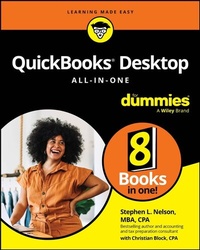
QuickBooks Desktop All-In-One For Dummies
Description

An all-encompassing guide to a popular desktop accounting software
QuickBooks Desktop All-in-One For Dummies clearly guides you on how to manage your business finances through QuickBooks Desktop. This comprehensive resource walks you through advanced features and overall layout, so you can maximize the value this software brings to your business.
Feel confident invoicing customers, paying vendors, tracking inventory, do-it-yourself payroll, preparing financial statements and reports, creating a business plan forecast, and more. Plus, you'll get helpful tips for protecting your financial data and troubleshooting any potential snags along the way.
Inside:
- Get started with QuickBooks Desktop and set up your accounting system
- Get easy-to-follow instructions for saving time with easy bookkeeping and automated features
- Learn to use advanced features as your business grows, so you can scale for the future
- Know your tax and reporting requirements
From QuickBooks Desktop setup and bookkeeping basics to importing your data and performing all the tasks you need to keep things running smoothly, QuickBooks Desktop All-in-One For Dummies is your go-to
More details
Other editions
Additional editions
Person
Stephen L. Nelson, MBA, CPA, is an expert in accounting, business advisory, and small business tax planning and preparation services. He teaches CPAs how to use QuickBooks more effectively. Nelson is also a bestselling technology, business, and personal finance author.
Content
Introduction 1
Book 1: An Accounting Primer 7
Chapter 1: Principles of Accounting 9
Chapter 2: Double-Entry Bookkeeping 29
Chapter 3: Special Accounting Problems 49
Book 2: Getting Ready to Use QuickBooks 73
Chapter 1: Setting Up QuickBooks 75
Chapter 2: Loading the Master File Lists 93
Chapter 3: Fine-Tuning QuickBooks 117
Book 3: Bookkeeping Chores 151
Chapter 1: Invoicing Customers 153
Chapter 2: Paying Vendors 189
Chapter 3: Tracking Inventory and Items 209
Chapter 4: Managing Cash and Bank Accounts 241
Chapter 5: Paying Employees 271
Book 4: Accounting Chores 283
Chapter 1: For Accountants Only 285
Chapter 2: Preparing Financial Statements and Reports 301
Chapter 3: Preparing a Budget 323
Chapter 4: Using Activity-Based Costing (ABC) 335
Chapter 5: Setting Up Project and Job Costing Systems 351
Book 5: Financial Management 363
Chapter 1: Ratio Analysis 365
Chapter 2: Economic Value Added Analysis 383
Chapter 3: Capital Budgeting in a Nutshell 397
Book 6: Business Plans 413
Chapter 1: Profit-Volume-Cost Analysis 415
Chapter 2: Creating a Business Plan Forecast 435
Book 7: Care and Maintenance 473
Chapter 1: Administering QuickBooks 475
Chapter 2: Protecting Your Data 495
Chapter 3: Troubleshooting 513
Book 8: Appendixes 519
Appendix A: A Crash Course in Excel 521
Appendix B: Glossary of Accounting and Financial Terms 539
Index 569
Chapter 1
Principles of Accounting
IN THIS CHAPTER
Figuring out the purpose of accounting
Taking a look at common financial statements
Understanding the philosophy of accounting
Discovering income tax accounting and reporting
Any discussion of how to use QuickBooks to manage your business better begins with a discussion of the basics of accounting. For this reason, in this chapter and the next two, I attempt to provide the same information that you'd receive in an introductory college accounting course. I tailor the entire discussion, of course, to QuickBooks and the small-business environment. These chapters describe how accounting works in a small-business setting when you're using QuickBooks.
If you've had some experience with accounting, if you know how to read an income statement and balance sheet, or if you know how to construct a journal entry, you don't need to read this chapter or the next ones. But if you're new to accounting and business bookkeeping, take the time to read this chapter carefully. I start by giving you a high-level overview of the purpose of accounting. Then I review the common financial statements that any accounting system worth its salt produces. I also discuss some of the important principles of accounting and the philosophy of accounting. Finally, I talk a little bit about income tax law and tax accounting.
Looking at the Purpose of Accounting
In the movie Creator, Peter O'Toole plays an eccentric professor. At one point, O'Toole's character attempts to talk a young student into working as an unpaid research assistant. When the student protests, noting that he needs 15 credit hours, O'Toole creates a special 15-credit independent-study course named "Introduction to the Big Picture." In the next section, I describe the "big picture" of accounting. At its core, accounting makes perfect, logical sense.
The big picture
The most important thing to understand about accounting is that it provides financial information to stakeholders. Stakeholders are the people who do business with or interact with a firm; they include managers, employees, investors, banks, vendors, government authorities, and agencies that may tax a firm. Stakeholders and their information requirements deserve a bit more discussion. Why? Because the information needs of these stakeholders determine what an accounting system must do.
Managers, investors, and entrepreneurs
The first category of stakeholders includes the firm's managers, investors, and entrepreneurs. This group needs financial information to determine whether a business is making money. This group also wants any information that gives insight into whether a business is growing or contracting and how healthy or sick it is. To fulfill its obligations and duties, this group often needs detailed information. A manager or entrepreneur may want to know which customers are particularly profitable - or unprofitable. An active investor may want to know which product lines are growing or contracting.
A related set of information requirements concerns asset and liability record keeping. An asset is something that the firm owns, such as cash, inventory, or equipment. A liability is some debt or obligation that the firm owes, such as bank loans and accounts payable.
Obviously, someone at a firm - perhaps a manager, bookkeeper, or accountant - needs to have very detailed records of the amount of cash that the firm has in its bank accounts, the inventory that the firm has in its warehouse or on its shelves, and the equipment that the firm owns and uses in its operations.
If you look over the preceding two or three paragraphs, nothing I've said is particularly surprising. It makes sense, right? Someone who works in a business, manages a business, or actively invests in a business needs good general information about the financial affairs of the firm and, in many cases, very detailed information about important assets (such as cash) and liabilities (such as bank loans).
External creditors
A second category of stakeholders includes outside firms that lend money to a business and credit-reporting agencies that supply information to these lenders. Banks want to know about the financial affairs and financial condition of a firm before lending money, for example. The accounting system needs to produce the financial information that a bank requires to consider a loan request.
What information do lenders want? Lenders want to know that a business is profitable and enjoys a positive cash flow. Profits and positive cash flows allow a business to repay debt easily. A bank or other lender also wants to see assets that could be liquidated, in a worst-case scenario, to pay a loan - and other debts that may represent a claim on the firm's assets.
Vendors also typically require financial information from a firm. A vendor often lends money to a firm by extending trade credit. What's noteworthy about this fact is that vendors sometimes require special accounting. One category of vendors that a company such as John Wiley & Sons, Inc., deals with is its authors. To pay an author the royalty that they're entitled to, Wiley puts in a fair amount of work to calculate royalty-per-unit amounts and then reports and remits these amounts to each author.
Other firms sometimes have similar financial reporting requirements for vendors. Franchisees (such as the person who owns and operates the local McDonald's) pay a franchise fee based on revenue. Retailers may perform special accounting and reporting to enjoy rebates and incentives from the manufacturers of the products that they sell.
Government agencies
Predictable stakeholders that require financial information from a business also include the federal and state government agencies that have jurisdiction over the firm. Every business in the United States needs to report on its revenue, expenses, and profits so that it can correctly calculate income tax due to the federal government (and often, the state government, too) and then pay that tax.
Firms with employees must also report to the federal and state governments on wages paid to those employees and pay payroll taxes based on metrics, such as number of employees, wages paid to employees, and unemployment benefits claimed by past employees.
Providing this sort of financial information to government agencies represents a key duty of a firm's accounting system.
Business form generation
In addition to the financial reporting described in the preceding paragraphs, accounting systems typically perform a key task for businesses: producing business forms. An accounting system almost always produces the checks needed to pay vendors, for example. In addition, an accounting system prepares the invoices and payroll checks. More sophisticated accounting systems, such as those used by large firms, prepare many other business forms, including purchase orders, monthly customer statements, credit memos to customers, and sales receipts.
Every accounting function that I've described so far is performed ably by every version of QuickBooks Online or QuickBooks Desktop.
Reviewing the Common Financial Statements
With the background information just provided, I'm ready to talk about some of the common financial statements or accounting reports that an accounting system like QuickBooks produces. If you understand which reports you want your accounting system to produce, you should find it much easier to collect the raw data necessary to prepare these reports.
In the following sections, I describe the three principal financial statements: the income statement, the balance sheet, and the statement of cash flows. I also briefly describe a fourth, catch-all category: accounting reports.
You need to understand what financial statements your accounting systems are supposed to provide and what data these financial statements supply.
Income statement
Perhaps the most important financial statement that an accounting system produces is the income statement, also known as a profit and loss statement. An income statement summarizes a firm's revenue and expenses for a particular period. Revenue represents amounts that a business earns by providing goods and services to its customers. Expenses represent amounts that a firm spends providing those goods and services. If a business can provide goods or services to customers for revenue that exceeds its expenses, the firm earns a profit. If expenses exceed revenue, obviously, the firm suffers a loss.
To show you how all this works - and it's really pretty simple - take a look at Tables 1-1 and 1-2. Table 1-1 summarizes the sales that an imaginary business enjoys. Table 1-2 summarizes the expenses that the same business incurs for the same period. These two tables provide all of the information necessary to construct an income statement.
TABLE 1-1 A Sales...
