

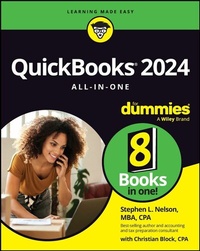
QuickBooks 2024 All-in-One For Dummies
1st Edition
Published on 11. October 2023
640 pages
978-1-394-20636-0 (ISBN)
Description

The quick way to get started--and get proficient--with QuickBooks
QuickBooks 2024 All-in-One For Dummies is the solution small business owners and managers are seeking. This high-value reference combines 8 content-rich mini-books into one complete package, providing the answers you need to get the most out of the 2024 version of QuickBooks. You'll learn the key features of QuickBooks and small business accounting, including setting up the software, understanding double-entry bookkeeping, invoicing customers, paying vendors, tracking inventory, creating reports, and beyond. Plus, you'll discover how you can use cloud storage to access your information on your smartphone, making running a small business that much more manageable.
* Sign up for QuickBooks software, set up your accounts, and customize your preferences
* Learn the basics of accounting and bookkeeping, and make sure you're doing it right
* Discover advanced features of QuickBooks that will help you run your business smoothly and efficiently
* Save money by confidently managing your finances yourself
This beginner-friendly Dummies guide makes it a breeze for small business owners, managers, and employees to implement QuickBooks at work.
QuickBooks 2024 All-in-One For Dummies is the solution small business owners and managers are seeking. This high-value reference combines 8 content-rich mini-books into one complete package, providing the answers you need to get the most out of the 2024 version of QuickBooks. You'll learn the key features of QuickBooks and small business accounting, including setting up the software, understanding double-entry bookkeeping, invoicing customers, paying vendors, tracking inventory, creating reports, and beyond. Plus, you'll discover how you can use cloud storage to access your information on your smartphone, making running a small business that much more manageable.
* Sign up for QuickBooks software, set up your accounts, and customize your preferences
* Learn the basics of accounting and bookkeeping, and make sure you're doing it right
* Discover advanced features of QuickBooks that will help you run your business smoothly and efficiently
* Save money by confidently managing your finances yourself
This beginner-friendly Dummies guide makes it a breeze for small business owners, managers, and employees to implement QuickBooks at work.
More details
Other editions
Additional editions
Stephen L. Nelson
QuickBooks 2024 All-in-One For Dummies
Book
11/2023
1st Edition
Wiley
€37.90
Shipment within 15-20 days
Content
- Intro
- Title Page
- Copyright Page
- Table of Contents
- Introduction
- About This Book
- Foolish Assumptions
- Icons Used in This Book
- Beyond the Book
- Where to Go from Here
- Book 1 An Accounting Primer
- Chapter 1 Principles of Accounting
- Looking at the Purpose of Accounting
- The big picture
- Managers, investors, and entrepreneurs
- External creditors
- Government agencies
- Business form generation
- Reviewing the Common Financial Statements
- Income statement
- Balance sheet
- Statement of cash flows
- Other accounting statements
- Putting it all together
- Examining the Philosophy of Accounting
- Revenue principle
- Expense principle
- Matching principle
- Cost principle
- Objectivity principle
- Continuity assumption
- Unit-of-measure assumption
- Separate-entity assumption
- Adding a Few Words about Tax Accounting
- Chapter 2 Double-Entry Bookkeeping
- Using the Fiddle-Faddle Method of Accounting
- Finding Out How Double-Entry Bookkeeping Works
- The accounting model
- Talking mechanics
- Looking at Almost a Real-Life Example
- Recording rent expense
- Recording wages expense
- Recording supplies expense
- Recording sales revenue
- Recording cost of goods sold
- Recording the payoff of accounts payable
- Recording the payoff of a loan
- Calculating account balance
- Using T-account analysis results
- Adding a Few Words about How QuickBooks Works
- Chapter 3 Special Accounting Problems
- Working with Accounts Receivable
- Recording a sale
- Recording a payment
- Estimating bad-debt expense
- Removing uncollectible accounts receivable
- Recording Accounts Payable Transactions
- Recording a bill
- Paying a bill
- Taking some other accounts payable pointers
- Looking at Inventory Accounting
- Dealing with obsolete inventory
- Disposing of obsolete inventory
- Dealing with inventory shrinkage
- Accounting for Fixed Assets
- Purchasing a fixed asset
- Dealing with depreciation
- Disposing of a fixed asset
- Recognizing Liabilities
- Borrowing money
- Making a loan payment
- Accruing liabilities
- Closing Out Revenue and Expense Accounts
- The traditional close
- The QuickBooks close
- Adding One More Thing . . .
- Book 2 Getting Ready to Use QuickBooks
- Chapter 1 Setting Up QuickBooks
- Planning Your New QuickBooks System
- What accounting does
- What accounting systems do
- What QuickBooks does
- And now for the bad news
- Installing QuickBooks
- Dealing with the Presetup Jitters
- Preparing for setup
- Seeing what happens during setup
- Running the QuickBooks Setup Wizard
- Getting the big welcome
- Supplying company information
- Customizing QuickBooks
- Setting your start date
- Reviewing the suggested chart of accounts
- Adding your information to the company file
- Customers, vendors, and employees
- Services and inventory items you sell
- Business bank accounts
- Identifying the Starting Trial Balance
- A simple example to start
- A real-life example to finish
- Chapter 2 Loading the Master File Lists
- Setting Up the Chart of Accounts List
- Setting Up the Item List
- Working with the Price Level List
- Using Sales Tax Codes
- Setting Up a Payroll Item List
- Setting Up Classes
- Setting Up a Customer List
- Setting Up the Vendor List
- Setting Up a Fixed Assets List
- Setting Up a Price Level List
- Setting Up a Billing Rate Level List
- Setting Up Your Employees
- Setting Up an Other Names List
- Setting Up the Profile Lists
- Chapter 3 Fine-Tuning QuickBooks
- Accessing the Preferences Settings
- Setting the Accounting Preferences
- Using account numbers
- Setting general accounting options
- Setting the Bills Preferences
- Setting the Calendar Preferences
- Setting the Checking Preferences
- Changing the Desktop View
- Setting Finance Charge Calculation Rules
- Setting General Preferences
- Controlling Integrated Applications
- Controlling Inventory
- Controlling How Jobs and Estimates Work
- Dealing with Multiple Currencies
- Starting Integrated Payment Processing
- Controlling How Payroll Works
- Telling QuickBooks How Reminders Should Work
- Specifying Reports and Graphs Preferences
- Setting Sales and Customers Preferences
- Specifying How Sales Are Taxed
- Setting the Search Preferences
- Setting the Send Forms Preferences
- Fine-Tuning the Service Connection
- Controlling Spell Checking
- Controlling How 1099 Tax Reporting Works
- Setting Time and Expenses Preferences
- Book 3 Bookkeeping Chores
- Chapter 1 Invoicing Customers
- Choosing an Invoice Form
- Customizing an Invoice Form
- Choosing a template to customize
- Reviewing the Additional Customization options
- Specifying header information
- Specifying columns information
- Specifying prog columns information
- Specifying footer information
- Specifying print information
- Moving on to basic customization
- Logo, please
- Color you beautiful
- Fiddle with invoice fonts
- Specifying company and transaction information
- Working with the Layout Designer tool
- Working with the web-based Forms Customization tool
- Invoicing a Customer
- Billing for Time
- Using a weekly time sheet
- Timing single activities
- Including billable time on an invoice
- Printing Invoices
- Emailing Invoices
- Recording Sales Receipts
- Recording Credit Memos
- Receiving Customer Payments
- Assessing Finance Charges
- Setting up finance-charge rules
- Calculating finance charges
- Using Odds and Ends on the Customers Menu
- Chapter 2 Paying Vendors
- Creating a Purchase Order
- Creating a real purchase order
- Using some purchase order tips and tricks
- Recording the Receipt of Items
- Simultaneously Recording the Receipt and the Bill
- Entering a Bill
- If you haven't previously recorded an item receipt
- If you have previously recorded an item receipt
- Paying Bills
- Reviewing the Other Vendor Menu Commands
- Vendor Center window
- Sales Tax menu commands
- Inventory Activities menu commands
- Print/E-file 1099s commands
- Item List command
- Chapter 3 Tracking Inventory and Items
- Looking at Your Item List
- Using the Item Code column
- Using the Item List window
- Using inventory reports
- Adding Items to the Item List
- Adding an item: Basic steps
- Adding a service item
- Adding an inventory part
- Adding a noninventory part
- Adding an other-charge item
- Adding a subtotal item
- Adding a group item
- Adding a discount item
- Adding a payment item
- Adding a sales tax item
- Setting up a sales tax group
- Adding custom fields to items
- Editing Items
- Adjusting physical counts and inventory values
- Adjusting prices and price levels
- Using the Change Item Prices command
- Using price levels
- Creating a price level
- Using a price level
- Enabling advanced pricing
- Managing Inventory in a Manufacturing Firm
- Handling manufactured inventory the simple way
- Performing inventory accounting in QuickBooks
- Adding inventory assembly items
- Recording manufacture or assembly of items
- Managing multiple inventory locations
- Chapter 4 Managing Cash and Bank Accounts
- Writing Checks
- Recording and printing a check
- Customizing the check form
- Making Bank Deposits
- Transferring Money between Bank Accounts
- Working with the Register
- Recording register transactions
- Using Register window commands and buttons
- The Go To button
- The Print button
- The Edit Transaction button
- The QuickReport button
- The Download Bank Statement button
- The 1-Line checkbox
- The Sort By list
- Using the Edit Menu Commands
- Reconciling the Bank Account
- Reviewing the Other Banking Commands
- Order Checks & Envelopes command
- Enter Credit Card Charges command
- Bank Feeds command
- Loan Manager command
- Other Names list
- Chapter 5 Paying Employees
- Setting Up Payroll
- Signing up for a payroll service
- Setting up employees
- Providing payroll and tax information
- Providing other employment-related information
- Setting up year-to-date amounts
- Checking your payroll setup data
- Scheduling Payroll Runs
- Paying Employees
- Editing and Voiding Paychecks
- Paying Payroll Liabilities
- Book 4 Accounting Chores
- Chapter 1 For Accountants Only
- Working with QuickBooks Journal Entries
- Recording a journal entry
- Reversing a journal entry
- Editing journal entries
- Updating Company Information
- Working with Memorized Transactions
- Reviewing the Accountant and Taxes Reports
- Creating an Accountant's Copy of the QuickBooks Data File
- Creating an accountant's copy
- Handling the accountant's copy manually
- Sending the accountant's copy electronically
- Using an accountant's copy
- Reusing an accountant's copy
- Exporting client changes
- Importing accountant's changes
- Canceling accountant's changes
- Troubleshooting accountant's copy transfers
- Using the Client Data Review Commands
- Chapter 2 Preparing Financial Statements and Reports
- Some Wise Words Up Front
- Producing a Report
- Working with the Report Window
- Working with Report window buttons
- Customize Report
- Comment on Report
- Share Template
- Memorize
- Excel
- Hide Header
- Collapse
- Refresh
- Using the Report window controls
- Dates, From, and To
- Show Columns
- Sort By
- Report Basis
- Modifying a Report
- Using the Display tab
- Using the Filters tab
- Using the Header/Footer tab
- Formatting fonts and numbers
- Processing Multiple Reports
- A Few Words about Document Retention
- Chapter 3 Preparing a Budget
- Reviewing Common Budgeting Tactics
- Top-line budgeting
- Zero-based budgeting
- Benchmarking
- Putting it all together
- Taking a Practical Approach to Budgeting
- Using the Set Up Budgets Window
- Creating a new budget
- Working with an existing budget
- Managing with a Budget
- Some Wrap-Up Comments on Budgeting
- Chapter 4 Using Activity-Based Costing
- Reviewing Traditional Overhead Allocation
- Understanding How ABC Works
- The ABC product-line income statement
- ABC in a small firm
- Implementing a Simple ABC System
- Seeing How QuickBooks Supports ABC
- Turning On Class Tracking
- Using Classes for ABC
- Setting up your classes
- Classifying revenue amounts
- Classifying expense amounts
- Making after-the-fact classifications
- Producing ABC reports
- Chapter 5 Setting Up Project and Job Costing Systems
- Setting Up a QuickBooks Job
- Tracking Job or Project Costs
- Job Cost Reporting
- Using Job Estimates
- Progress Billing
- Book 5 Financial Management
- Chapter 1 Ratio Analysis
- Uncovering Some Caveats about Ratio Analysis
- Looking at Liquidity Ratios
- Current ratio
- Acid-test ratio
- Looking at Leverage Ratios
- Debt ratio
- Debt equity ratio
- Times interest earned ratio
- Fixed-charges coverage ratio
- Looking at Activity Ratios
- Inventory turnover ratio
- Days of inventory ratio
- Average collection period ratio
- Fixed-asset turnover ratio
- Total-assets turnover ratio
- Looking at Profitability Ratios
- Gross margin percentage
- Operating income/sales
- Profit margin percentage
- Return on assets
- Return on equity
- Chapter 2 Economic Value Added Analysis
- Introducing the Logic of EVA
- Seeing EVA in Action
- An example of EVA
- Another example of EVA
- Reviewing Some Important Points about EVA
- Using EVA When Your Business Has Debt
- The first example of the modified EVA formula
- Another EVA with debt example
- Presenting Two Final Pointers
- And Now, a Word to My Critics
- Chapter 3 Capital Budgeting in a Nutshell
- Introducing the Theory of Capital Budgeting
- The big thing is the return
- One little thing is maturity
- Another little thing is risk
- The bottom line
- Calculating the Rate of Return on Capital
- Calculating the investment amount
- Estimating the net cash flows
- Calculating the return
- Measuring Liquidity
- Thinking about Risk
- What Does All This Have to Do with QuickBooks?
- Book 6 Business Plans
- Chapter 1 Profit-Volume-Cost Analysis
- Seeing How Profit-Volume-Cost Analysis Works
- Calculating Break-Even Points
- Using Real QuickBooks Data for Profit-Volume-Cost Analysis
- Sales revenue
- Gross margin percentage
- Fixed costs
- Recognizing the Downside of the Profit-Volume-Cost Model
- Using the Profit-Volume-Cost Analysis Workbook
- Collecting your inputs
- Understanding the Break-Even Analysis Forecast
- Understanding the Profit-Volume Forecast
- Looking at the profit-volume-cost charts
- Chapter 2 Creating a Business Plan Forecast
- Reviewing Financial Statements and Ratios
- Using the Business Plan Workbook
- Understanding the Workbook Calculations
- Forecasting inputs
- Balance Sheet
- Cash & Equivalents
- Accounts Receivable
- Inventory
- Other Current Assets
- Total Current Assets
- Plant, Property, & Equipment
- Less: Accumulated Depreciation
- Net Plant, Property, & Equipment
- Other Noncurrent Assets
- Total Assets
- Accounts Payable
- Accrued Expenses
- Other Current Liabilities
- Total Current Liabilities
- Long-Term Liabilities
- Other Noncurrent Liabilities
- Total Noncurrent Liabilities
- Owner Equity
- Total Liabilities and Owner Equity
- Common Size Balance Sheet
- Income Statement
- Sales Revenue
- Less: Cost of Sales
- Gross Margin
- Operating Expenses: Cost Centers 1, 2, and 3
- Total Operating Expenses
- Operating Income
- Interest Income
- Interest Expense
- Net Income (Loss) Before Taxes
- Income Tax Expenses (Savings)
- Net Income (Loss) After Taxes
- Common Size Income Statement
- Cash Flow Statement
- Beginning Cash Balance
- Net Income After Taxes
- Addback of Depreciation
- Accounts Payable Financing
- Accrued Expenses Financing
- Other Current Liabilities Financing
- Long-Term Liabilities Financing
- Other Noncurrent Liabilities Financing
- Accounts Receivable Investments
- Inventory Investments
- Other Current Assets Investments
- Plant, Property, & Equipment Investments
- Other Noncurrent Assets Investments
- Other Owner Equity Changes
- Net Cash Generated (Used)
- Ending Cash Balance
- Financial Ratios Table
- Current Ratio
- Quick Ratio
- Working Capital to Total Assets
- Receivables Turnover
- Inventory Turnover
- Times Interest Earned
- Sales to Operational Assets
- Return on Total Assets
- Return on Equity
- Investment Turnover
- Financial Leverage
- Customizing the Starter Workbook
- Changing the number of periods
- Performing ratio analysis on existing financial statements
- Calculating taxes for a current net loss before taxes
- Combining this workbook with other workbooks
- Chapter 3 Writing a Business Plan
- Defining What the Term "Business Plan" Means
- Explaining Briefly about Strategic Plans
- Cost strategies
- Differentiated products or services strategies
- Focus strategies
- Look, Ma: No Strategy
- Two comments about tactics
- Six final strategy pointers
- Looking at a White-Paper Business Plan
- Creating a New-Venture Plan
- Is the new venture's product or service feasible?
- Does the market want the product or service?
- Can the product or service be profitably sold?
- Is the return on the venture adequate for prospective investors?
- Can existing management run the business?
- Some final thoughts
- Book 7 Care and Maintenance
- Chapter 1 Administering QuickBooks
- Keeping Your Data Confidential
- Using Windows security
- Using QuickBooks security
- Using QuickBooks in a Multiuser Environment
- Setting up additional QuickBooks users
- Adding users in QuickBooks Enterprise Solutions
- Adding users in QuickBooks Pro and Premier
- Changing user rights in Enterprise Solutions
- Changing user rights in QuickBooks Pro and Premier
- Using Audit Trails
- Enabling Simultaneous Multiuser Access
- Maintaining Good Accounting Controls
- Chapter 2 Protecting Your Data
- Backing Up the QuickBooks Data File
- Backing-up basics
- What about online backup?
- Some backup tactics
- Restoring a QuickBooks Data File
- Condensing the QuickBooks Company Files
- Cleanup basics
- Some cleanup and archiving strategies
- Chapter 3 Troubleshooting
- Using the QuickBooks Help File and This Book
- Browsing the Intuit Product-Support Website
- Checking Another Vendor's Product-Support Website
- Tapping into the Intuit Online and Expert Communities
- When All Else Fails . . .
- Book 8 Appendixes
- Appendix A A Crash Course in Excel
- Starting Excel
- Stopping Excel
- Explaining Excel Workbooks
- Putting Text, Numbers, and Formulas in Cells
- Writing Formulas
- Scrolling through Big Workbooks
- Copying and Cutting Cell Contents
- Copying cell contents
- Moving cell contents
- Moving and copying formulas
- Formatting Cell Contents
- Recognizing That Functions Are Simply Formulas
- Saving and Opening Workbooks
- Saving a workbook
- Opening a workbook
- Printing Excel Workbooks
- One Other Thing to Know
- Appendix B Glossary of Accounting and Financial Terms
- Index
- EULA
