


QuickBooks 2020 For Dummies
1st Edition
Published on 7. October 2019
416 pages
978-1-119-58975-4 (ISBN)
Description

The perennial bestseller--now in a new edition
QuickBooks allows small businesses to manage their own accounting and financial management tasks--without needing to hire expensive financial professionals. This perennial bestseller is here to show you step by step how to build the perfect budget, simplify tax return preparation, manage inventory, track job costs, generate statement and financial reports, and every other accounting-related task that crosses your desk.
Written by CPA Stephen L. Nelson, it shows you how to get the most out of the software that helps over six million small businesses manage their finances.
* Handle your financial and business management tasks more effectively
* Get the most out of QuickBooks' features
* Create invoices and memos with ease
* Pay bills, prepare payroll, and record sales receipts
If you use QuickBooks at work--or want to implement it in 2020--this book has you covered.
QuickBooks allows small businesses to manage their own accounting and financial management tasks--without needing to hire expensive financial professionals. This perennial bestseller is here to show you step by step how to build the perfect budget, simplify tax return preparation, manage inventory, track job costs, generate statement and financial reports, and every other accounting-related task that crosses your desk.
Written by CPA Stephen L. Nelson, it shows you how to get the most out of the software that helps over six million small businesses manage their finances.
* Handle your financial and business management tasks more effectively
* Get the most out of QuickBooks' features
* Create invoices and memos with ease
* Pay bills, prepare payroll, and record sales receipts
If you use QuickBooks at work--or want to implement it in 2020--this book has you covered.
More details
Other editions
Additional editions
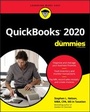
Stephen L. Nelson
QuickBooks 2020 for Dummies
Book
11/2019
1st Edition
Wiley
€24.90
Article exhausted; check different version
