

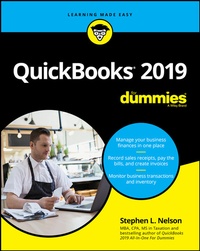
QuickBooks 2019 For Dummies
1st Edition
Published on 24. October 2018
416 pages
978-1-119-52052-8 (ISBN)
Description

The bestselling guide to QuickBooks--now in a new edition
QuickBooks 2019 For Dummies is here to make it easier than ever to familiarize yourself with the latest version of the software. It shows you step by step how to build the perfect budget, simplify tax return preparation, manage inventory, track job costs, generate income statements and financial reports, and every other accounting-related task that crosses your desk at work.
Written by CPA Stephen L. Nelson, this perennial bestseller shows you how to get the most out of the software that helps over six million small businesses manage their finances. Removing the need to hire expensive financial professionals, it empowers you to take your small business' finances into your own hands.
* Handle your financial and business management tasks more effectively
* Implement QuickBooks and get the most out of its features
* Create invoices and credit memos with ease
* Pay bills, prepare payroll, and record sales receipts
If you're a small business owner, manager, or employee who utilizes QuickBooks at work, this bestselling guide has answers for all of your business accounting needs.
QuickBooks 2019 For Dummies is here to make it easier than ever to familiarize yourself with the latest version of the software. It shows you step by step how to build the perfect budget, simplify tax return preparation, manage inventory, track job costs, generate income statements and financial reports, and every other accounting-related task that crosses your desk at work.
Written by CPA Stephen L. Nelson, this perennial bestseller shows you how to get the most out of the software that helps over six million small businesses manage their finances. Removing the need to hire expensive financial professionals, it empowers you to take your small business' finances into your own hands.
* Handle your financial and business management tasks more effectively
* Implement QuickBooks and get the most out of its features
* Create invoices and credit memos with ease
* Pay bills, prepare payroll, and record sales receipts
If you're a small business owner, manager, or employee who utilizes QuickBooks at work, this bestselling guide has answers for all of your business accounting needs.
More details
Other editions
Additional editions
Stephen L. Nelson
QuickBooks 2019 For Dummies
Book
12/2018
1st Edition
Wiley
Unfortunately, price unknown
Article exhausted; check for reprint
Content
- Intro
- Title Page
- Copyright Page
- Table of Contents
- Introduction
- About This Book
- Foolish Assumptions
- Icons Used in This Book
- Beyond the Book
- Where to Go from Here
- Part 1 Quickly into QuickBooks
- Chapter 1 QuickBooks: The Heart of Your Business
- Why QuickBooks?
- Why you need an accounting system
- What QuickBooks does
- Why not QuickBooks online?
- What Explains QuickBooks' Popularity?
- What's Next, Dude?
- How to Succeed with QuickBooks
- Budget wisely, Grasshopper
- Don't focus on features
- Outsource payroll
- Get professional help
- Use both the profit and loss statement and the balance sheet
- Chapter 2 The Big Setup
- Getting Ready for QuickBooks Setup
- The big decision
- The trial balance of the century
- The mother of all scavenger hunts
- Stepping through QuickBooks Setup
- Starting QuickBooks
- Using the Express Setup
- The Rest of the Story
- Should You Get Your Accountant's Help?
- Chapter 3 Populating QuickBooks Lists
- The Magic and Mystery of Items
- Adding items you might include on invoices
- Creating other wacky items for invoices
- Editing items
- Adding Employees to Your Employee List
- Customers Are Your Business
- It's Just a Job
- Adding Vendors to Your Vendor List
- The Other Lists
- The Fixed Asset Item list
- The Price Level list
- The Billing Rate Levels list
- The Sales Tax Code list
- The Class list
- The Other Names list
- The Sales Rep list
- Customer, Vendor, and Job Types list
- The Terms list
- The Customer Message list
- The Payment Method list
- The Ship Via list
- The Vehicle list
- The Memorized Transaction list
- The Reminders list
- Organizing Lists
- Printing Lists
- Exporting List Items to Your Word Processor
- Dealing with the Chart of Accounts List
- Describing customer balances
- Describing vendor balances
- Camouflaging some accounting goofiness
- Supplying the missing numbers
- Checking your work one more time
- Part 2 Daily Entry Tasks
- Chapter 4 Creating Invoices and Credit Memos
- Making Sure That You're Ready to Invoice Customers
- Preparing an Invoice
- Fixing Invoice Mistakes
- If the invoice is still displayed onscreen
- If the invoice isn't displayed onscreen
- Deleting an invoice
- Preparing a Credit Memo
- Fixing Credit Memo Mistakes
- Printing Invoices and Credit Memos
- Loading the forms into the printer
- Setting up the invoice printer
- Printing invoices and credit memos as you create them
- Printing invoices in a batch
- Printing credit memos in a batch
- Sending Invoices and Credit Memos via Email
- Customizing Your Invoices and Credit Memos
- Chapter 5 Reeling in the Dough
- Recording a Sales Receipt
- Printing a Sales Receipt
- Special Tips for Retailers
- Correcting Sales Receipt Mistakes
- Recording Customer Payments
- Correcting Mistakes in Customer Payments Entries
- Making Bank Deposits
- Improving Your Cash Inflow
- Tracking what your customers owe
- Assessing finance charges
- Dealing with deposits
- Chapter 6 Paying the Bills
- Pay Now or Pay Later?
- Recording Your Bills by Writing Checks
- The slow way to write checks
- The fast way to write checks
- Recording Your Bills the Accounts Payable Way
- Recording your bills
- Entering your bills the fast way
- Deleting a bill
- Remind me to pay that bill, will you?
- Paying Your Bills
- Tracking Vehicle Mileage
- Paying Sales Tax
- Chapter 7 Inventory Magic
- Setting Up Inventory Items
- When You Buy Stuff
- Recording items that you pay for up front
- Recording items that don't come with a bill
- Paying for items when you get the bill
- Recording items and paying the bill all at once
- When You Sell Stuff
- How Purchase Orders Work
- Customizing a purchase order form
- Filling out a purchase order
- Checking up on purchase orders
- Receiving purchase order items
- Assembling a Product
- Identifying the components
- Building the assembly
- Time for a Reality Check
- Dealing with Multiple Inventory Locations
- Manually keep separate inventory- by-location counts
- Use different item numbers for different locations
- Upgrade to QuickBooks Enterprise Solutions
- The Lazy Person's Approach to Inventory
- How periodic inventory systems work in QuickBooks
- The good and bad of a periodic inventory
- Chapter 8 Keeping Your Checkbook
- Writing Checks
- Writing checks from the Write Checks window
- Writing checks from the register
- Changing a check that you've written
- Packing more checks into the register
- Depositing Money in a Checking Account
- Recording simple deposits
- Depositing income from customers
- Transferring Money between Accounts
- Setting up a second bank account
- Recording deposits into the new account
- About the other half of the transfer
- Changing a transfer that you've already entered
- Working with Multiple Currencies
- To Delete or to Void?
- Handling NSF Checks from Customers
- The Big Register Phenomenon
- Moving through a big register
- Finding that darn transaction
- Chapter 9 Paying with Plastic
- Tracking Business Credit Cards
- Setting up a credit card account
- Selecting a credit card account so that you can use it
- Entering Credit Card Transactions
- Recording a credit card charge
- Changing charges that you've already entered
- Reconciling Your Credit Card Statement and Paying the Bill
- So What about Debit and ATM Cards?
- So What about Customer Credit Cards?
- Part 3 Stuff You Do from Time to Time
- Chapter 10 Printing Checks
- Getting the Printer Ready
- Printing a Check
- A few words about printing checks
- Printing a check as you write it
- Printing checks by the bushel
- What if I make a mistake?
- Oh where, oh where do unprinted checks go?
- Printing a Checking Register
- Chapter 11 Payroll
- Getting Ready to Do Payroll without Help from QuickBooks
- Doing Taxes the Right Way
- Getting an employer ID number
- Signing up for EFTPS
- Employees and employers do their part
- Getting Ready to Do Payroll with QuickBooks
- Paying Your Employees
- Paying Payroll Liabilities
- Paying tax liabilities if you use a full-meal-deal payroll service
- Paying tax liabilities if you don't use a full-meal-deal payroll service
- Paying other nontax liabilities
- Preparing Quarterly Payroll Tax Returns
- Using the Basic Payroll service
- Using a full-meal-deal payroll service
- Using the QuickBooks Enhanced Payroll service
- Filing Annual Returns and Wage Statements
- The State Wants Some Money, Too
- Chapter 12 Building the Perfect Budget
- Is This a Game You Want to Play?
- All Joking Aside: Some Basic Budgeting Tips
- A Budgeting Secret You Won't Learn in College
- Setting Up a Secret Plan
- Adjusting a Secret Plan
- Forecasting Profits and Losses
- Projecting Cash Flows
- Using the Business Planner Tools
- Chapter 13 Online with QuickBooks
- Doing the Electronic Banking Thing
- So what's the commotion about?
- A handful of reasons to be cautious about banking online
- Making sense of online banking
- Signing up for the service
- Making an online payment
- Transferring money electronically
- Changing instructions
- Transmitting instructions
- Message in a bottle
- A Quick Review of the Other Online Opportunities
- Part 4 Housekeeping Chores
- Chapter 14 The Balancing Act
- Balancing a Bank Account
- Giving QuickBooks information from the bank statement
- Marking cleared checks and deposits
- Eleven Things to Do If Your Non-Online Account Doesn't Balance
- Chapter 15 Reporting on the State of Affairs
- What Kinds of Reports Are There, Anyway?
- Creating and Printing a Report
- Visiting the report dog-and-pony show
- Editing and rearranging reports
- Reports Made to Order
- Processing Multiple Reports
- Your Other Reporting Options
- Last but Not Least: The QuickReport
- Chapter 16 Job Estimating, Billing, and Tracking
- Turning On Job Costing
- Setting Up a Job
- Creating a Job Estimate
- Revising an Estimate
- Turning an Estimate into an Invoice
- Comparing Estimated Item Amounts with Actual Item Amounts
- Charging for Actual Time and Costs
- Tracking Job Costs
- Chapter 17 File Management Tips
- Backing Up Is (Not That) Hard to Do
- Backing up the quick-and-dirty way
- Getting back the QuickBooks data you backed up
- Using the Accountant's Copy
- Working with Portable Files
- Using an Audit Trail
- Using a Closing Password
- Chapter 18 Fixed Assets and Vehicle Lists
- What Is Fixed-Assets Accounting?
- Fixed-Assets Accounting in QuickBooks
- Setting Up a Fixed Asset List
- Adding items to the Fixed Asset list
- Adding fixed-asset items on the fly
- Editing items in the Fixed Asset list
- Tracking Vehicle Mileage
- Identifying your vehicles
- Recording vehicle miles
- Using the vehicle reports
- Updating vehicle mileage rates
- Part 5 The Part of Tens
- Chapter 19 Tips for Handling (Almost) Ten Tricky Situations
- Tracking Depreciation
- Selling an Asset
- Selling a Depreciable Asset
- Owner's Equity in a Sole Proprietorship
- Owner's Equity in a Partnership
- Owner's Equity in a Corporation
- Multiple-State Accounting
- Getting a Loan
- Repaying a Loan
- Chapter 20 (Almost) Ten Secret Business Formulas
- The First "Most Expensive Money You Can Borrow" Formula
- The Second "Most Expensive Money You Can Borrow" Formula
- The "How Do I Break Even?" Formula
- The "You Can Grow Too Fast" Formula
- How net worth relates to growth
- How to calculate sustainable growth
- The First "What Happens If . . .?" Formula
- The Second "What Happens If . . .?" Formula
- The Economic Order Quantity (Isaac Newton) Formula
- The Rule of 72
- Part 6 Appendixes
- Appendix A Installing QuickBooks in Ten Easy Steps
- Appendix B If Numbers Are Your Friends
- Keying In on Profit
- Let me introduce you to the new you
- The first day in business
- Look at your cash flow first
- Depreciation is an accounting gimmick
- Accrual-basis accounting is cool
- Now you know how to measure profits
- Some financial brain food
- In the Old Days, Things Were Different
- What Does an Italian Monk Have to Do with Anything?
- And now for the blow-by-blow
- Blow-by-blow, Part 2
- How does QuickBooks help?
- Two Dark Shadows in the World of Accounting
- The first dark shadow
- The second dark shadow
- The Danger of Shell Games
- Appendix C Sharing QuickBooks Files
- Sharing a QuickBooks File on a Network
- User permissions
- Record locking
- Installing QuickBooks for Network Use
- Setting User Permissions
- User permissions in Enterprise Solutions
- User permissions in QuickBooks Pro and Premier
- Specifying Multiuser Mode
- Working in Multiuser Mode
- Index
- EULA
