

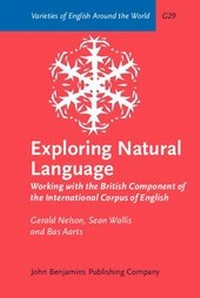
Exploring Natural Language
Working with the British Component of the International Corpus of English
1st Edition
Published on 27. June 2002
XVIII, 344 pages
978-90-272-7535-6 (ISBN)
Description

ICE-GB is a 1 million-word corpus of contemporary British English. It is fully parsed, and contains over 83,000 syntactic trees. Together with the dedicated retrieval software, ICECUP, ICE-GB is an unprecedented resource for the study of English syntax.Exploring Natural Language is a comprehensive guide to both corpus and software. It contains a full reference for ICE-GB. The chapters on ICECUP provide complete instructions on the use of the many features of the software, including concordancing, lexical and grammatical searches, sociolinguistic queries, random sampling, and searching for syntactic structures using ICECUP's Fuzzy Tree Fragment models. Special attention is given to the principles of experimental design in a parsed corpus.
Six case studies provide step-by-step illustrations of how the corpus and software can be used to explore real linguistic issues, from simple lexical studies to more complex syntactic topics, such as noun phrase structure, verb transitivity, and voice.
Six case studies provide step-by-step illustrations of how the corpus and software can be used to explore real linguistic issues, from simple lexical studies to more complex syntactic topics, such as noun phrase structure, verb transitivity, and voice.
More details
Other editions
Additional editions
Gerald Nelson | Sean Wallis | Bas Aarts
Exploring Natural Language
Working with the British Component of the International Corpus of English
Book
06/2002
John Benjamins Publishing Co
€137.80
Shipment within 10-15 days
Persons
Content
- Exploring Natural Language Working with the British Component of the International Corpus of English
- Editorial page
- Title page
- Copyright page
- Table of contents
- SERIES EDITOR'S INTRODUCTION
- FOREWORD
- PREFACE
- PART 1 : Introducing the corpus
- 1. INTRODUCING ICE-GB
- 1.1 Aims and background
- 1.2 Corpus design
- 1.3 Extra-corpus material
- 1.4 Copyright
- 1.5 Transcription and markup
- 1.6 Part-of-speech tagging
- 1.7 Syntactic parsing
- 1. 8 Cross-sectional checking
- 1.9 Digitization
- 1.10 Examining ICE-GB texts
- 2. THE ICE-GB GRAMMAR
- 2.1 Introduction
- 2.2 ICE Word Classes
- 2.2.1 Adjective (ADJ)
- 2.2. 2 Adverb (ADV)
- 2.2.3 Article (ART)
- 2.2.4 Auxiliary verb (AUX
- 2.2.5 Cleft it (CLEFTIT
- 2.2.6 Conjunction (CONJUNC)
- 2.2.7 Connective (CONNEC
- 2.2.8 Existential there (EXTHERE
- 2.2.9 Formulaic expression (FRM)
- 2.2.10 Genitive marker (GENM)
- 2.2.11 Interjection (INTERJEC)
- 2.2.12 Noun(N)
- 2.2.13 Nominal Adjective (NADJ)
- 2.2.14 Numeral (NUM)
- 2.2.15 Preposition (PREP)
- 2.2.16Proform (PROFM)
- 2.2.17 Pronoun (PRON)
- 2.2.18 Particle (PRTCL )
- 2.2.19 Reaction signal (REACT)
- 2.2.20 Verb(V)
- 2.2.21 Miscellaneous tags
- 2.3 Functions and categories
- 2.3.1 Adverbial (A) [Function]
- 2.3.2 Adjective Phrase (AJP) [Category]
- 2.3.3 Adjective Phrase Head (AJHD) [Function]
- 2.3.4 Adjective Phrase Postmodifier (AJPO) [Function]
- 2.3.5 Adjective Phrase Premodifier (AJPR) [Function]
- 2.3.6 Adverb Phrase Head (AVHD) [Function]
- 2.3.7 Adverb Phrase (AVP) [Category
- 2.3.8 Adverb Phrase Postmodifier (AVPO) [Function]
- 2.3.9 Adverb Phrase Premodifier (AVPR) [Function]
- 2.3.10 Auxiliary Verb (AVB) [Function]
- 2.3.11 Central Determiner (DTCE) [Function]
- 2.3.12 Clause (CL) [Category]
- 2.3.13 Cleft Operator (CLOP) [Function]
- 2.3.14 Conjoin (CJ) [Function]
- 2.3.15 Coordinator (COOR) [Function]
- 2.3.16 Detached Function (DEFUNC) [Function]
- 2.3.17 Determiner (DT) [Function]
- 2.3.18 Determiner Phrase (DTP) [Category]
- 2.3.19 Determiner Postmodifier (DTPO) [Function]
- 2.3.20 DeterminerPremodifier (DTPR) [Function]
- 2.3.21 Direct Object (OD) [Function]
- 2.3.22 Discourse Marker (DISMK) [Function]
- 2.3.23 Disparate (DISP) [Category]
- 2.3.24 Element (ELE) [Function]
- 2.3.25 Empty (EMPTY) [Category]
- 2.3.26 Existential Operator (EXOP) [Function]
- 2.3.27 Floating Noun Phrase Postmodifier (FNPPO) [Function]
- 2.3.28 Focus (FOC) [Function]
- 2.3.29 Focus Complement (CF) [Function]
- 2.3.30 Genitive function (GENF) [Function]
- 2.3 31 Imperative Operator (IMPOP) [Function]
- 2.3.32 Indeterminate (INDET) [Function]
- 2.3.33 Indirect object (01) [Function]
- 2.3.34 Interrogative Operator (INTOP) [Function]
- 2.3.35 Inverted Operator (INVOP) [Function]
- 2.3.36 Main Verb (MVB) [Function]
- 2.3.37 Nonclause (NONCL) [Category]
- 2.3.38 Notional Direct Object (NOOD) [Function]
- 2.3.39 Notional Subject (NOSU) [Function
- 2.3.40 Noun Phrase (NP) [Category]
- 2.3.41 Noun Phrase Head (NPHD) [Function
- 2. 3.42 Noun Phrase Postmodifier (NPPO) [Function]
- 2. 3 43 Noun Phrase Premodifier (NPPR) [Function]
- 2. 3.44 Object Complement (CO) [Function]
- 2. 3.45 Operator (OP) [Function]
- 2. 3.46 Parataxis (PARA) [Function
- 2.3.47 Parsing Unit (PU) [Function]
- 2.3.48 Postdeterminer (DTPS) [Function]
- 2.3.49 Predeterminer (DTPE) [Function]
- 2.3.50 Predicate Element (PREDEL) [Category]
- 2.3.51 Predicate Group (PREDGP) [Function]
- 2.3.52 Prepositional (P) [Function]
- 2.3.53 Prepositional Complement (PC) [Function]
- 2.3.54 Prepositional Phrase (PP) [Category]
- 2.3.55 Provisional Direct Object (PROD) [Function]
- 2.3.56 Provisional Subject (PRSU) [Function]
- 2.3.57 Stranded Preposition (PS) [Function
- 2.3.58 Subject (SU) [Function]
- 2.3.59 Subject Complement (CS) [Function]
- 2.3.60 Subordinator Phrase Head (SBHD) [Function]
- 2.3.61 Subordinator Phrase Modifier (SBMO) [Function]
- 2.3.62 Subordinator (SUB) [Function]
- 2.3.63 Subordinator Phrase (SUBP) [Category]
- 2.3.64 Tag Question (TAGQ) [Function]
- 2. 3.65 Particle To (TO) [Function]
- 2.3.66 Transitive Complement (CT) [Function]
- 2.3.67 Verbal (VB) [Function]
- 2.3.68 Verb Phrase (VP) [Category]
- 2.4 Feature Labels
- 2.5 Special Topics in the ICE-GB Grammar
- 2.5.1 Inversion
- 2.5.2 Interrogative
- 2.5.3 Imperative
- 2.5.4 Coordination
- 2.5.5 Direct Speech
- PART 2: Exploring the corpus
- 3. INTRODUCING THE ICE CORPUS UTILITY PROGRAM (ICECUP)
- 3.1 First impressions
- 3.2 The corpus map
- 3.3 Browsing the results of queries
- 3.4 Viewing trees in the corpus
- 3.5 Variable queries
- 3.6 'Single grammatical nodey' queries
- 3.7 Markup queries
- 3.8 Random sampling
- 3.9 Text fragment queries
- 3.10 Fuzzy Tree Fragment searches
- 3.11 Open file
- 3.12 Save to disk
- 3.13 Search options
- 4. BROWSING THE CORPUS
- 4.1 The idea of corpus exploration
- 4.2 Navigating the corpus map
- 4.3 Browsing single texts
- 4.4 The text browser window
- 4.5 Viewing word class tags
- 4.6 Concordancing a query
- 4.7 Displaying trees in the text
- 4.8 Grammatical concordancing in ICECUP 3.1
- 4.9 Displaying trees in a separate window
- 4.10 Concordancing, matching and viewing trees
- 4.11 Listening to speakers in the corpus
- 4.12 Selecting text units in ICECUP 3.1
- 5. FUZZY TREE FRAGMENTS AND TEXT QUERIES
- 5.1 The Text Fragment query window
- 5.2 Searching for words, tags and tree nodes
- 5.3 Missing words and special characters
- 5.4 Extending the query into the tree
- 5.5 Introducing Fuzzy Tree Fragments
- 5.6 An overview of commands to construct FTF s
- 5.7 Creating a simple FTF
- 5.8 Adding a feature and relating a word to the tree
- 5.9 Moving nodes and branches
- 5.10 Applying a multiple selection and setting the focus of an FTF
- 5.11 Text-oriented FTF s revisited
- 5.12 The geometry of FTFs
- 5.13 How FTFs match against the corpus
- 5.14 The FTF Creation Wizard: a tool for making FTF s from trees
- 6. COMBINING QUERIES
- 6.1 A simple examp le
- 6.2 Viewing the query expression
- 6.3 Modifying the logic of query combinations
- 6.4 Using drag and drop to manipulate query expressions
- 6.5 Removing parts of the query
- 6.6 Logic and Fuzzy Tree Fragments
- 6.7 Editing query elements
- 6.8 Modifying the focus of an FTF during browsing
- 6.9 Background FTF searches and the query editor
- 6.10 Simplifying the query
- 7. ADVANCED FACILITIES IN ICECUP 3.1
- 7.1 Introducing ICECUP 3.1
- 7.2 The Lexicon
- 7.3 The Grammaticon
- 7.4 Statistical tables
- 7.5 Lexical wild cards
- 7.6 Extensions to Fuzzy Tree Fragment nodes
- 7.6.1 Performing exact matching in FTFs
- 7.6.2 Specifying missing features and pseudo-features
- 7.6.3 Specifying sets of functions, categories and features
- 7.6 4 Specifying a logical formula
- PART 3 : Performing research withthe corpus
- 8. CASE STUDIES USING ICE-GB
- 8.1 Case study 1: Pretty much an adverb
- 8.2 Case Study 2: Exploring the lexeme book with the lexicon
- 8.3 Case Study 3: Transitivity and clause type
- 8.4 Case Study 4: What size feet have you got? wh-determiners in noun phrases
- 8.5 Case Study 5: Active and passive clauses
- 8.6 Case Study 6: The positions of if-clauses
- 9. PRINCIPLES OF EXPERIMENTAL DESIGN WITH A PARSED CORPUS
- 9.1 What is a scientific experiment?
- 9.2 What is an experimental hypothesis?
- 9.3 The basic approach: constructing a contingency table
- 9.4 What might significant results mean ?
- 9.5 How can we measure the 'size' of a result?
- 9.5.1 Relative size
- 9.5.2 Relative swing
- 9.5.3 Chi-square contribution
- 9.5.4 Cramer's phi
- 9.6 Common issues in experimental design
- 9.6.1 Have we specified the null hypothesis incorrectly
- 9.6.2 Are all the relevant values listed together?
- 9.6.3 Are we really dealing with the same linguistic choice?
- 9.6.4 Have we counted the same thing twice?
- 9.7 Investigating grammatical interactions
- 9.8 Three studies of interaction in the grammar
- 9.8.1 Two features within a single constituent
- 9.8.2 Two features in a structure
- 9.8.3 A feature and an optional constituent
- 9.8.4 Footnote: dealing with overlapping cases
- PART 4: The future of the corpus
- 10 FUTURE PROSPECTS
- 10.1 Extending the annotation in the corpus
- 10.2 Extending the expressivity of Fuzzy Tree Fragments
- 10.3 Incorporating experiments in software
- 10.4 Knowledge discovery in corpora
- 10.5 Aiding the annotation of corpora
- 10.6 Teaching grammar with corpora
- REFERENCES
- APPEN DIX1. ICE TEXT CATEGORIES AND CODES
- A1.1Spoken Categories
- A1.2 Written Categories
- APPENDIX2. SOURCES OF ICE-GB TEXTS
- A2.1 S1A-001toS1A-090: Direct conversations
- A2.2 S1A-091 to S1A-100: Telephone calls
- A2.3 S1B-001 to S1B-020: Classroom lessons
- A2.4 S1B-021 to S1B-040: Broadcast discussions
- A2.5 S1B-041 to S1B-050: Broadcast interviews
- A2.6 S1B-051 to S1B-060: Parliamentary debates
- A2.7 S1B-061 to S1B-070: Legal cross-examinations
- A2.8 S1B-071 to S1B-080: Business transactions
- A2.9 S2A-001 to S2A-020: Spontaneous commentaries
- A2.10 S2A-021 to S2A-050: Unscripted speeches
- A2.11 S2A-051 to S2A-060: Demonstrations
- A2.12 S2A-061 to S2A-070: Legal presentations
- A2.13 S2B-001toS2B-020: News broadcasts
- A2.14S2B-021 to S2B-040: Broadcast talks (scripted)
- A2.75 S2B-041 to S2B-050: Non-broadcast speeches (scripted)
- A2.16 W1A-001toW1A-010: Untimed student essays
- A2.17 W1A-011 to W1A-020: Student examination scripts
- A2.18 W1B-001 to W1B-015: Social letters
- A2.19 W1B-016 to W1B-030: Business letters
- A2.20 W2A-001 to W2A-040: Academic writing
- A2.21 W2B-001 to W2B-040: Popular writing
- A2.22 W2C-001 to W2C-020: Newspaper reports
- A2.23 W2D-001 to W2D-010: Administrative/regulatory writing
- A2.24 W2D-011 to W2D-020: Skills and hobbies
- A2.25 W2E-001 to W2E-010: Press editorials
- A2.26 W2F-001 to W2F-020: Fiction
- APPENDIX 3. BIBLIOGRAPHICAL AND BIOGRAPHICAL VARIABLES
- APPENDIX 4. STRUCTURAL MARKUP SYMBOLS
- APPENDIX 5. A QUICK REFERENCE GUIDE TO THE ICE GRAMMAR
- APPENDIX 6. SPECIAL CHARACTERS USED IN ICE-GB
- INDEX
