

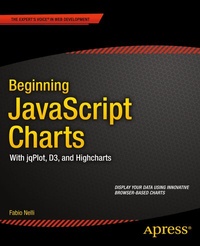
Beginning JavaScript Charts
With jqPlot, d3, and Highcharts
Published on 24. January 2014
XXI, 620 pages
978-1-4302-6290-9 (ISBN)
Description

Beginning JavaScript Charts shows how to convert your data into eye-catching, innovative, animated, and highly interactive browser-based charts. This book is suitable for developers of all experience levels and needs: for those who love fast and effective solutions, you can use the jqPlot library to generate charts with amazing effects and animations using only a few lines of code; if you want more power and need to create data visualization beyond traditional charts, then D3 is the JavaScript library for you; finally, if you need a high-performance, professional solution for interactive charts, then the Highcharts library is also covered.If you are an experienced developer and want to take things further, then Beginning JavaScript Charts also shows you how to develop your own graphics library starting from scratch using jQuery. At the end of the book, you will have a good knowledge of all the elements needed to manage data from every possible source, from high-end scientific instruments to Arduino boards, from PHP SQL databases queries to simple HTML tables, and from Matlab calculations to reports in Excel. You will be able to provide cutting-edge charts exploiting the growing power of modern browsers.Create all kinds of charts using the latest technologies available on browsers (HTML5, CSS3, jQuery, jqPlot, D3, Highcharts, and SVG) Full of step-by-step examples, Beginning JavaScript Charts introduces you gradually to all aspects of chart development, from the data source to the choice of which solution to apply. This book provides a number of tools that can be the starting point for any project requiring graphical representations of data, whether using commercial libraries or your own
More details
Other editions
Additional editions
Book
12/2013
APress
€53.49
Shipment within 15-20 days
Person
Fabio Nelli, is an IT Scientific Application Specialist at IRBM Science Park, a private research center in Pomezia, Roma (Italy). He has beena computer consultant for many years at IBM, EDS, Merck Sharp, and Dohme, along with several banks and insurance companies.He has an Organic Chemistry degree and many years of experience in Information technologies and Automation systems applied to Life Sciences (Tech Specialist at Beckman Coulter Italy and Spain).He is currently developing Java applications that interface Oracle databases with scientific instrumentations generating data and web server applications providing analysis of the results to researchers in real time.
Content
1 - Contents at a Glance [Seite 3]
2 - Contents [Seite 588]
3 - About the Author [Seite 600]
4 - About the Technical Reviewer [Seite 601]
5 - Acknowledgments [Seite 602]
6 - Introduction [Seite 5]
7 - Chapter 1: Charting Technology Overview [Seite 6]
7.1 - Elements in a Chart [Seite 6]
7.2 - Most Common Charts [Seite 9]
7.3 - How to Realize Charts on the Web [Seite 11]
7.4 - HTML5 [Seite 11]
7.5 - Charting with SVG and CANVAS [Seite 12]
7.5.1 - Canvas vs SVG [Seite 12]
7.6 - The DOM [Seite 14]
7.7 - Developing in JavaScript [Seite 15]
7.7.1 - Running and Debugging JavaScript [Seite 17]
7.7.2 - Data Types in JavaScript [Seite 18]
7.7.2.1 - Arrays [Seite 18]
7.7.2.2 - Objects [Seite 20]
7.8 - Firebug and DevTools [Seite 21]
7.9 - JSON [Seite 23]
7.10 - Summary [Seite 23]
8 - Chapter 2: jQuery Basics [Seite 24]
8.1 - Including the jQuery Library [Seite 25]
8.1.1 - Selections [Seite 26]
8.1.2 - Chaining Methods [Seite 28]
8.1.3 - The Wrapper Set [Seite 28]
8.2 - jQuery and the DOM [Seite 29]
8.2.1 - The ready(?) Method [Seite 29]
8.2.2 - Traversing the DOM with Selections [Seite 29]
8.2.3 - Create and Insert New Elements [Seite 31]
8.2.4 - Remove, Hide, and Replace Elements [Seite 32]
8.3 - jQuery UI: Widgets [Seite 33]
8.3.1 - Accordion [Seite 34]
8.3.2 - Tab [Seite 36]
8.3.3 - Button [Seite 37]
8.3.4 - Combo Box [Seite 39]
8.3.5 - Menu [Seite 40]
8.3.6 - Slider [Seite 42]
8.3.7 - Progress Bar [Seite 44]
8.4 - Concluding Thoughts on the jQuery Library [Seite 46]
8.5 - Summary [Seite 46]
9 - Chapter 3: Simple HTML Tables [Seite 47]
9.1 - Creating a Table for Your Data [Seite 47]
9.1.1 - Your Example's Goals [Seite 47]
9.1.2 - Applying CSS to Your Table [Seite 50]
9.1.3 - Adding Color Gradation to Your Table [Seite 51]
9.1.4 - Adding Color Gradation to Your Table, Using Files [Seite 55]
9.2 - Parsing the Table Data [Seite 56]
9.2.1 - Importing the jQuery Library [Seite 56]
9.2.2 - xLabels [Seite 57]
9.2.2.1 - Extracting the Labels [Seite 59]
9.2.3 - dataGroups [Seite 62]
9.3 - Ready for Implementing Graphics [Seite 63]
9.4 - Summary [Seite 63]
10 - Chapter 4: Drawing a Line Chart [Seite 64]
10.1 - Defining the Canvas [Seite 64]
10.2 - Setting the Canvas [Seite 66]
10.3 - Drawing a Line Chart [Seite 68]
10.3.1 - Drawing Axes, Tick Labels, and the Grid [Seite 69]
10.4 - Drawing Lines on the Chart [Seite 76]
10.5 - Adding a Legend [Seite 78]
10.6 - Adding a Title [Seite 80]
10.7 - Hiding the Table [Seite 82]
10.8 - Summary [Seite 83]
11 - Chapter 5: Drawing a Bar Chart [Seite 84]
11.1 - Drawing a Bar Chart [Seite 84]
11.2 - Summary [Seite 87]
12 - Chapter 6: Drawing a Pie Chart [Seite 88]
12.1 - Drawing a Pie Chart [Seite 88]
12.1.1 - Setting the Canvas [Seite 88]
12.1.2 - Implementing the Pie Chart [Seite 92]
12.1.3 - Completing the Pie Chart [Seite 95]
12.2 - Adding Effects [Seite 97]
12.2.1 - Adding a Gradient Effect [Seite 97]
12.2.2 - Adding a Better Gradient Effect [Seite 99]
12.2.3 - Creating a Pie Chart with a Slice Pulled Out [Seite 100]
12.2.4 - Inserting an Animation to Pull Out the Slice [Seite 102]
12.2.5 - Clicking a Slice to Pull It Out [Seite 107]
12.2.6 - Clicking a Slice to Pull It Out with Animation [Seite 111]
12.2.7 - Other Effects [Seite 115]
12.3 - Summary [Seite 115]
13 - Chapter 7: Creating a Library for Simple Charts [Seite 116]
13.1 - Creating a Library [Seite 116]
13.2 - Main Features: Target, Data, and Options [Seite 117]
13.3 - Implementing the Library [Seite 122]
13.3.1 - Setting the Canvas [Seite 122]
13.3.2 - Drawing the Axes, Tick Labels, and Grid [Seite 123]
13.3.3 - Drawing Data [Seite 127]
13.3.4 - Adding the Legend [Seite 129]
13.4 - Default Values [Seite 130]
13.5 - Summary [Seite 133]
14 - Chapter 8: Introducing jqPlot [Seite 134]
14.1 - The jqPlot library [Seite 134]
14.2 - Including Basic Files [Seite 134]
14.3 - Plot Basics [Seite 136]
14.3.1 - Adding a Plot Container [Seite 136]
14.3.2 - Creating the Plot [Seite 136]
14.4 - Using jqPlot Plug-ins [Seite 137]
14.5 - Understanding jqPlot Options [Seite 138]
14.5.1 - Inserting Options [Seite 138]
14.5.2 - Handling Options on Axes [Seite 141]
14.6 - Inserting Series of Data [Seite 143]
14.7 - Renderers and Plug-ins: A Further Clarification [Seite 146]
14.8 - CSS Customization [Seite 149]
14.9 - Thinking in Modules [Seite 150]
14.10 - Summary [Seite 152]
15 - Chapter 9: Line Charts with jqPlot [Seite 153]
15.1 - Using (x, y) Pairs as Input Data [Seite 153]
15.2 - First Steps in the Development of a Line Chart: The Axes [Seite 155]
15.2.1 - Add a Title and Axis Labels [Seite 155]
15.2.2 - Axis Properties [Seite 157]
15.2.3 - Axes Ticks [Seite 160]
15.2.4 - Using the Log Scale [Seite 166]
15.3 - The Multiseries Line Chart [Seite 168]
15.3.1 - Multiple Series of Data [Seite 168]
15.3.2 - Smooth-Line Chart [Seite 171]
15.3.3 - Line and Marker Style [Seite 173]
15.3.4 - Animated Charts [Seite 175]
15.3.5 - More Than One y Axis [Seite 176]
15.4 - Data with JavaScript [Seite 178]
15.4.1 - Generating Data, Using Math Functions [Seite 178]
15.4.2 - Generating Random Data [Seite 181]
15.5 - Handling Date Values [Seite 182]
15.5.1 - The DateAxisRenderer Plug-in [Seite 182]
15.5.2 - Handling Date Values in Different Formats [Seite 185]
15.5.3 - Handling Time Values [Seite 186]
15.6 - Highlighting [Seite 187]
15.6.1 - Cursor Highlighter [Seite 188]
15.6.2 - Highlighting with HTML Format [Seite 190]
15.7 - Interacting with the Chart: Limit Lines and Zooming [Seite 191]
15.7.1 - Drawing a Limit Line on the Chart [Seite 191]
15.7.2 - Adding Buttons to Your Charts [Seite 193]
15.7.3 - Zooming [Seite 198]
15.8 - Changing Chart Appearance [Seite 201]
15.8.1 - Customizing Text, Using CSS [Seite 202]
15.8.2 - Changing the Background Color [Seite 203]
15.8.3 - Further Customization, Using CSS [Seite 204]
15.8.4 - Setting the Grid [Seite 205]
15.9 - Working with Areas on Line Charts [Seite 207]
15.9.1 - Area Charts [Seite 208]
15.9.2 - Line and Area Charts [Seite 210]
15.9.3 - Band Charts [Seite 210]
15.9.4 - Filling Between Lines in a Line Chart [Seite 215]
15.10 - Trend Lines [Seite 219]
15.11 - Summary [Seite 222]
16 - Chapter 10: Bar Charts with jqPlot [Seite 223]
16.1 - Using the BarRenderer Plug-In to Create Bar Charts [Seite 223]
16.2 - Rotate Axis Tick Labels [Seite 225]
16.3 - Modify the Space Between the Bars [Seite 226]
16.4 - Adding Values at the Top of Bars [Seite 227]
16.5 - Bars with Negative Values [Seite 228]
16.6 - Bar Charts with More Than One Set of Data [Seite 230]
16.6.1 - Vertical and Horizontal Bar Charts [Seite 232]
16.6.2 - Vertical Stacked Bars [Seite 234]
16.6.3 - Horizontal Stacked Bars [Seite 236]
16.7 - Combination Charts: Lines in Bar Charts [Seite 237]
16.8 - Animated Plot [Seite 239]
16.9 - Marimekko Chart [Seite 240]
16.10 - Bar Chart Events [Seite 242]
16.10.1 - The jqplotDataClick Event [Seite 243]
16.10.2 - The jqplotRightClick Event [Seite 244]
16.10.3 - Other Bar Chart Events [Seite 245]
16.10.4 - Clicking the Bar to Show Information in Text [Seite 247]
16.11 - Handling Legends [Seite 249]
16.11.1 - Adding a Legend [Seite 249]
16.11.2 - The Enhanced Legend [Seite 252]
16.11.3 - Custom Legend Highlighting [Seite 253]
16.12 - Custom Tool Tip [Seite 255]
16.13 - Summary [Seite 258]
17 - Chapter 11: Pie Charts and Donut Charts with jqPlot [Seite 259]
17.1 - Pie Charts [Seite 259]
17.2 - Donut Charts [Seite 262]
17.3 - Multilevel Pie Charts [Seite 265]
17.4 - Summary [Seite 267]
18 - Chapter 12: Candlestick Charts with jqPlot [Seite 268]
18.1 - OHLC Charts [Seite 268]
18.2 - Using Real Bodies and Shadows [Seite 271]
18.3 - Comparing Candlesticks [Seite 271]
18.4 - Summary [Seite 273]
19 - Chapter 13: Scatter Charts and Bubble Charts with jqPlot [Seite 274]
19.1 - Scatter Chart (xy Chart) [Seite 274]
19.2 - Bubble Chart [Seite 277]
19.3 - Block Chart [Seite 280]
19.4 - Summary [Seite 282]
20 - Chapter 14: Funnel Charts with jqPlot [Seite 283]
20.1 - Creating a Funnel Chart [Seite 283]
20.2 - Summary [Seite 286]
21 - Chapter 15: Adding Controls to Charts [Seite 287]
21.1 - Adding Controls [Seite 287]
21.2 - Using Radio Buttons [Seite 288]
21.2.1 - Adding Radio Button Controls [Seite 288]
21.2.2 - Accessing Attributes after the Chart Has Already Been Drawn [Seite 292]
21.3 - Using Sliders [Seite 294]
21.4 - Using Check Boxes [Seite 298]
21.5 - Summary [Seite 301]
22 - Chapter 16: Embedding jqPlot Charts in jQuery Widgets [Seite 302]
22.1 - jqPlot Charts on Tabs [Seite 302]
22.2 - jqPlot Charts on Accordions [Seite 308]
22.3 - Resizable and Draggable Charts [Seite 311]
22.3.1 - A Resizable Line Chart [Seite 311]
22.3.2 - Three Draggable Line Charts [Seite 313]
22.4 - Summary [Seite 316]
23 - Chapter 17: Handling Input Data [Seite 317]
23.1 - Using the JSON Format [Seite 317]
23.1.1 - The JSON Format [Seite 318]
23.1.2 - A Practical Case: The jqPlot Data Renderer [Seite 319]
23.1.3 - JSON and $.getJSON() [Seite 321]
23.2 - Real-Time Charts [Seite 323]
23.3 - Summary [Seite 326]
24 - Chapter 18: Moving from jqPlot to Highcharts [Seite 327]
24.1 - The Highcharts Distribution [Seite 327]
24.2 - Similarities and Differences [Seite 329]
24.3 - Line Charts with Highcharts [Seite 331]
24.3.1 - Completing the Line Chart [Seite 332]
24.3.2 - Different Ways of Handling Input Data [Seite 334]
24.3.3 - The grid: Advanced Management [Seite 336]
24.3.4 - Customizing Tooltips with HTML [Seite 338]
24.3.5 - Customizing the Legend with HTML [Seite 339]
24.3.6 - Adding Bands [Seite 339]
24.3.7 - Customizing the Marker Points [Seite 341]
24.3.8 - The Themes of Highcharts [Seite 342]
24.4 - Reading Data from a File [Seite 343]
24.4.1 - Reading a CSV File Using $.get() [Seite 343]
24.4.2 - Excluding CSV Columns from Your Data [Seite 348]
24.5 - Exporting the Chart [Seite 349]
24.6 - The Master Detail Chart [Seite 350]
24.7 - Bar and Pie Charts with Highcharts [Seite 357]
24.7.1 - Bar Charts [Seite 357]
24.7.2 - Pie Charts [Seite 360]
24.8 - Gantt Charts [Seite 362]
24.9 - Combined Charts [Seite 365]
24.10 - Highstock Library [Seite 369]
24.11 - Summary [Seite 370]
25 - Chapter 19: Working with D3 [Seite 371]
25.1 - Introducing D3 [Seite 372]
25.2 - Starting with a Blank HTML Page [Seite 372]
25.3 - Using Selections and Operators [Seite 373]
25.3.1 - Selections and Selectors [Seite 373]
25.3.2 - Operators [Seite 375]
25.4 - Creating New Elements [Seite 378]
25.4.1 - The html() Method [Seite 378]
25.4.2 - The append() Method [Seite 379]
25.4.3 - The insert(?) Method [Seite 382]
25.5 - Inserting Data into Elements [Seite 385]
25.6 - Applying Dynamic Properties [Seite 388]
25.7 - Adding SVG Elements [Seite 389]
25.7.1 - Creating an SVG Element [Seite 389]
25.7.2 - Transformations [Seite 391]
25.7.3 - Transitions [Seite 395]
25.8 - Summary [Seite 397]
26 - Chapter 20: Line Charts with D3 [Seite 398]
26.1 - Developing a Line Chart with D3 [Seite 398]
26.1.1 - Starting with the First Bricks [Seite 398]
26.1.2 - Scales, Domains, and Ranges [Seite 399]
26.1.3 - Inside the Code [Seite 400]
26.1.4 - Using Data with (x, y) Values [Seite 408]
26.1.5 - Controlling the Axes' Range [Seite 411]
26.1.6 - Adding the Axis Arrows [Seite 412]
26.1.7 - Adding a Title and Axis Labels [Seite 414]
26.2 - Drawing a Line Chart from Data in a CSV File [Seite 415]
26.2.1 - Reading and Parsing Data [Seite 415]
26.2.2 - Implementing Axes and the Grid [Seite 416]
26.2.3 - Drawing Data with the csv() Function [Seite 420]
26.2.4 - Adding Marks to the Line [Seite 423]
26.2.5 - Line Charts with Filled Areas [Seite 426]
26.3 - Multiseries Line Charts [Seite 428]
26.3.1 - Working with Multiple Series of Data [Seite 428]
26.3.2 - Adding a Legend [Seite 434]
26.3.3 - Interpolating Lines [Seite 435]
26.4 - Difference Line Chart [Seite 437]
26.5 - Summary [Seite 445]
27 - Chapter 21: Bar Charts with D3 [Seite 446]
27.1 - Drawing a Bar Chart [Seite 446]
27.2 - Drawing a Stacked Bar Chart [Seite 452]
27.3 - A Normalized Stacked Bar Chart [Seite 461]
27.4 - Drawing a Grouped Bar Chart [Seite 465]
27.5 - Horizontal Bar Chart with Negative Values [Seite 472]
27.6 - Summary [Seite 476]
28 - Chapter 22: Pie Charts with D3 [Seite 477]
28.1 - The Basic Pie Charts [Seite 477]
28.1.1 - Drawing a Basic Pie Chart [Seite 478]
28.1.2 - Some Variations on Pie Charts [Seite 483]
28.1.2.1 - Working on Color Sequences [Seite 483]
28.1.2.2 - Sorting the Slices in a Pie Chart [Seite 484]
28.1.2.3 - Adding Spaces Between the Slices [Seite 485]
28.1.2.4 - Representing the Slices Only with Outlines [Seite 486]
28.1.2.5 - Mixing All of This [Seite 487]
28.2 - Donut Charts [Seite 488]
28.3 - Polar Area Diagrams [Seite 493]
28.4 - Summary [Seite 497]
29 - Chapter 23: Candlestick Charts with D3 [Seite 498]
29.1 - Creating an OHLC Chart [Seite 498]
29.2 - Date Format [Seite 504]
29.3 - Box Representation in Candlestick Charts [Seite 506]
29.4 - Summary [Seite 507]
30 - Chapter 24: Scatterplot and Bubble Charts with D3 [Seite 508]
30.1 - Scatterplot [Seite 508]
30.2 - Markers and Symbols [Seite 514]
30.2.1 - Using Symbols as Markers [Seite 514]
30.2.2 - Using Customized Markers [Seite 516]
30.3 - Adding More Functionalities [Seite 519]
30.3.1 - Trendlines [Seite 519]
30.3.2 - Clusters [Seite 524]
30.3.2.1 - K-Mean Algorithm [Seite 525]
30.3.2.2 - Applying the Cluster Analysis to the Scatterplot [Seite 528]
30.4 - Highlighting Data Points [Seite 532]
30.5 - Bubble Chart [Seite 536]
30.6 - Summary [Seite 538]
31 - Chapter 25: Radar Charts with D3 [Seite 539]
31.1 - Radar Chart [Seite 539]
31.1.1 - Building Auto Scaling Axes [Seite 540]
31.1.2 - Adding Data to the Radar Chart [Seite 544]
31.2 - Improving Your Radar Chart [Seite 547]
31.3 - Summary [Seite 550]
32 - Chapter 26: Handling Live Data with D3 [Seite 551]
32.1 - Real-Time Charts [Seite 551]
32.2 - Using PHP to Extract Data from a MySQL Table [Seite 557]
32.2.1 - Starting with a TSV File [Seite 558]
32.2.2 - Moving On to the Real Case [Seite 562]
32.3 - Summary [Seite 565]
32.4 - Conclusion [Seite 565]
33 - Appendix A: Guidelines for the Examples in the Book [Seite 566]
33.1 - Installing a Web Server [Seite 566]
33.2 - Installing Aptana Studio IDE [Seite 567]
33.3 - Setting the Aptana Studio Workspace [Seite 567]
33.4 - Creating a Project [Seite 568]
33.5 - Completing the Workspace [Seite 569]
33.6 - Filling the src Directory with the Libraries [Seite 570]
33.7 - Running the Examples [Seite 571]
33.8 - Summary [Seite 572]
34 - Appendix B: jqPlot Plug-ins [Seite 573]
35 - Index [Seite 575]
2 - Contents [Seite 588]
3 - About the Author [Seite 600]
4 - About the Technical Reviewer [Seite 601]
5 - Acknowledgments [Seite 602]
6 - Introduction [Seite 5]
7 - Chapter 1: Charting Technology Overview [Seite 6]
7.1 - Elements in a Chart [Seite 6]
7.2 - Most Common Charts [Seite 9]
7.3 - How to Realize Charts on the Web [Seite 11]
7.4 - HTML5 [Seite 11]
7.5 - Charting with SVG and CANVAS [Seite 12]
7.5.1 - Canvas vs SVG [Seite 12]
7.6 - The DOM [Seite 14]
7.7 - Developing in JavaScript [Seite 15]
7.7.1 - Running and Debugging JavaScript [Seite 17]
7.7.2 - Data Types in JavaScript [Seite 18]
7.7.2.1 - Arrays [Seite 18]
7.7.2.2 - Objects [Seite 20]
7.8 - Firebug and DevTools [Seite 21]
7.9 - JSON [Seite 23]
7.10 - Summary [Seite 23]
8 - Chapter 2: jQuery Basics [Seite 24]
8.1 - Including the jQuery Library [Seite 25]
8.1.1 - Selections [Seite 26]
8.1.2 - Chaining Methods [Seite 28]
8.1.3 - The Wrapper Set [Seite 28]
8.2 - jQuery and the DOM [Seite 29]
8.2.1 - The ready(?) Method [Seite 29]
8.2.2 - Traversing the DOM with Selections [Seite 29]
8.2.3 - Create and Insert New Elements [Seite 31]
8.2.4 - Remove, Hide, and Replace Elements [Seite 32]
8.3 - jQuery UI: Widgets [Seite 33]
8.3.1 - Accordion [Seite 34]
8.3.2 - Tab [Seite 36]
8.3.3 - Button [Seite 37]
8.3.4 - Combo Box [Seite 39]
8.3.5 - Menu [Seite 40]
8.3.6 - Slider [Seite 42]
8.3.7 - Progress Bar [Seite 44]
8.4 - Concluding Thoughts on the jQuery Library [Seite 46]
8.5 - Summary [Seite 46]
9 - Chapter 3: Simple HTML Tables [Seite 47]
9.1 - Creating a Table for Your Data [Seite 47]
9.1.1 - Your Example's Goals [Seite 47]
9.1.2 - Applying CSS to Your Table [Seite 50]
9.1.3 - Adding Color Gradation to Your Table [Seite 51]
9.1.4 - Adding Color Gradation to Your Table, Using Files [Seite 55]
9.2 - Parsing the Table Data [Seite 56]
9.2.1 - Importing the jQuery Library [Seite 56]
9.2.2 - xLabels [Seite 57]
9.2.2.1 - Extracting the Labels [Seite 59]
9.2.3 - dataGroups [Seite 62]
9.3 - Ready for Implementing Graphics [Seite 63]
9.4 - Summary [Seite 63]
10 - Chapter 4: Drawing a Line Chart [Seite 64]
10.1 - Defining the Canvas [Seite 64]
10.2 - Setting the Canvas [Seite 66]
10.3 - Drawing a Line Chart [Seite 68]
10.3.1 - Drawing Axes, Tick Labels, and the Grid [Seite 69]
10.4 - Drawing Lines on the Chart [Seite 76]
10.5 - Adding a Legend [Seite 78]
10.6 - Adding a Title [Seite 80]
10.7 - Hiding the Table [Seite 82]
10.8 - Summary [Seite 83]
11 - Chapter 5: Drawing a Bar Chart [Seite 84]
11.1 - Drawing a Bar Chart [Seite 84]
11.2 - Summary [Seite 87]
12 - Chapter 6: Drawing a Pie Chart [Seite 88]
12.1 - Drawing a Pie Chart [Seite 88]
12.1.1 - Setting the Canvas [Seite 88]
12.1.2 - Implementing the Pie Chart [Seite 92]
12.1.3 - Completing the Pie Chart [Seite 95]
12.2 - Adding Effects [Seite 97]
12.2.1 - Adding a Gradient Effect [Seite 97]
12.2.2 - Adding a Better Gradient Effect [Seite 99]
12.2.3 - Creating a Pie Chart with a Slice Pulled Out [Seite 100]
12.2.4 - Inserting an Animation to Pull Out the Slice [Seite 102]
12.2.5 - Clicking a Slice to Pull It Out [Seite 107]
12.2.6 - Clicking a Slice to Pull It Out with Animation [Seite 111]
12.2.7 - Other Effects [Seite 115]
12.3 - Summary [Seite 115]
13 - Chapter 7: Creating a Library for Simple Charts [Seite 116]
13.1 - Creating a Library [Seite 116]
13.2 - Main Features: Target, Data, and Options [Seite 117]
13.3 - Implementing the Library [Seite 122]
13.3.1 - Setting the Canvas [Seite 122]
13.3.2 - Drawing the Axes, Tick Labels, and Grid [Seite 123]
13.3.3 - Drawing Data [Seite 127]
13.3.4 - Adding the Legend [Seite 129]
13.4 - Default Values [Seite 130]
13.5 - Summary [Seite 133]
14 - Chapter 8: Introducing jqPlot [Seite 134]
14.1 - The jqPlot library [Seite 134]
14.2 - Including Basic Files [Seite 134]
14.3 - Plot Basics [Seite 136]
14.3.1 - Adding a Plot Container [Seite 136]
14.3.2 - Creating the Plot [Seite 136]
14.4 - Using jqPlot Plug-ins [Seite 137]
14.5 - Understanding jqPlot Options [Seite 138]
14.5.1 - Inserting Options [Seite 138]
14.5.2 - Handling Options on Axes [Seite 141]
14.6 - Inserting Series of Data [Seite 143]
14.7 - Renderers and Plug-ins: A Further Clarification [Seite 146]
14.8 - CSS Customization [Seite 149]
14.9 - Thinking in Modules [Seite 150]
14.10 - Summary [Seite 152]
15 - Chapter 9: Line Charts with jqPlot [Seite 153]
15.1 - Using (x, y) Pairs as Input Data [Seite 153]
15.2 - First Steps in the Development of a Line Chart: The Axes [Seite 155]
15.2.1 - Add a Title and Axis Labels [Seite 155]
15.2.2 - Axis Properties [Seite 157]
15.2.3 - Axes Ticks [Seite 160]
15.2.4 - Using the Log Scale [Seite 166]
15.3 - The Multiseries Line Chart [Seite 168]
15.3.1 - Multiple Series of Data [Seite 168]
15.3.2 - Smooth-Line Chart [Seite 171]
15.3.3 - Line and Marker Style [Seite 173]
15.3.4 - Animated Charts [Seite 175]
15.3.5 - More Than One y Axis [Seite 176]
15.4 - Data with JavaScript [Seite 178]
15.4.1 - Generating Data, Using Math Functions [Seite 178]
15.4.2 - Generating Random Data [Seite 181]
15.5 - Handling Date Values [Seite 182]
15.5.1 - The DateAxisRenderer Plug-in [Seite 182]
15.5.2 - Handling Date Values in Different Formats [Seite 185]
15.5.3 - Handling Time Values [Seite 186]
15.6 - Highlighting [Seite 187]
15.6.1 - Cursor Highlighter [Seite 188]
15.6.2 - Highlighting with HTML Format [Seite 190]
15.7 - Interacting with the Chart: Limit Lines and Zooming [Seite 191]
15.7.1 - Drawing a Limit Line on the Chart [Seite 191]
15.7.2 - Adding Buttons to Your Charts [Seite 193]
15.7.3 - Zooming [Seite 198]
15.8 - Changing Chart Appearance [Seite 201]
15.8.1 - Customizing Text, Using CSS [Seite 202]
15.8.2 - Changing the Background Color [Seite 203]
15.8.3 - Further Customization, Using CSS [Seite 204]
15.8.4 - Setting the Grid [Seite 205]
15.9 - Working with Areas on Line Charts [Seite 207]
15.9.1 - Area Charts [Seite 208]
15.9.2 - Line and Area Charts [Seite 210]
15.9.3 - Band Charts [Seite 210]
15.9.4 - Filling Between Lines in a Line Chart [Seite 215]
15.10 - Trend Lines [Seite 219]
15.11 - Summary [Seite 222]
16 - Chapter 10: Bar Charts with jqPlot [Seite 223]
16.1 - Using the BarRenderer Plug-In to Create Bar Charts [Seite 223]
16.2 - Rotate Axis Tick Labels [Seite 225]
16.3 - Modify the Space Between the Bars [Seite 226]
16.4 - Adding Values at the Top of Bars [Seite 227]
16.5 - Bars with Negative Values [Seite 228]
16.6 - Bar Charts with More Than One Set of Data [Seite 230]
16.6.1 - Vertical and Horizontal Bar Charts [Seite 232]
16.6.2 - Vertical Stacked Bars [Seite 234]
16.6.3 - Horizontal Stacked Bars [Seite 236]
16.7 - Combination Charts: Lines in Bar Charts [Seite 237]
16.8 - Animated Plot [Seite 239]
16.9 - Marimekko Chart [Seite 240]
16.10 - Bar Chart Events [Seite 242]
16.10.1 - The jqplotDataClick Event [Seite 243]
16.10.2 - The jqplotRightClick Event [Seite 244]
16.10.3 - Other Bar Chart Events [Seite 245]
16.10.4 - Clicking the Bar to Show Information in Text [Seite 247]
16.11 - Handling Legends [Seite 249]
16.11.1 - Adding a Legend [Seite 249]
16.11.2 - The Enhanced Legend [Seite 252]
16.11.3 - Custom Legend Highlighting [Seite 253]
16.12 - Custom Tool Tip [Seite 255]
16.13 - Summary [Seite 258]
17 - Chapter 11: Pie Charts and Donut Charts with jqPlot [Seite 259]
17.1 - Pie Charts [Seite 259]
17.2 - Donut Charts [Seite 262]
17.3 - Multilevel Pie Charts [Seite 265]
17.4 - Summary [Seite 267]
18 - Chapter 12: Candlestick Charts with jqPlot [Seite 268]
18.1 - OHLC Charts [Seite 268]
18.2 - Using Real Bodies and Shadows [Seite 271]
18.3 - Comparing Candlesticks [Seite 271]
18.4 - Summary [Seite 273]
19 - Chapter 13: Scatter Charts and Bubble Charts with jqPlot [Seite 274]
19.1 - Scatter Chart (xy Chart) [Seite 274]
19.2 - Bubble Chart [Seite 277]
19.3 - Block Chart [Seite 280]
19.4 - Summary [Seite 282]
20 - Chapter 14: Funnel Charts with jqPlot [Seite 283]
20.1 - Creating a Funnel Chart [Seite 283]
20.2 - Summary [Seite 286]
21 - Chapter 15: Adding Controls to Charts [Seite 287]
21.1 - Adding Controls [Seite 287]
21.2 - Using Radio Buttons [Seite 288]
21.2.1 - Adding Radio Button Controls [Seite 288]
21.2.2 - Accessing Attributes after the Chart Has Already Been Drawn [Seite 292]
21.3 - Using Sliders [Seite 294]
21.4 - Using Check Boxes [Seite 298]
21.5 - Summary [Seite 301]
22 - Chapter 16: Embedding jqPlot Charts in jQuery Widgets [Seite 302]
22.1 - jqPlot Charts on Tabs [Seite 302]
22.2 - jqPlot Charts on Accordions [Seite 308]
22.3 - Resizable and Draggable Charts [Seite 311]
22.3.1 - A Resizable Line Chart [Seite 311]
22.3.2 - Three Draggable Line Charts [Seite 313]
22.4 - Summary [Seite 316]
23 - Chapter 17: Handling Input Data [Seite 317]
23.1 - Using the JSON Format [Seite 317]
23.1.1 - The JSON Format [Seite 318]
23.1.2 - A Practical Case: The jqPlot Data Renderer [Seite 319]
23.1.3 - JSON and $.getJSON() [Seite 321]
23.2 - Real-Time Charts [Seite 323]
23.3 - Summary [Seite 326]
24 - Chapter 18: Moving from jqPlot to Highcharts [Seite 327]
24.1 - The Highcharts Distribution [Seite 327]
24.2 - Similarities and Differences [Seite 329]
24.3 - Line Charts with Highcharts [Seite 331]
24.3.1 - Completing the Line Chart [Seite 332]
24.3.2 - Different Ways of Handling Input Data [Seite 334]
24.3.3 - The grid: Advanced Management [Seite 336]
24.3.4 - Customizing Tooltips with HTML [Seite 338]
24.3.5 - Customizing the Legend with HTML [Seite 339]
24.3.6 - Adding Bands [Seite 339]
24.3.7 - Customizing the Marker Points [Seite 341]
24.3.8 - The Themes of Highcharts [Seite 342]
24.4 - Reading Data from a File [Seite 343]
24.4.1 - Reading a CSV File Using $.get() [Seite 343]
24.4.2 - Excluding CSV Columns from Your Data [Seite 348]
24.5 - Exporting the Chart [Seite 349]
24.6 - The Master Detail Chart [Seite 350]
24.7 - Bar and Pie Charts with Highcharts [Seite 357]
24.7.1 - Bar Charts [Seite 357]
24.7.2 - Pie Charts [Seite 360]
24.8 - Gantt Charts [Seite 362]
24.9 - Combined Charts [Seite 365]
24.10 - Highstock Library [Seite 369]
24.11 - Summary [Seite 370]
25 - Chapter 19: Working with D3 [Seite 371]
25.1 - Introducing D3 [Seite 372]
25.2 - Starting with a Blank HTML Page [Seite 372]
25.3 - Using Selections and Operators [Seite 373]
25.3.1 - Selections and Selectors [Seite 373]
25.3.2 - Operators [Seite 375]
25.4 - Creating New Elements [Seite 378]
25.4.1 - The html() Method [Seite 378]
25.4.2 - The append() Method [Seite 379]
25.4.3 - The insert(?) Method [Seite 382]
25.5 - Inserting Data into Elements [Seite 385]
25.6 - Applying Dynamic Properties [Seite 388]
25.7 - Adding SVG Elements [Seite 389]
25.7.1 - Creating an SVG Element [Seite 389]
25.7.2 - Transformations [Seite 391]
25.7.3 - Transitions [Seite 395]
25.8 - Summary [Seite 397]
26 - Chapter 20: Line Charts with D3 [Seite 398]
26.1 - Developing a Line Chart with D3 [Seite 398]
26.1.1 - Starting with the First Bricks [Seite 398]
26.1.2 - Scales, Domains, and Ranges [Seite 399]
26.1.3 - Inside the Code [Seite 400]
26.1.4 - Using Data with (x, y) Values [Seite 408]
26.1.5 - Controlling the Axes' Range [Seite 411]
26.1.6 - Adding the Axis Arrows [Seite 412]
26.1.7 - Adding a Title and Axis Labels [Seite 414]
26.2 - Drawing a Line Chart from Data in a CSV File [Seite 415]
26.2.1 - Reading and Parsing Data [Seite 415]
26.2.2 - Implementing Axes and the Grid [Seite 416]
26.2.3 - Drawing Data with the csv() Function [Seite 420]
26.2.4 - Adding Marks to the Line [Seite 423]
26.2.5 - Line Charts with Filled Areas [Seite 426]
26.3 - Multiseries Line Charts [Seite 428]
26.3.1 - Working with Multiple Series of Data [Seite 428]
26.3.2 - Adding a Legend [Seite 434]
26.3.3 - Interpolating Lines [Seite 435]
26.4 - Difference Line Chart [Seite 437]
26.5 - Summary [Seite 445]
27 - Chapter 21: Bar Charts with D3 [Seite 446]
27.1 - Drawing a Bar Chart [Seite 446]
27.2 - Drawing a Stacked Bar Chart [Seite 452]
27.3 - A Normalized Stacked Bar Chart [Seite 461]
27.4 - Drawing a Grouped Bar Chart [Seite 465]
27.5 - Horizontal Bar Chart with Negative Values [Seite 472]
27.6 - Summary [Seite 476]
28 - Chapter 22: Pie Charts with D3 [Seite 477]
28.1 - The Basic Pie Charts [Seite 477]
28.1.1 - Drawing a Basic Pie Chart [Seite 478]
28.1.2 - Some Variations on Pie Charts [Seite 483]
28.1.2.1 - Working on Color Sequences [Seite 483]
28.1.2.2 - Sorting the Slices in a Pie Chart [Seite 484]
28.1.2.3 - Adding Spaces Between the Slices [Seite 485]
28.1.2.4 - Representing the Slices Only with Outlines [Seite 486]
28.1.2.5 - Mixing All of This [Seite 487]
28.2 - Donut Charts [Seite 488]
28.3 - Polar Area Diagrams [Seite 493]
28.4 - Summary [Seite 497]
29 - Chapter 23: Candlestick Charts with D3 [Seite 498]
29.1 - Creating an OHLC Chart [Seite 498]
29.2 - Date Format [Seite 504]
29.3 - Box Representation in Candlestick Charts [Seite 506]
29.4 - Summary [Seite 507]
30 - Chapter 24: Scatterplot and Bubble Charts with D3 [Seite 508]
30.1 - Scatterplot [Seite 508]
30.2 - Markers and Symbols [Seite 514]
30.2.1 - Using Symbols as Markers [Seite 514]
30.2.2 - Using Customized Markers [Seite 516]
30.3 - Adding More Functionalities [Seite 519]
30.3.1 - Trendlines [Seite 519]
30.3.2 - Clusters [Seite 524]
30.3.2.1 - K-Mean Algorithm [Seite 525]
30.3.2.2 - Applying the Cluster Analysis to the Scatterplot [Seite 528]
30.4 - Highlighting Data Points [Seite 532]
30.5 - Bubble Chart [Seite 536]
30.6 - Summary [Seite 538]
31 - Chapter 25: Radar Charts with D3 [Seite 539]
31.1 - Radar Chart [Seite 539]
31.1.1 - Building Auto Scaling Axes [Seite 540]
31.1.2 - Adding Data to the Radar Chart [Seite 544]
31.2 - Improving Your Radar Chart [Seite 547]
31.3 - Summary [Seite 550]
32 - Chapter 26: Handling Live Data with D3 [Seite 551]
32.1 - Real-Time Charts [Seite 551]
32.2 - Using PHP to Extract Data from a MySQL Table [Seite 557]
32.2.1 - Starting with a TSV File [Seite 558]
32.2.2 - Moving On to the Real Case [Seite 562]
32.3 - Summary [Seite 565]
32.4 - Conclusion [Seite 565]
33 - Appendix A: Guidelines for the Examples in the Book [Seite 566]
33.1 - Installing a Web Server [Seite 566]
33.2 - Installing Aptana Studio IDE [Seite 567]
33.3 - Setting the Aptana Studio Workspace [Seite 567]
33.4 - Creating a Project [Seite 568]
33.5 - Completing the Workspace [Seite 569]
33.6 - Filling the src Directory with the Libraries [Seite 570]
33.7 - Running the Examples [Seite 571]
33.8 - Summary [Seite 572]
34 - Appendix B: jqPlot Plug-ins [Seite 573]
35 - Index [Seite 575]
