

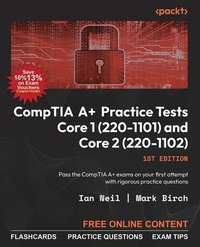
CompTIA A+ Practice Tests Core 1 (220-1101) and Core 2 (220-1102)
Pass the CompTIA A+ exams on your first attempt with rigorous practice questions
1st Edition
Published on 17. November 2023
446 pages
978-1-83763-869-7 (ISBN)
Description

Efficiently prepare for both CompTIA A+ Core 1 and Core 2 exams with a variety of exam-oriented practice questions to ensure that your knowledge is tested thoroughlyKey Features - Ensure a comprehensive understanding of each exam domain with in-depth practice
- Enhance your problem-solving skills by working with real-world scenarios
- Assess your exam readiness with mock exams for both Core 1 and Core 2
- Purchase of this book unlocks access to web-based exam prep resources including practice questions, flashcards, and exam tips
Book DescriptionThe CompTIA A+ exam is not only a valuable foundational certification, but also the key to unlocking a world of exciting career possibilities in the ever-dynamic IT landscape. This book combines the best-in-class practice tests for the exam, offering a substantial volume of exam-oriented practice material and mirroring the A+ exam's level of difficulty to ensure that you are not just prepared, but brimming with confidence when you sit for the A+ exam. The book begins with Core 1, delving into mobile devices, networking, hardware, virtualization, cloud computing, and troubleshooting. The chapters help you consolidate foundational knowledge essential for supporting computer software and hardware. As you progress to Core 2, you'll review the knowledge you need to support common operating systems and software installations. This book grants you lifelong access to valuable supplementary resources available on an online platform, which include A+ flashcards and invaluable exam insights. With unlimited website access, you'll have the freedom to practice as often as you wish, optimizing your readiness for the exam. By the end of this book, you'll be fully prepared to confidently take both the CompTIA A+ Core 1 and Core 2 exams.What you will learn - Expertly diagnose and resolve hardware, software, and networking issues
- Navigate Microsoft Windows, macOS, Linux, and more with confidence
- Secure wireless networks and protect against threats
- Troubleshoot problems related to motherboards, RAM, CPU, and power
- Skillfully use Microsoft command-line tools
- Implement workstation backup and recovery methods
- Utilize remote access technologies with ease
- Assess your proficiency in communication techniques and professional conduct
Who this book is forWhether you're a student or a professional, if you're on a mission to ace the CompTIA A+ exam, this book is for you. This book isn't meant for teaching theory; instead, it will evaluate your retention of studied information and your exam readiness.
- Enhance your problem-solving skills by working with real-world scenarios
- Assess your exam readiness with mock exams for both Core 1 and Core 2
- Purchase of this book unlocks access to web-based exam prep resources including practice questions, flashcards, and exam tips
Book DescriptionThe CompTIA A+ exam is not only a valuable foundational certification, but also the key to unlocking a world of exciting career possibilities in the ever-dynamic IT landscape. This book combines the best-in-class practice tests for the exam, offering a substantial volume of exam-oriented practice material and mirroring the A+ exam's level of difficulty to ensure that you are not just prepared, but brimming with confidence when you sit for the A+ exam. The book begins with Core 1, delving into mobile devices, networking, hardware, virtualization, cloud computing, and troubleshooting. The chapters help you consolidate foundational knowledge essential for supporting computer software and hardware. As you progress to Core 2, you'll review the knowledge you need to support common operating systems and software installations. This book grants you lifelong access to valuable supplementary resources available on an online platform, which include A+ flashcards and invaluable exam insights. With unlimited website access, you'll have the freedom to practice as often as you wish, optimizing your readiness for the exam. By the end of this book, you'll be fully prepared to confidently take both the CompTIA A+ Core 1 and Core 2 exams.What you will learn - Expertly diagnose and resolve hardware, software, and networking issues
- Navigate Microsoft Windows, macOS, Linux, and more with confidence
- Secure wireless networks and protect against threats
- Troubleshoot problems related to motherboards, RAM, CPU, and power
- Skillfully use Microsoft command-line tools
- Implement workstation backup and recovery methods
- Utilize remote access technologies with ease
- Assess your proficiency in communication techniques and professional conduct
Who this book is forWhether you're a student or a professional, if you're on a mission to ace the CompTIA A+ exam, this book is for you. This book isn't meant for teaching theory; instead, it will evaluate your retention of studied information and your exam readiness.
All prices
More details
Other editions
Additional editions
Ian Neil | Mark Birch
CompTIA A+ Practice Tests Core 1 (220-1101) and Core 2 (220-1102)
Pass the CompTIA A+ exams on your first attempt with rigorous practice questions
Book
11/2023
Packt Publishing
€44.20
Shipment within 3-4 weeks
Content
- Cover
- Exam Vouchers
- FM
- Copyright
- Contributors
- Table of Contents
- Preface
- How to Use This Book
- Approach for Navigating Multiple-Choice Queries
- Exercising Caution in Testing
- Advice on Additional Resources - Practical Exercise
- Chapter 1: Mobile Devices
- Introduction
- Practice Exam Questions
- 1.1 Given a scenario, install and configure laptop hardware and components
- 1.2 Compare and contrast the display components of mobile devices
- 1.3 Given a scenario, set up and configure accessories and ports of mobile devices
- 1.4 Given a scenario, configure basic mobile-device network connectivity and application support
- Chapter 2: Networking
- Introduction
- Practice Exam Questions
- 2.1 Compare and contrast TCP and UDP ports, protocols, and their purposes
- 2.2 Compare and contrast common networking hardware
- 2.3 Compare and contrast protocols for wireless networking
- 2.4 Summarize services provided by networked hosts
- 2.5 Given a scenario, install and configure basic wired/wireless small office/home office (SOHO) networks
- 2.6 Compare and contrast common network configuration concepts
- 2.7 Compare and contrast internet connection types, network types, and their features
- 2.8 Given a scenario, use networking tools
- Chapter 3: Hardware
- Introduction
- Practice Exam Questions
- 3.1 Explain basic cable types and their connectors, features, and purposes
- 3.2 Install the appropriate RAM given a scenario
- 3.3 Given a scenario, select and install storage devices
- 3.4 Given a scenario, install and configure motherboards, central processing units (CPUs), and add-on cards
- 3.5 Given a scenario, install or replace the appropriate power supply
- 3.6 Given a scenario, deploy and configure multifunction devices/printers and settings
- 3.7 Given a scenario, install and replace the printer consumables
- Chapter 4: Virtualization and Cloud Computing
- Introduction
- Practice Exam Questions
- 4.1 Summarize cloud computing concepts
- 4.2 Summarize aspects of client-side virtualization
- Chapter 5: Hardware and Network Troubleshooting
- Introduction
- Practice Exam Questions
- 5.1 Given a scenario, apply the best-practice methodology to resolve the problem
- 5.2 Given a scenario, troubleshoot problems related to motherboards, RAM, CPU, and power
- 5.3 Given a scenario, troubleshoot and diagnose problems with storage drives and RAID arrays
- 5.4 Given a scenario, troubleshoot video, projector, and display issues
- 5.5 Given a scenario, troubleshoot common issues with mobile devices
- 5.6 Given a scenario, troubleshoot and resolve printer issues
- 5.7 Given a scenario, troubleshoot problems with wired and wireless networks
- Chapter 6: Mock Exam: Core 1 (220-1101)
- Chapter 7: Operating Systems
- Introduction
- Practice Exam Questions
- 7.1 Identify basic features of Microsoft Windows editions
- 7.2 Given a scenario, use the appropriate Microsoft command-line tool
- 7.3 Given a scenario, use features and tools of the Microsoft Windows 10 operating system (OS)
- 7.4 Given a scenario, use the appropriate Microsoft Windows 10 Control Panel utility
- 7.5 Given a scenario, use the appropriate Windows settings
- 7.6 Given a scenario, configure Microsoft Windows networking features on a client/desktop
- 7.7 Given a scenario, apply application installation and configuration concepts
- 7.8 Explain common OS types and their purposes
- 7.9 Given a scenario, perform OS installations and upgrades in a diverse OS environment
- 7.10 Identify common features and tools of the macOS/desktop OS
- 7.11 Identify common features and tools of the Linux client/desktop OS
- Chapter 8: Security
- Introduction
- Practice Exam Questions
- 8.1 Summarize various security measures and their purposes
- 8.2 Compare and contrast wireless security protocols and authentication methods
- 8.3 Given a scenario, detect, remove, and prevent malware using the appropriate tools and methods
- 8.4 Explain common social-engineering attacks, threats, and vulnerabilities
- 8.5 Given a scenario, manage and configure basic security settings in the Microsoft Windows OS
- 8.6 Given a scenario, configure a workstation to meet best practices for security
- 8.7 Explain common methods for securing mobile and embedded devices
- 8.8 Given a scenario, use common data destruction and disposal methods
- 8.9 Given a scenario, configure appropriate security settings on small office/home office (SOHO) wireless and wired networks
- 8.10 Given a scenario, install and configure browsers and relevant security settings
- Chapter 9: Software Troubleshooting
- Introduction
- Practice Exam Questions
- 9.1 Given a scenario, troubleshoot common Windows OS problems
- 9.2 Given a scenario, troubleshoot common personal computer (PC) security issues
- 9.3 Given a scenario, use best practice procedures for malware removal
- 9.4 Given a scenario, troubleshoot common mobile OS and application issues
- 9.5 Given a scenario, troubleshoot common mobile OS and application security issues
- Chapter 10: Operational Procedures
- Instructions to Unlock the Free Practice Resources
- Introduction
- Practice Exam Questions
- 10.1 Given a scenario, implement best practices associated with documentation and support systems information management
- 10.2 Explain basic change-management best practices
- 10.3 Given a scenario, implement workstation backup and recovery methods
- 10.4 Given a scenario, use common safety procedures
- 10.5 Summarize environmental impacts and local environmental controls
- 10.6 Explain the importance of prohibited content/activity and privacy, licensing, and policy concepts
- 10.7 Given a scenario, use proper communication techniques and professionalism
- 10.8 Identify the basics of scripting
- 10.9 Given a scenario, use remote access technologies
- Chapter 11: Mock Exam: Core 2 (220-1102)
- Solutions
- Index
- Other Books You May Enjoy
- Coupon Code for CompTIA A+ Exam Vouchers and Labs
