

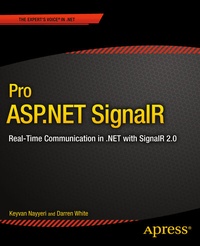
Pro ASP.NET SignalR
Description

ASP.NET SignalR is the new solution to real-time communication between servers and clients in .NET. Use it to push new data to a web page or mobile device as soon as it becomes available, whether it's a notification, live chat, up-to-the-minute financial data, or a range of other exciting applications. Innovations like Google live search and live Facebook and Twitter updates are pushing users' expectations of the real-time web. With Pro ASP.NET SignalR , you can join this revolution and learn skills that will be valuable for years to come.
Pro ASP.NET SignalR starts with an introduction to the real-time web. Learn about the technologies underlying the SignalR library, such as WebSockets and long-polling, and how SignalR elegantly flips between them depending on the capabilities of the client. Next, meet the concepts of hubs and persistent connections and how to use them to build the components of an ASP.NET SignalR application. Find out how to extend, test, debug, configure, scale, and host your applications, and how to target a range of clients, including Windows and iOS.
The book rounds off with two case studies-a stock market price updater, and a collaborative drawing application-so you can get to grips with SignalR in a realistic scenario, using a broad range of the concepts covered in earlier chapters.
As real-time updates to web and mobile apps become the norm, Pr o ASP.NET SignalR will be your in-depth, one-stop companion to this new and exciting technology.
More details
Other editions
Additional editions
Persons
Content
Chapter 1: Introduction to the Real-Time Web and ASP.NET SignalR
Chapter 2: Overview of SignalR
Chapter 3: Developing SignalR Applications using Hubs
Chapter 4: Working with Persistent Connections
Chapter 5: Debugging and Testing
Chapter 6: SignalR Clients
Chapter 7: Extending SignalR
Chapter 8: Configuration and Security
Chapter 9: Building a Stock Market Price Updater
Chapter 10: Building a Collaborative Drawing Application
