

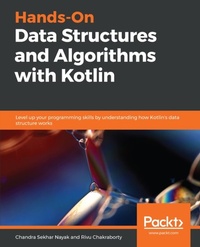
Hands-On Data Structures and Algorithms with Kotlin
Level up your programming skills by understanding how Kotlin's data structure works
Published on 23. September 2024
220 pages
978-1-78899-881-9 (ISBN)
Description

No detailed description available for "Hands-On Data Structures and Algorithms with Kotlin".
All prices
More details
Edition
Digital original
Language
English
Place of publication
Birmingham
United Kingdom
Target group
Professional and scholarly
US School Grade: College Graduate Student
Edition type
Digital original
File size
1,87 MB
ISBN-13
978-1-78899-881-9 (9781788998819)
Copyright in bibliographic data and cover images is held by Nielsen Book Services Limited or by the publishers or by their respective licensors: all rights reserved.
Schweitzer Classification
Other editions
Additional editions
Chandra Sekhar Nayak | Rivu Chakraborty
Hands-On Data Structures and Algorithms with Kotlin
Level up your programming skills by understanding how Kotlin's data structure works
Book
02/2019
Packt Publishing
€45.50
Shipment within 3-4 weeks
Persons
Nayak Chandra Sekhar :
Chandra Sekhar Nayak is an experienced Java Developer with an extensive knowledge in Android development. He has done a lot of Android applications with larger user base. He is an active member of communities around Java and Android. Being a Kotlin enthusiast, he also created a Kotlin User Group in Bengaluru, India called BlrKotlin. He runs a YouTube channel called Chanse Code. In his spare time he loves writing blogs.Chakraborty Rivu :
Rivu Chakraborty is a Google Certified Android Developer, Caster.io Instructor and a Kotlin Evangelist. With over 6 years of work experience; he is currently working as a Sr. Software Engineer (Android) at BYJU'S The Learning App. Rivu considers himself a Kotlin and Android enthusiast, cum evangelist. He has been using Kotlin since December 2015. Rivu created the KotlinKolkata User Group and before moving out to Bangalore, he had been the lead organiser for both Kotlin Kolkata User Group and GDG Kolkata. Along with organising events, he also speaks at events/conferences in India, including DroidJam India (India's premiere Android Conference) and a couple of DevFests. Rivu has authored multiple books on Kotlin and Android Development.
Chandra Sekhar Nayak is an experienced Java Developer with an extensive knowledge in Android development. He has done a lot of Android applications with larger user base. He is an active member of communities around Java and Android. Being a Kotlin enthusiast, he also created a Kotlin User Group in Bengaluru, India called BlrKotlin. He runs a YouTube channel called Chanse Code. In his spare time he loves writing blogs.Chakraborty Rivu :
Rivu Chakraborty is a Google Certified Android Developer, Caster.io Instructor and a Kotlin Evangelist. With over 6 years of work experience; he is currently working as a Sr. Software Engineer (Android) at BYJU'S The Learning App. Rivu considers himself a Kotlin and Android enthusiast, cum evangelist. He has been using Kotlin since December 2015. Rivu created the KotlinKolkata User Group and before moving out to Bangalore, he had been the lead organiser for both Kotlin Kolkata User Group and GDG Kolkata. Along with organising events, he also speaks at events/conferences in India, including DroidJam India (India's premiere Android Conference) and a couple of DevFests. Rivu has authored multiple books on Kotlin and Android Development.
Content
Table of Contents
A Walk Through Data Structures and Algorithms
Arrays
Introducing Linked Lists
Understanding Stacks and Queues
Maps - Working with Key-Value Pairs
Deep-Dive into Searching Algorithms
Understanding Sorting Algorithms
Collections and Data Operations in Kotlin
Introduction to Functional Programming
A Walk Through Data Structures and Algorithms
Arrays
Introducing Linked Lists
Understanding Stacks and Queues
Maps - Working with Key-Value Pairs
Deep-Dive into Searching Algorithms
Understanding Sorting Algorithms
Collections and Data Operations in Kotlin
Introduction to Functional Programming

