

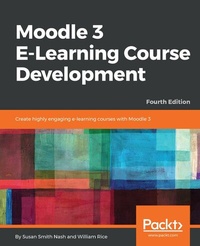
Moodle 3 E-Learning Course Development
Create highly engaging and interactive e-learning courses with Moodle 3
4th Edition
Published on 23. September 2024
432 pages
978-1-78847-170-1 (ISBN)
Description

A complete guide on course development and delivery using Moodle 3.xKey Features - Get the best out of the latest Moodle 3 framework to ensure successful learning
- Create 3rd party plugins and widgets and secure your course efficiently
- Create your first Moodle VR app using the Moodle VR toolset
Book DescriptionMoodle is a learning platform or Course Management System (CMS) that is easy to install and use, but the real challenge is in developing a learning process that leverages its power and maps the learning objectives to content and assessments for an integrated and effective course. Moodle 3 E-Learning Course Development guides you through meeting that challenge in a practical way. This latest edition will show you how to add static learning material, assessments, and social features such as forum-based instructional strategy, a chat module, and forums to your courses so that students reach their learning potential. Whether you want to support traditional class teaching or lecturing, or provide complete online and distance e-learning courses, this book will prove to be a powerful resource throughout your use of Moodle. You'll learn how to create and integrate third-party plugins and widgets in your Moodle app, implement site permissions and user accounts, and ensure the security of content and test papers. Further on, you'll implement PHP scripts that will help you create customized UIs for your app. You'll also understand how to create your first Moodle VR e-learning app using the latest VR learning experience that Moodle 3 has to offer. By the end of this book, you will have explored the decisions, design considerations, and thought processes that go into developing a successful course.What you will learn - Know what Moodle does and how it supports your teaching strategies
- Install Moodle on your computer and navigate your way around it
- Understand all of Moodle s learning features
- Monitor how learners interact with your site using site statistics
- Add multimedia content to your site
- Allow students to enroll themselves or invite other students to join a course
Who this book is forThis book is for anyone who wants to get the best out of Moodle. As a beginner, this is a thorough guide for you to understand how the software works, with great ideas for getting off to a good start with your first course. Some experience of working with e-learning systems will be beneficial. Experienced Moodle users will find powerful insights into developing successful and educational courses.
- Create 3rd party plugins and widgets and secure your course efficiently
- Create your first Moodle VR app using the Moodle VR toolset
Book DescriptionMoodle is a learning platform or Course Management System (CMS) that is easy to install and use, but the real challenge is in developing a learning process that leverages its power and maps the learning objectives to content and assessments for an integrated and effective course. Moodle 3 E-Learning Course Development guides you through meeting that challenge in a practical way. This latest edition will show you how to add static learning material, assessments, and social features such as forum-based instructional strategy, a chat module, and forums to your courses so that students reach their learning potential. Whether you want to support traditional class teaching or lecturing, or provide complete online and distance e-learning courses, this book will prove to be a powerful resource throughout your use of Moodle. You'll learn how to create and integrate third-party plugins and widgets in your Moodle app, implement site permissions and user accounts, and ensure the security of content and test papers. Further on, you'll implement PHP scripts that will help you create customized UIs for your app. You'll also understand how to create your first Moodle VR e-learning app using the latest VR learning experience that Moodle 3 has to offer. By the end of this book, you will have explored the decisions, design considerations, and thought processes that go into developing a successful course.What you will learn - Know what Moodle does and how it supports your teaching strategies
- Install Moodle on your computer and navigate your way around it
- Understand all of Moodle s learning features
- Monitor how learners interact with your site using site statistics
- Add multimedia content to your site
- Allow students to enroll themselves or invite other students to join a course
Who this book is forThis book is for anyone who wants to get the best out of Moodle. As a beginner, this is a thorough guide for you to understand how the software works, with great ideas for getting off to a good start with your first course. Some experience of working with e-learning systems will be beneficial. Experienced Moodle users will find powerful insights into developing successful and educational courses.
More details
Other editions
Additional editions
Susan Smith Nash | William Rice
Moodle 3 E-Learning Course Development - Fourth Edition
Create highly engaging and interactive e-learning courses with Moodle 3
Book
05/2018
Packt Publishing
€64.10
Shipment within 3-4 weeks
Persons
Nash Susan Smith :
Susan Smith Nash has been developing and administering online courses for more than 20 years for both academic and professional training purposes. She earned her Bachelor's of Science, Masters of Art, and Ph.D. at the University of Oklahoma. She has been widely published in the area of instructional design as well as in energy and economic development. Her books for Packt include Moodle E-Learning Course Development, Moodle 3.X Teaching Techniques, and Moodle Course Design Best Practices. Susan's interests include the development and promotion of new technologies and she enjoys studying films from the Golden Age of Mexican cinema, as well as hiking and tennis. Susan lives in Oklahoma, near her son and his family.Rice William :
William Rice is an e-learning professional from New York City. He has written books on Moodle, Blackboard, Magento, and software training. He enjoys building e-learning solutions for businesses and gains professional satisfaction when his courses help students. His hobbies include writing books, practicing archery near JFK Airport, and playing with his children. He is fascinated by the relationship between technology and society, how we create our tools, and how they shape us in turn. Married to an incredible woman who encourages his writing pursuits, he has two amazing sons.
Susan Smith Nash has been developing and administering online courses for more than 20 years for both academic and professional training purposes. She earned her Bachelor's of Science, Masters of Art, and Ph.D. at the University of Oklahoma. She has been widely published in the area of instructional design as well as in energy and economic development. Her books for Packt include Moodle E-Learning Course Development, Moodle 3.X Teaching Techniques, and Moodle Course Design Best Practices. Susan's interests include the development and promotion of new technologies and she enjoys studying films from the Golden Age of Mexican cinema, as well as hiking and tennis. Susan lives in Oklahoma, near her son and his family.Rice William :
William Rice is an e-learning professional from New York City. He has written books on Moodle, Blackboard, Magento, and software training. He enjoys building e-learning solutions for businesses and gains professional satisfaction when his courses help students. His hobbies include writing books, practicing archery near JFK Airport, and playing with his children. He is fascinated by the relationship between technology and society, how we create our tools, and how they shape us in turn. Married to an incredible woman who encourages his writing pursuits, he has two amazing sons.
Content
Table of Contents - A GUIDED TOUR OF MOODLE
- INSTALLING MOODLE ON YOUR SERVER VS MOODLECLOUD
- CONFIGURING YOUR SITE
- CREATING CATEGORIES AND COURSES
- RESOURCES, ACTIVITIES, AND CONDITIONAL ACCESS
- ADDING RESOURCES
- ADDING ASSIGNMENTS, LESSONS, FEEDBACK, AND CHOICES CREATING INTELLIGENT ENEMIES
- EVALUATING STUDENTS WITH QUIZZES AND GRADING
- GETTING SOCIAL WITH CHATS AND FORUMS
- COLLABORATING WITH WIKIS AND GLOSSARIES
- RUNNING A WORKSHOP
- GROUPS AND COHORTS
- EXTENDING YOUR COURSE BY ADDING BLOCKS
- FEATURES FOR TEACHERS
- INSTALLING MOODLE ON YOUR SERVER VS MOODLECLOUD
- CONFIGURING YOUR SITE
- CREATING CATEGORIES AND COURSES
- RESOURCES, ACTIVITIES, AND CONDITIONAL ACCESS
- ADDING RESOURCES
- ADDING ASSIGNMENTS, LESSONS, FEEDBACK, AND CHOICES CREATING INTELLIGENT ENEMIES
- EVALUATING STUDENTS WITH QUIZZES AND GRADING
- GETTING SOCIAL WITH CHATS AND FORUMS
- COLLABORATING WITH WIKIS AND GLOSSARIES
- RUNNING A WORKSHOP
- GROUPS AND COHORTS
- EXTENDING YOUR COURSE BY ADDING BLOCKS
- FEATURES FOR TEACHERS
