

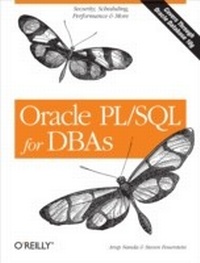
Oracle PL/SQL for DBAs
Security, Scheduling, Performance and More
1st Edition
Published on 31. October 2005
454 pages
978-0-596-51945-2 (ISBN)
Description

PL/SQL, Oracle's powerful procedural language, has been the cornerstone of Oracle application development for nearly 15 years. Although primarily a tool for developers, PL/SQL has also become an essential tool for database administration, as DBAs take increasing responsibility for site performance and as the lines between developers and DBAs blur.Until now, there has not been a book focused squarely on the language topics of special concern to DBAs Oracle PL/SQL for DBAs fills the gap. Covering the latest Oracle version, Oracle Database 10g Release 2 and packed with code and usage examples, it contains:A quick tour of the PL/SQL language, providing enough basic information about language fundamentals to get DBAs up and runningExtensive coverage of security topics for DBAs: Encryption (including both traditional methods and Oracle's new Transparent Data Encryption, TDE); Row-Level Security(RLS), Fine-Grained Auditing (FGA); and random value generationMethods for DBAs to improve query and database performance with cursors and table functionsCoverage of Oracle scheduling, which allows jobs such as database monitoring andstatistics gathering to be scheduled for regular executionUsing Oracle's built-in packages (DBMS_CRYPTO, DBMS_RLS, DBMS_FGA, DBMS_RANDOM,DBMS_SCHEDULING) as a base, the book describes ways of building on top of these packages to suit particular organizational needs. Authors are Arup Nanda, Oracle Magazine 2003 DBA of the Year, and Steven Feuerstein, the world's foremost PL/SQL expert and coauthor of the classic reference, Oracle PL/SQL Programming.DBAs who have not yet discovered how helpful PL/SQL can be will find this book a superb introduction to the language and its special database administration features. Even if you have used PL/SQL for years, you'll find the detailed coverage in this book to be an invaluable resource.
More details
Other editions
Additional editions
Book
12/2005
1st Edition
O'Reilly
€42.50
Article not available at the moment
Content
- Intro
- Table of Contents
- Preface
- PL/SQL for DBAs
- Securing the Database
- Optimizing Performance
- Fully Leveraging Oracle Utilities and Features
- Mentoring New Developers and DBAs
- About This Book
- Conventions Used in This Book
- About PL/SQL Versions
- Resources for Developing PL/SQL Expertise
- The O'Reilly PL/SQL Series
- PL/SQL on the Internet
- About the Code
- Using Code Examples
- Comments and Questions
- Safari® Enabled
- Acknowledgments
- Introduction to PL/SQL
- What Is PL/SQL?
- Basic PL/SQL Syntax Elements
- PL/SQL Block Structure
- Sections of the block
- Anonymous blocks
- The PL/SQL Character Set
- Identifiers
- NULLs
- Literals
- String literals
- Numeric literals
- Boolean literals
- The Semicolon Delimiter
- Comments
- Single-line comment syntax
- Multi-line comment syntax
- Program Data
- Types of PL/SQL Datatypes
- Character data
- Numbers
- Dates, timestamps, and intervals
- Booleans
- Binary data
- ROWIDs
- REF CURSOR datatype
- Internet datatypes
- "Any" datatypes
- Declaring Program Data
- Declaring a variable
- Declaring constants
- Anchored declarations
- Control Statements
- IF Statements
- CASE Statements and Expressions
- Simple CASE statement
- Searched CASE statement
- Loops in PL/SQL
- Simple Loop
- FOR Loop
- WHILE Loop
- Exception Handling
- Defining Exceptions
- Raising Exceptions
- RAISE statement
- Using RAISE_APPLICATION_ERROR
- Handling Exceptions
- Built-in error functions
- Unhandled exceptions
- Propagation of an unhandled exception
- Records
- Declaring Records
- Working with Records
- Record-level operations
- Field-level operations
- Collections
- Types of Collections
- Working with Collections
- Using an associative array
- Using a nested table
- Using a VARRAY
- Collection Methods (Built-ins)
- Procedures, Functions, and Packages
- Procedures
- Structure of a procedure
- Calling a procedure
- Functions
- Structure of a function
- Calling a function
- Parameters
- Defining parameters
- Actual and formal parameters
- Parameter modes
- Packages
- Rules for building packages
- Rules for calling packaged elements
- Package data
- Querying Data
- Typical Query Operations
- Cursor Attributes
- Implicit Cursors
- Error handling with implicit cursors
- Implicit SQL cursor attributes
- Explicit Cursors
- BULK COLLECT
- Limiting rows retrieved with BULK COLLECT
- Cursor Variables and REF Cursors
- Declaring REF CURSOR types
- Declaring cursor variables
- Opening cursor variables
- Fetching from cursor variables
- Changing Data
- The INSERT Statement
- The UPDATE Statement
- The DELETE Statement
- Cursor Attributes for DML Operations
- DML and Exception Handling
- Bulk DML with the FORALL Statement
- Syntax of the FORALL Statement
- FORALL Examples
- Managing Transactions in PL/SQL
- The COMMIT Statement
- The ROLLBACK Statement
- Autonomous Transactions
- Database Triggers
- DML Triggers
- Transaction participation
- Creating a DML trigger
- The WHEN clause
- Working with NEW and OLD pseudo-records
- Determining the DML action within a trigger
- DDL Triggers
- Creating a DDL Trigger
- Database Event Triggers
- Creating a database event trigger
- Dynamic SQL and Dynamic PL/SQL
- The EXECUTE IMMEDIATE Statement
- The OPEN FOR Statement
- Dynamic PL/SQL
- Conclusion: From Fundamentals to Applying PL/SQL
- Cursors
- Reusing Cursors
- Hard Parsing and Soft Parsing
- Planning Cursor Use
- How Oracle Decides To Share
- PL/SQL Cursor Reformatting
- Literal Values
- Matching Algorithms
- Text Matching Might Not Be Enough
- Using Explicit Cursors Versus Implicit Cursors
- What's the Difference?
- Cursor Attributes
- Cursor Parameters
- Mixing but not Matching
- Soft-Closing Cursors
- Explicit and Implicit Open Cursors
- Native Dynamic SQL
- Using Cursors for More Than Queries
- Bulking Up
- REF Cursors
- Strong vs. weak REF cursors
- REF cursor attributes
- Dynamic data access
- Cursor Parameters
- Cursor Expressions
- Conclusion
- Table Functions
- Why Table Functions?
- A Simple Example
- Calling a Table Function
- Defining the Result Set Structure
- Cursors, Pipelining, and Nesting
- Cursors
- Pipelined Table Functions
- Nested Table Functions
- Parallelizing Table Functions
- Taking Advantage of Parallel Query
- Distributing Records
- Random partitioning (PARTITION BY ANY)
- Range partitioning (PARTITION BY RANGE)
- Order streaming (ORDER)
- Hash partitioning (PARTITION BY HASH)
- Cluster streaming (CLUSTER)
- Which Options Should You Choose?
- What Does Oracle Do?
- Number of PQ Servers to Use
- Using Table Functions
- The Function Header
- The Basic Loop
- Bulk Fetching the Criteria
- Identifying Potential Repeats
- Finding Genuine Repeats
- The Final Function
- Running the Function
- The Totaling Function
- Table Function Examples
- Tracing
- Establishing Time Limits
- Enabling Nested Cursors
- Tips for Working with Table Functions
- The Case Against SYS_REFCURSOR
- REF Cursors and Nesting
- Applying Criteria
- Standardizing Object and Collection Names
- Beware of Unhandled Exceptions
- Passing Objects Instead Of Cursors
- Not Read Committed
- Conclusion
- Data Encryption and Hashing
- Introduction to Encryption
- Encryption Components
- The Effects of Key Length
- Symmetric Encryption Versus Asymmetric Encryption
- Encryption Algorithms
- Padding and Chaining
- Encryption in Oracle9i Database
- Encrypting Data
- Specifying an Initialization Vector
- Decrypting Data
- Encrypting RAW Data
- Performing Multi-Pass Encryption
- Putting It Together
- Generating Keys
- Using DES3GETKEY
- Using the key in encryption
- A Practical Encryption Example
- Storing the Keys
- Encryption in Oracle Database 10g
- Differences Between DBMS_CRYPTO and DBMS_OBFUSCATION_ TOOLKIT
- Generating Keys
- Encrypting Data
- Specifying the encryption type
- Specifying chaining
- Specifying padding
- Combining options in the typ parameter
- Handling and converting RAW data
- Specifying the encryption algorithm
- Putting it together
- Decrypting Data
- Key Management in Oracle Database 10g
- Using a Single Key
- Using a Key for Each Row
- Using a Combined Approach
- Transparent Data Encryption in Oracle Database 10g Release 2
- Setting Up TDE
- Adding TDE to Existing Tables
- Performing TDE Key and Password Management
- Adding Salt
- Cryptographic Hashing
- The Case of the Suspicious Sandwich
- MD5 Hashing in Oracle9i Database
- SHA-1 Hashing in Oracle Database 10g
- Other Uses of Hashing
- Message Authentication Code in Oracle Database 10g
- Building a Practical Encryption System
- Conclusion
- Row-Level Security
- Introduction to RLS
- Why Learn About RLS?
- A Simple Example
- Using RLS
- Performing an Update Check
- Static RLS Policies
- Problems with static policies
- Using a pragma
- Defining a Dynamic Policy
- Improving Performance
- Controlling the Type of Table Access
- RLS in Oracle Database 10g
- Column-Sensitive RLS
- Other Classes of Dynamism
- Shared static policy
- Context-sensitive policy
- Shared context-sensitive policy
- Troubleshooting RLS
- Interpreting Errors
- Direct-Path Operations
- Checking the Query Rewrite
- Data dictionary view
- Event-based tracing
- RLS Interactions with Other Oracle Features
- Application Contexts
- A Simple Example
- The Security of Application Contexts
- Contexts as Predicates in RLS
- Identifying Non-Database Users
- Conclusion
- Fine-Grained Auditing
- Introduction to FGA
- What Is Auditing?
- Why Learn About FGA?
- A Simple Example
- Auditing Differences Between Oracle Database Versions
- What Else Does FGA Capture?
- Using FGA with Flashback Query
- Customizing FGA
- Specifying Audit Columns
- Specifying Audit Conditions
- Recording Bind Variables
- Turning off bind variable capture
- Specifying a Handler Module
- Drawbacks with the default FGA approach
- Creating a user-defined audit facility
- Administering FGA
- The DBA_AUDIT_POLICIES View
- Using DBMS_FGA Procedures
- The ADD_POLICY procedure
- The DROP_POLICY procedure
- The DISABLE_POLICY procedure
- The ENABLE_POLICY procedure
- FGA in Oracle Database 10g
- Additional DML Statements
- Additional Data Dictionary Views and Columns
- The DBA_FGA_AUDIT_TRAIL view
- The FLASHBACK_TRANSACTION_QUERY view
- Combination of Columns
- FGA and Other Oracle Auditing Techniques
- FGA Compared with Triggers
- The case for FGA
- The case for triggers
- FGA Compared with Regular Auditing
- The Challenge of Non-Database Users
- Client Identifier
- Application Contexts
- Troubleshooting FGA
- Conclusion
- Generating Random Values
- Generating Random Numbers
- Generating Positive Numbers
- Controlling the precision
- Controlling the range
- Generating Negative Numbers
- The RANDOM function
- Seeding Random Number Generation
- Generating Characters
- Checking for Randomness
- Following Statistical Patterns
- Generating Strings
- Generating Random Values with NULLs
- Generating Random Strings of Random Length
- Putting It All Together
- Conclusion
- Scheduling
- Why Schedule Jobs from Within Oracle?
- Managing Jobs
- A Simple Example
- Running OS executables and anonymous blocks
- DBA_SCHEDULER_JOBS view
- Simple Job Management
- Enabling and disabling jobs
- Stopping running jobs
- Running a job
- Dropping a job
- Managing the Calendar and Schedule
- Calendar Strings
- Examples of calendar strings
- Determining future calendar strings
- Named Schedules
- Owner of the Schedule
- Managing Named Programs
- Creating a Program
- Running Other Users' Programs
- Managing Priorities
- Using the Resource Manager
- Job Class
- Managing Windows
- Creating a Window
- Prioritizing Windows
- Specifying an End Date for Windows
- Getting Information About Windows
- Dropping Windows
- Disabling and Enabling Windows
- Forcing Windows Open and Closed
- Window Groups
- Managing Logging
- Job Logs
- DBA_SCHEDULER_JOB_LOG
- DBA_SCHEDULER_JOB_RUN_DETAILS
- Pruning the job log
- Log levels
- Setting the retention period
- Window Logs
- DBA_SCHEDULER_WINDOW_LOG
- DBA_SCHEDULER_WINDOW_DETAILS
- Managing Attributes
- Jobs
- Job Classes
- Schedules
- Programs
- Windows
- Window Groups
- Conclusion
- Quick Reference
- DBMS_OBFUSCATION_TOOLKIT
- DES3GETKEY
- DESGETKEY
- DES3ENCRYPT
- DESENCRYPT
- DES3DECRYPT
- DESDECRYPT
- MD5
- DBMS_CRYPTO
- GETRANDOMBYTES
- ENCRYPT
- DECRYPT
- HASH
- MAC
- DBMS_RLS
- ADD_POLICY
- DROP_POLICY
- ENABLE_POLICY
- REFRESH_POLICY
- RLS Data Dictionary Views
- DBA_POLICIES
- DBMS_FGA
- ADD_POLICY
- DROP_POLICY
- DISABLE_POLICY
- ENABLE_POLICY
- FGA Data Dictionary Views
- DBA_AUDIT_POLICIES
- DBA_FGA_AUDIT_TRAIL
- FLASHBACK_TRANSACTION_QUERY
- DBMS_RANDOM
- SEED
- VALUE
- STRING
- NORMAL
- DBMS_SCHEDULER
- CREATE_JOB
- CREATE_JOB_CLASS
- STOP_JOB
- RUN_JOB
- COPY_JOB
- DISABLE
- ENABLE
- DROP_JOB
- DROP_JOB_CLASS
- CREATE_SCHEDULE
- DROP_SCHEDULE
- CREATE_WINDOW
- CREATE_WINDOW_GROUP
- ADD_WINDOW_GROUP_MEMBER
- DROP_WINDOW
- OPEN_WINDOW
- CLOSE_WINDOW
- Scheduler Data Dictionary Views
- DBA_SCHEDULER_JOBS
- DBA_SCHEDULER_WINDOWS
- DBA_SCHEDULER_SCHEDULES
- DBA_SCHEDULER_PROGRAMS
- DBA_SCHEDULER_JOB_CLASSES
- DBA_SCHEDULER_WINDOW_GROUPS
- DBA_SCHEDULER_WINGROUP_MEMBERS
- DBA_SCHEDULER_JOB_LOG
- DBA_SCHEDULER_JOB_RUN_DETAILS
- DBA_SCHEDULER_RUNNING_JOBS
- Index
