

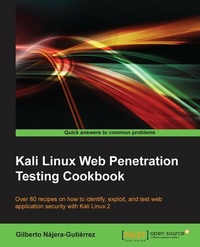
Kali Linux Web Penetration Testing Cookbook
Over 80 recipes on how to identify, exploit, and test web application security with Kali Linux 2
Published on 8. July 2025
296 pages
978-1-78439-085-3 (ISBN)
Description

Over 80 recipes on how to identify, exploit, and test web application security with Kali Linux 2
Key Features
[*] Familiarize yourself with the most common web vulnerabilities a web application faces, and understand how attackers take advantage of them
[*] Set up a penetration testing lab to conduct a preliminary assessment of attack surfaces and run exploits
[*] Learn how to prevent vulnerabilities in web applications before an attacker can make the most of it
Book DescriptionWeb applications are a huge point of attack for malicious hackers and a critical area for security professionals and penetration testers to lock down and secure. Kali Linux is a Linux-based penetration testing platform and operating system that provides a huge array of testing tools, many of which can be used specifically to execute web penetration testing. This book will teach you, in the form step-by-step recipes, how to detect a wide array of vulnerabilities, exploit them to analyze their consequences, and ultimately buffer attackable surfaces so applications are more secure, for you and your users. Starting from the setup of a testing laboratory, this book will give you the skills you need to cover every stage of a penetration test: from gathering information about the system and the application to identifying vulnerabilities through manual testing and the use of vulnerability scanners to both basic and advanced exploitation techniques that may lead to a full system compromise. Finally, we will put this into the context of OWASP and the top 10 web application vulnerabilities you are most likely to encounter, equipping you with the ability to combat them effectively. By the end of the book, you will have the required skills to identify, exploit, and prevent web application vulnerabilities. What you will learn
[*] Set up a penetration testing laboratory in a secure way
[*] Find out what information is useful to gather when performing penetration tests and where to look for it
[*] Use crawlers and spiders to investigate an entire website in minutes
[*] Discover security vulnerabilities in web applications in the web browser and using command-line tools
[*] Improve your testing efficiency with the use of automated vulnerability scanners
[*] Exploit vulnerabilities that require a complex setup, run custom-made exploits, and prepare for extraordinary scenarios
[*] Set up Man in the Middle attacks and use them to identify and exploit security flaws within the communication between users and the web server
[*] Create a malicious site that will find and exploit vulnerabilities in the user s web browser
[*] Repair the most common web vulnerabilities and understand how to prevent them becoming a threat to a site s security
Who this book is forThis book is for IT professionals, web developers, security enthusiasts, and security professionals who want an accessible reference on how to find, exploit, and prevent security vulnerabilities in web applications. You should know the basics of operating a Linux environment and have some exposure to security technologies and tools.
Key Features
[*] Familiarize yourself with the most common web vulnerabilities a web application faces, and understand how attackers take advantage of them
[*] Set up a penetration testing lab to conduct a preliminary assessment of attack surfaces and run exploits
[*] Learn how to prevent vulnerabilities in web applications before an attacker can make the most of it
Book DescriptionWeb applications are a huge point of attack for malicious hackers and a critical area for security professionals and penetration testers to lock down and secure. Kali Linux is a Linux-based penetration testing platform and operating system that provides a huge array of testing tools, many of which can be used specifically to execute web penetration testing. This book will teach you, in the form step-by-step recipes, how to detect a wide array of vulnerabilities, exploit them to analyze their consequences, and ultimately buffer attackable surfaces so applications are more secure, for you and your users. Starting from the setup of a testing laboratory, this book will give you the skills you need to cover every stage of a penetration test: from gathering information about the system and the application to identifying vulnerabilities through manual testing and the use of vulnerability scanners to both basic and advanced exploitation techniques that may lead to a full system compromise. Finally, we will put this into the context of OWASP and the top 10 web application vulnerabilities you are most likely to encounter, equipping you with the ability to combat them effectively. By the end of the book, you will have the required skills to identify, exploit, and prevent web application vulnerabilities. What you will learn
[*] Set up a penetration testing laboratory in a secure way
[*] Find out what information is useful to gather when performing penetration tests and where to look for it
[*] Use crawlers and spiders to investigate an entire website in minutes
[*] Discover security vulnerabilities in web applications in the web browser and using command-line tools
[*] Improve your testing efficiency with the use of automated vulnerability scanners
[*] Exploit vulnerabilities that require a complex setup, run custom-made exploits, and prepare for extraordinary scenarios
[*] Set up Man in the Middle attacks and use them to identify and exploit security flaws within the communication between users and the web server
[*] Create a malicious site that will find and exploit vulnerabilities in the user s web browser
[*] Repair the most common web vulnerabilities and understand how to prevent them becoming a threat to a site s security
Who this book is forThis book is for IT professionals, web developers, security enthusiasts, and security professionals who want an accessible reference on how to find, exploit, and prevent security vulnerabilities in web applications. You should know the basics of operating a Linux environment and have some exposure to security technologies and tools.
All prices
More details
Edition
Digital original
Language
English
Place of publication
Birmingham
United Kingdom
Target group
Professional and scholarly
US School Grade: College Graduate Student
Edition type
Digital original
File size
30,03 MB
ISBN-13
978-1-78439-085-3 (9781784390853)
Copyright in bibliographic data and cover images is held by Nielsen Book Services Limited or by the publishers or by their respective licensors: all rights reserved.
Schweitzer Classification
Other editions
New editions
Gilberto Najera-Gutierrez
Kali Linux Web Penetration Testing Cookbook
Identify, exploit, and prevent web application vulnerabilities with Kali Linux 2018.x
E-Book
09/2024
2nd Edition
Packt Publishing
€45.99
Available for download
Additional editions
Gilberto Najera-Gutierrez
Kali Linux Web Penetration Testing Cookbook
Book
02/2016
Packt Publishing
€63.00
Shipment within 3-4 weeks
Person
Najera-Gutierrez Gilberto :
Gilberto Najera-Gutierrez is an experienced penetration tester currently working for one of the top security testing service providers in Australia. He obtained leading security and penetration testing certifications, namely Offensive Security Certified Professional (OSCP), EC-Council Certified Security Administrator (ECSA), and GIAC Exploit Researcher and Advanced Penetration Tester (GXPN).
Gilberto Najera-Gutierrez is an experienced penetration tester currently working for one of the top security testing service providers in Australia. He obtained leading security and penetration testing certifications, namely Offensive Security Certified Professional (OSCP), EC-Council Certified Security Administrator (ECSA), and GIAC Exploit Researcher and Advanced Penetration Tester (GXPN).
Content
Table of Contents
Setting it up
Reconaissance
Crawlers and spiders
Finding vulnerabilities
Automated scanners
Exploitation: Low hanging fruits
Exploitation: not so low
Man in the Middle
Client Side Attacks
Mitigation of OWASP Top 10
Setting it up
Reconaissance
Crawlers and spiders
Finding vulnerabilities
Automated scanners
Exploitation: Low hanging fruits
Exploitation: not so low
Man in the Middle
Client Side Attacks
Mitigation of OWASP Top 10

