

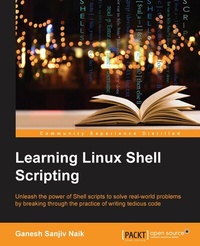
Learning Linux Shell Scripting
Unleash the power of shell scripts to solve real-world problems by breaking through the practice of writing tedious code
Published on 13. January 2025
306 pages
978-1-78217-521-6 (ISBN)
Description

Unleash the power of Shell scripts to solve real-world problems by breaking through the practice of writing tedious code
Key Features
[*] Learn how to efficiently and effectively build shell scripts and develop advanced applications with this handy book
[*] Develop high quality and efficient solutions by writing professional and real-world scripts, and debug scripts by checking and shell tracing
[*] A step-by-step tutorial to automate routine tasks by developing scripts from a basic level to very advanced functionality
Book DescriptionLinux is the one of the most powerful and universally adopted OSes. Shell is a program that gives the user direct interaction with the operating system. Scripts are collections of commands that are stored in a file. The shell can read this file and act on the commands as if they were typed on the keyboard. Shell scripting is used to automate day-to-day administration, and for testing or product development tasks. This book covers Bash, GNU Bourne Again SHell, preparing you to work in the exciting world of Linux shell scripting. We start with an introduction to the Shell environment and explain basic commands used in Shell. Next we move on to check, kill, and control the execution of processes in Linux OS. Further, we teach you about the filter tools available in Linux and explain standard output and standard errors devices. Then we will ensure you understand Shell's interpretation of commands and get a firmer grasp so you use them in practice. Next, you'll experience some real-world essentials such as debugging and perform Shell arithmetic fluently. Then you'll take a step ahead and learn new and advanced topics in Shell scripting, such as starting up a system and customizing a Linux system. Finally, you'll get to understand the capabilities of scripting and learn about Grep, Stream Editor, and Awk.What you will learn
[*] Familiarize yourself with the various text filtering tools available in Linux
[*] Combine the fundamental text and file processing commands to process data and automate repetitive tasks
[*] Understand expressions and variables and how to use them practically
[*] Automate decision-making and save a lot of time and effort of revisiting code
[*] Get to grips with advanced functionality such as using traps and signals and using dialogs to develop screens
[*] Start up a system and customize a Linux system
[*] Take an in-depth look at regular expressions and pattern matching to understand the capabilities of scripting
Who this book is forThis book is ideal for those who are proficient at working with Linux and who want to learn about shell scripting to improve their efficiency and practical skills. By the end of this book, you will be able to confidently use your own shell scripts in the real world.
Key Features
[*] Learn how to efficiently and effectively build shell scripts and develop advanced applications with this handy book
[*] Develop high quality and efficient solutions by writing professional and real-world scripts, and debug scripts by checking and shell tracing
[*] A step-by-step tutorial to automate routine tasks by developing scripts from a basic level to very advanced functionality
Book DescriptionLinux is the one of the most powerful and universally adopted OSes. Shell is a program that gives the user direct interaction with the operating system. Scripts are collections of commands that are stored in a file. The shell can read this file and act on the commands as if they were typed on the keyboard. Shell scripting is used to automate day-to-day administration, and for testing or product development tasks. This book covers Bash, GNU Bourne Again SHell, preparing you to work in the exciting world of Linux shell scripting. We start with an introduction to the Shell environment and explain basic commands used in Shell. Next we move on to check, kill, and control the execution of processes in Linux OS. Further, we teach you about the filter tools available in Linux and explain standard output and standard errors devices. Then we will ensure you understand Shell's interpretation of commands and get a firmer grasp so you use them in practice. Next, you'll experience some real-world essentials such as debugging and perform Shell arithmetic fluently. Then you'll take a step ahead and learn new and advanced topics in Shell scripting, such as starting up a system and customizing a Linux system. Finally, you'll get to understand the capabilities of scripting and learn about Grep, Stream Editor, and Awk.What you will learn
[*] Familiarize yourself with the various text filtering tools available in Linux
[*] Combine the fundamental text and file processing commands to process data and automate repetitive tasks
[*] Understand expressions and variables and how to use them practically
[*] Automate decision-making and save a lot of time and effort of revisiting code
[*] Get to grips with advanced functionality such as using traps and signals and using dialogs to develop screens
[*] Start up a system and customize a Linux system
[*] Take an in-depth look at regular expressions and pattern matching to understand the capabilities of scripting
Who this book is forThis book is ideal for those who are proficient at working with Linux and who want to learn about shell scripting to improve their efficiency and practical skills. By the end of this book, you will be able to confidently use your own shell scripts in the real world.
All prices
More details
Edition
Digital original
Language
English
Place of publication
Birmingham
United Kingdom
Target group
Professional and scholarly
US School Grade: College Graduate Student
Edition type
Digital original
File size
3,90 MB
ISBN-13
978-1-78217-521-6 (9781782175216)
Copyright in bibliographic data and cover images is held by Nielsen Book Services Limited or by the publishers or by their respective licensors: all rights reserved.
Schweitzer Classification
Other editions
New editions
Ganesh Sanjiv Naik
Learning Linux Shell Scripting
Leverage the power of shell scripts to solve real-world problems
E-Book
09/2024
2nd Edition
Packt Publishing
€38.49
Available for download
Additional editions
Ganesh Sanjiv Naik
Learning Linux Shell Scripting
Book
12/2015
Packt Publishing
€63.10
Shipment within 3-4 weeks
Person
Naik Ganesh Sanjiv :
Ganesh Sanjiv Naik is an author, consultant, and corporate trainer for embedded Android, embedded Linux, and Internet of Things related product development. He completed his computer engineering in 1988. Since then, he has worked in this industry. He has worked on projects including micro-controller based projects to advanced Embedded Android projects. He has more than 20 years of professional experience and project accomplishment in information technology. Ganesh has a passion and deep desire for teaching. He has trained 1,000 engineers in Linux and Android product development. He has developed a lot of training material as well as curriculum for various universities and training institutes. He has an interest in spiritual study and practices such as meditation. He is a certified yoga teacher. His hobbies include yoga and martial arts. He has worked as a corporate trainer for Indian Space Research Organization, Intel, GE, Samsung, Motorola, Penang Skill Development Center (Malaysia), various companies in Singapore as well as various other corporates in India and other countries. He has started a company called Levana Technologies, which works with the Penang Skill Development Center (Malaysia) for consulting and training activities. If you would like to send feedback, suggestions, or corrections in the book, he can be contacted at https://in.linkedin.com/in/naikganesh. This book is his real-life experience.... He has worked as a consultant and corporate trainer in the following skills: * Internet of Things * Embedded Android, Android internals, and device driver development * USB and PCI device driver development in Linux * Embedded Linux and device driver development * Unix Shell scripting with sed and awk * Embedded C++ and C programming * Operating systems, software engineering, and networking * Problem solving-analysis, reasoning, and solution techniques for software engineers
Ganesh Sanjiv Naik is an author, consultant, and corporate trainer for embedded Android, embedded Linux, and Internet of Things related product development. He completed his computer engineering in 1988. Since then, he has worked in this industry. He has worked on projects including micro-controller based projects to advanced Embedded Android projects. He has more than 20 years of professional experience and project accomplishment in information technology. Ganesh has a passion and deep desire for teaching. He has trained 1,000 engineers in Linux and Android product development. He has developed a lot of training material as well as curriculum for various universities and training institutes. He has an interest in spiritual study and practices such as meditation. He is a certified yoga teacher. His hobbies include yoga and martial arts. He has worked as a corporate trainer for Indian Space Research Organization, Intel, GE, Samsung, Motorola, Penang Skill Development Center (Malaysia), various companies in Singapore as well as various other corporates in India and other countries. He has started a company called Levana Technologies, which works with the Penang Skill Development Center (Malaysia) for consulting and training activities. If you would like to send feedback, suggestions, or corrections in the book, he can be contacted at https://in.linkedin.com/in/naikganesh. This book is his real-life experience.... He has worked as a consultant and corporate trainer in the following skills: * Internet of Things * Embedded Android, Android internals, and device driver development * USB and PCI device driver development in Linux * Embedded Linux and device driver development * Unix Shell scripting with sed and awk * Embedded C++ and C programming * Operating systems, software engineering, and networking * Problem solving-analysis, reasoning, and solution techniques for software engineers
Content
Table of Contents
Getting Started and Working with Shell Scripting
Drilling Deep into Process Management, Job control, and Automation
Configuring Your Scripts
Working with Commands
Exploring Expressions and Variables
Neat Tricks with Shell Scripting
Doing Arithmetics in Shell Scripts
Automating Decision Making in Scripts
Working with Functions
Using Advanced Functionality in Scripts
System Start-up and Customizing a Linux System
Understanding Pattern Matching and Regular Expressions
Getting Started and Working with Shell Scripting
Drilling Deep into Process Management, Job control, and Automation
Configuring Your Scripts
Working with Commands
Exploring Expressions and Variables
Neat Tricks with Shell Scripting
Doing Arithmetics in Shell Scripts
Automating Decision Making in Scripts
Working with Functions
Using Advanced Functionality in Scripts
System Start-up and Customizing a Linux System
Understanding Pattern Matching and Regular Expressions

