

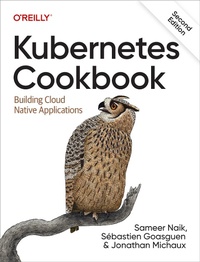
Kubernetes Cookbook
Description

Kubernetes is the de facto standard for container orchestration and distributed applications management across a microservices framework. With this practical cookbook, you''ll learn hands-on Kubernetes recipes for automating the deployment, scaling, and operations of application containers across clusters of hosts.
In this fully updated second edition, Sameer Naik, Sébastien Goasguen, and Jonathan Michaux from TriggerMesh provide a problem-solution-discussion format with easy lookups to help you find the detailed answers you need?fast. Kubernetes lets you deploy your applications quickly and predictably, so you can efficiently respond to customer demand. This cookbook delivers the essential knowledge that developers and system administrators need to get there.
Recipes in this cookbook focus on:
- Creating a Kubernetes cluster
- Using the Kubernetes command-line interface
- Managing fundamental workload types
- Working with services
- Exploring the Kubernetes API
- Managing stateful and non-cloud-native apps
- Working with volumes and configuration data
- Cluster-level and application-level scaling
- Securing your applications
- Monitoring and logging
- Maintenance and troubleshooting
More details
Other editions
Additional editions
Content
- Intro
- Copyright
- Table of Contents
- Preface
- Who Should Read This Book
- Why We Wrote This Book
- Navigating This Book
- A Note on Kubernetes Releases
- Technology You Need to Understand
- Conventions Used in This Book
- Using Code Examples
- O'Reilly Online Learning
- How to Contact Us
- Acknowledgments
- Chapter 1. Getting Started with Kubernetes
- 1.1 Installing the Kubernetes CLI, kubectl
- Problem
- Solution
- Discussion
- See Also
- 1.2 Installing Minikube to Run a Local Kubernetes Instance
- Problem
- Solution
- Discussion
- See Also
- 1.3 Using Minikube Locally for Development
- Problem
- Solution
- Discussion
- 1.4 Starting Your First Application on Minikube
- Problem
- Solution
- Discussion
- 1.5 Using kind to Run Kubernetes Locally
- Problem
- Solution
- Discussion
- See Also
- 1.6 Using Kubernetes in Docker Desktop
- Problem
- Solution
- Discussion
- 1.7 Switching kubectl Contexts
- Problem
- Solution
- Discussion
- 1.8 Switching Contexts and Namespaces Using kubectx and kubens
- Problem
- Solution
- See Also
- Chapter 2. Creating a Kubernetes Cluster
- 2.1 Preparing a New Node for a Kubernetes Cluster
- Problem
- Solution
- Discussion
- 2.2 Bootstrapping a Kubernetes Control-Plane Node
- Problem
- Solution
- Discussion
- See Also
- 2.3 Installing a Container Network Add-on for Cluster Networking
- Problem
- Solution
- Discussion
- 2.4 Adding Worker Nodes to a Kubernetes Cluster
- Problem
- Solution
- Discussion
- 2.5 Deploying the Kubernetes Dashboard
- Problem
- Solution
- 2.6 Accessing the Kubernetes Dashboard
- Problem
- Solution
- Discussion
- 2.7 Deploying the Kubernetes Metrics Server
- Problem
- Solution
- Discussion
- See Also
- 2.8 Downloading a Kubernetes Release from GitHub
- Problem
- Solution
- Discussion
- 2.9 Downloading Client and Server Binaries
- Problem
- Solution
- Discussion
- 2.10 Using systemd Unit Files for Running Kubernetes Components
- Problem
- Solution
- Discussion
- See Also
- 2.11 Creating a Kubernetes Cluster on Google Kubernetes Engine
- Problem
- Solution
- Discussion
- See Also
- 2.12 Creating a Kubernetes Cluster on Azure Kubernetes Service
- Problem
- Solution
- See Also
- 2.13 Creating a Kubernetes Cluster on Amazon Elastic Kubernetes Service
- Problem
- Solution
- See Also
- Chapter 3. Learning to Use the Kubernetes Client
- 3.1 Listing Resources
- Problem
- Solution
- Discussion
- 3.2 Deleting Resources
- Problem
- Solution
- Discussion
- 3.3 Watching Resource Changes with kubectl
- Problem
- Solution
- Discussion
- 3.4 Editing Objects with kubectl
- Problem
- Solution
- Discussion
- 3.5 Asking kubectl to Explain Resources and Fields
- Problem
- Solution
- Discussion
- See Also
- Chapter 4. Creating and Modifying Fundamental Workloads
- 4.1 Creating a Pod Using kubectl run
- Problem
- Solution
- Discussion
- 4.2 Creating a Deployment Using kubectl create
- Problem
- Solution
- Discussion
- 4.3 Creating Objects from File Manifests
- Problem
- Solution
- Discussion
- 4.4 Writing a Pod Manifest from Scratch
- Problem
- Solution
- Discussion
- 4.5 Launching a Deployment Using a Manifest
- Problem
- Solution
- Discussion
- See Also
- 4.6 Updating a Deployment
- Problem
- Solution
- 4.7 Running a Batch Job
- Problem
- Solution
- Discussion
- 4.8 Running a Task on a Schedule Within a Pod
- Problem
- Solution
- Discussion
- See Also
- 4.9 Running Infrastructure Daemons per Node
- Problem
- Solution
- Discussion
- Chapter 5. Working with Services
- 5.1 Creating a Service to Expose Your Application
- Problem
- Solution
- Discussion
- See Also
- 5.2 Verifying the DNS Entry of a Service
- Problem
- Solution
- Discussion
- 5.3 Changing the Type of a Service
- Problem
- Solution
- Discussion
- See Also
- 5.4 Deploying an Ingress Controller
- Problem
- Solution
- Discussion
- See Also
- 5.5 Making Services Accessible from Outside the Cluster
- Problem
- Solution
- Discussion
- See Also
- Chapter 6. Managing Application Manifests
- 6.1 Installing Helm, the Kubernetes Package Manager
- Problem
- Solution
- Discussion
- 6.2 Adding Chart Repositories to Helm
- Problem
- Solution
- Discussion
- 6.3 Using Helm to Install Applications
- Problem
- Solution
- Discussion
- 6.4 Inspecting the Customizable Parameters of a Chart
- Problem
- Solution
- Discussion
- 6.5 Overriding Chart Parameters
- Problem
- Solution
- Discussion
- 6.6 Getting the User-Supplied Parameters of a Helm Release
- Problem
- Solution
- Discussion
- 6.7 Uninstalling Applications with Helm
- Problem
- Solution
- 6.8 Creating Your Own Chart to Package Your Application with Helm
- Problem
- Solution
- Discussion
- See Also
- 6.9 Installing Kompose
- Problem
- Solution
- 6.10 Converting Your Docker Compose Files to Kubernetes Manifests
- Problem
- Solution
- Discussion
- 6.11 Converting Your Docker Compose File to a Helm Chart
- Problem
- Solution
- 6.12 Installing kapp
- Problem
- Solution
- Discussion
- 6.13 Deploying YAML Manifests Using kapp
- Problem
- Solution
- Discussion
- Chapter 7. Exploring the Kubernetes API and Key Metadata
- 7.1 Discovering the Kubernetes API Server's Endpoints
- Problem
- Solution
- Discussion
- See Also
- 7.2 Understanding the Structure of a Kubernetes Manifest
- Problem
- Solution
- Discussion
- See Also
- 7.3 Creating Namespaces to Avoid Name Collisions
- Problem
- Solution
- Discussion
- 7.4 Setting Quotas Within a Namespace
- Problem
- Solution
- Discussion
- See Also
- 7.5 Labeling an Object
- Problem
- Solution
- Discussion
- 7.6 Using Labels for Queries
- Problem
- Solution
- Discussion
- See Also
- 7.7 Annotating a Resource with One Command
- Problem
- Solution
- Discussion
- Chapter 8. Volumes and Configuration Data
- 8.1 Exchanging Data Between Containers via a Local Volume
- Problem
- Solution
- Discussion
- See Also
- 8.2 Passing an API Access Key to a Pod Using a Secret
- Problem
- Solution
- Discussion
- See Also
- 8.3 Providing Configuration Data to an Application
- Problem
- Solution
- Discussion
- See Also
- 8.4 Using a Persistent Volume with Minikube
- Problem
- Solution
- Discussion
- See Also
- 8.5 Understanding Data Persistency on Minikube
- Problem
- Solution
- Discussion
- See Also
- 8.6 Storing Encrypted Secrets in Version Control
- Problem
- Solution
- Discussion
- See Also
- Chapter 9. Scaling
- 9.1 Scaling a Deployment
- Problem
- Solution
- 9.2 Using Horizontal Pod Autoscaling
- Problem
- Solution
- See Also
- 9.3 Automatically Resizing a Cluster in GKE
- Problem
- Solution
- Discussion
- See Also
- 9.4 Automatically Resizing an Amazon EKS Cluster
- Problem
- Solution
- Chapter 10. Security
- 10.1 Providing a Unique Identity for an Application
- Problem
- Solution
- Discussion
- See Also
- 10.2 Listing and Viewing Access Control Information
- Problem
- Solution
- Discussion
- See Also
- 10.3 Controlling Access to Resources
- Problem
- Solution
- Discussion
- See Also
- 10.4 Securing Pods
- Problem
- Solution
- Discussion
- See Also
- Chapter 11. Monitoring and Logging
- 11.1 Accessing the Logs of a Container
- Problem
- Solution
- Discussion
- 11.2 Recovering from a Broken State with a Liveness Probe
- Problem
- Solution
- See Also
- 11.3 Controlling Traffic Flow to a Pod Using a Readiness Probe
- Problem
- Solution
- Discussion
- See Also
- 11.4 Protecting Slow-Starting Containers Using a Start-up Probe
- Problem
- Solution
- Discussion
- See Also
- 11.5 Adding Liveness and Readiness Probes to Your Deployments
- Problem
- Solution
- Discussion
- See Also
- 11.6 Accessing Kubernetes Metrics in the CLI
- Problem
- Solution
- 11.7 Using Prometheus and Grafana on Minikube
- Problem
- Solution
- Discussion
- See Also
- Chapter 12. Maintenance and Troubleshooting
- 12.1 Enabling Autocomplete for kubectl
- Problem
- Solution
- Discussion
- See Also
- 12.2 Removing a Pod from a Service
- Problem
- Solution
- 12.3 Accessing a ClusterIP Service Outside the Cluster
- Problem
- Solution
- Discussion
- 12.4 Understanding and Parsing Resource Statuses
- Problem
- Solution
- Discussion
- See Also
- 12.5 Debugging Pods
- Problem
- Solution
- Discussion
- See Also
- 12.6 Influencing a Pod's Start-up Behavior
- Problem
- Solution
- Discussion
- 12.7 Getting a Detailed Snapshot of the Cluster State
- Problem
- Solution
- 12.8 Adding Kubernetes Worker Nodes
- Problem
- Solution
- Discussion
- See Also
- 12.9 Draining Kubernetes Nodes for Maintenance
- Problem
- Solution
- Discussion
- See Also
- Chapter 13. Service Meshes
- 13.1 Installing the Istio Service Mesh
- Problem
- Solution
- Discussion
- See Also
- 13.2 Deploying a Microservice with an Istio Sidecar
- Problem
- Solution
- Discussion
- See Also
- 13.3 Routing Traffic Using an Istio Virtual Service
- Problem
- Solution
- Discussion
- See Also
- 13.4 Rewriting a URL Using an Istio Virtual Service
- Problem
- Solution
- Discussion
- See Also
- 13.5 Installing the Linkerd Service Mesh
- Problem
- Solution
- Discussion
- See Also
- 13.6 Deploying a Service into the Linkerd Mesh
- Problem
- Solution
- Discussion
- See Also
- 13.7 Routing Traffic to a Service in Linkerd
- Problem
- Solution
- Discussion
- 13.8 Authorizing Traffic to the Server in Linkerd
- Problem
- Solution
- Discussion
- See Also
- Chapter 14. Serverless and Event-Driven Applications
- 14.1 Installing the Knative Operator
- Problem
- Solution
- Discussion
- 14.2 Installing the Knative Serving Component
- Problem
- Solution
- Discussion
- See Also
- 14.3 Installing the Knative CLI
- Problem
- Solution
- Discussion
- 14.4 Creating a Knative Service
- Problem
- Solution
- Discussion
- 14.5 Installing the Knative Eventing Component
- Problem
- Solution
- Discussion
- 14.6 Deploying a Knative Eventing Source
- Problem
- Solution
- Discussion
- 14.7 Enabling Knative Eventing Sources
- Problem
- Solution
- Discussion
- 14.8 Installing Event Sources from TriggerMesh
- Problem
- Solution
- Discussion
- See Also
- Chapter 15. Extending Kubernetes
- 15.1 Compiling from Source
- Problem
- Solution
- See Also
- 15.2 Compiling a Specific Component
- Problem
- Solution
- 15.3 Using a Python Client to Interact with the Kubernetes API
- Problem
- Solution
- Discussion
- See Also
- 15.4 Extending the API Using Custom Resource Definitions
- Problem
- Solution
- Discussion
- See Also
- Appendix A. Resources
- General
- Tutorials and Examples
- Index
- About the Authors
