

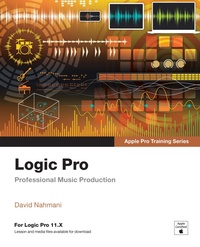
Logic Pro - Apple Pro Training
Professional Music Production
2nd Edition
Published on 10. December 2024
432 pages
978-0-13-540295-5 (ISBN)
Description

The Apple-Certified Way to Learn
Record, arrange, produce, mix, and master music with this bestselling, Apple-certified guide to Logic Pro. Veteran producer and composer David Nahmani uses real-world professional Logic Pro projects to guide you through step-by-step instructions and straightforward explanations, ranging from basic music creation to sophisticated production techniques.
Using a project-based approach, this book shows you how to record audio and software instruments, create musical content, and build arrangements. You;ll explore Session Players to create professional drum, bass, and keyboard performances, and use the Chord track to edit your song;s chord progressions. You;ll use Sample Alchemy, Beat Breaker, and Quick Sampler to create stutter effects and vocal chops, and learn ear-candy production techniques, such as parallel processing and turntable start and stop effects. You;ll use Flex Time to stretch audio and correct the timing of recordings, and you;ll tune vocals with Flex Pitch. You;ll add the warmth and coloration of analog audio equipment with the mix, and automate the song with ChromaGlow, mix a song using EQ, compression, delay, reverb, and other plug-ins to achieve a professional sound. Finally, you;ll automate the mix and prepare the song for distribution on streaming services with Mastering Assistant.
Downloadable real-world, professional Logic Pro files to follow along with the projects
AI-driven tools in Logic Pro 11
Step-by-step hands-on exercises
Accessible writing style that puts an expert mentor at your side
Ample illustrations that help you quickly master techniques
Lists of keyboard shortcuts used in each lesson
Tips to improve your workflow
Online personal support on the author's website
The Apple Pro Training Series is Apple's official self-paced learning resource. Books in this series offer downloadable lesson files available through the Peachpit website. Additional information on this and other books in this series can be found at www.peachpit.com/appleprotraining.
Record, arrange, produce, mix, and master music with this bestselling, Apple-certified guide to Logic Pro. Veteran producer and composer David Nahmani uses real-world professional Logic Pro projects to guide you through step-by-step instructions and straightforward explanations, ranging from basic music creation to sophisticated production techniques.
Using a project-based approach, this book shows you how to record audio and software instruments, create musical content, and build arrangements. You;ll explore Session Players to create professional drum, bass, and keyboard performances, and use the Chord track to edit your song;s chord progressions. You;ll use Sample Alchemy, Beat Breaker, and Quick Sampler to create stutter effects and vocal chops, and learn ear-candy production techniques, such as parallel processing and turntable start and stop effects. You;ll use Flex Time to stretch audio and correct the timing of recordings, and you;ll tune vocals with Flex Pitch. You;ll add the warmth and coloration of analog audio equipment with the mix, and automate the song with ChromaGlow, mix a song using EQ, compression, delay, reverb, and other plug-ins to achieve a professional sound. Finally, you;ll automate the mix and prepare the song for distribution on streaming services with Mastering Assistant.
Downloadable real-world, professional Logic Pro files to follow along with the projects
AI-driven tools in Logic Pro 11
Step-by-step hands-on exercises
Accessible writing style that puts an expert mentor at your side
Ample illustrations that help you quickly master techniques
Lists of keyboard shortcuts used in each lesson
Tips to improve your workflow
Online personal support on the author's website
The Apple Pro Training Series is Apple's official self-paced learning resource. Books in this series offer downloadable lesson files available through the Peachpit website. Additional information on this and other books in this series can be found at www.peachpit.com/appleprotraining.
More details
Series
Edition
2nd edition
Language
English
Place of publication
Berkeley
United States
Publishing group
Pearson Education (US)
Target group
Professional and scholarly
File size
75,50 MB
ISBN-13
978-0-13-540295-5 (9780135402955)
Copyright in bibliographic data and cover images is held by Nielsen Book Services Limited or by the publishers or by their respective licensors: all rights reserved.
Schweitzer Classification
Other editions
Additional editions
Book
02/2025
2nd Edition
Peachpit Press Publications
€69.50
Shipment within 15-20 days
Person
David Nahmani is the founder of LogicProHelp.com, the largest online community of Logic Pro users. An expert Logic Pro consultant and teacher, he has worked for V.I.P. clients like Steve Porcaro (Toto, Michael Jackson), Toby Gad (Beyonce, John Legend, Fergie), Coco Morier (Britney Spears, Selena Gomez), Joseph Hahn (Linkin Park), James Valentine (Maroon 5), Mark Pontius (Foster the People), the Record Plant i n Los Angeles, the Winter Music Conference in Miami, the Grammy foundation, ASCAP, Apple, and many more. David wrote and produced songs published by Cleopatra records, Metropolis records, MTV, and Decca/BMG.
Content
Getting Started
Lesson 1 Master Essential Navigation Skills
Lesson 2 Edit and Arrange Regions
Lesson 3 Use Effect and Instrument Plug-ins
Lesson 4 Record Audio and MIDI
Lesson 5 Create a Virtual Drum Track
Lesson 6 Create a Virtual Bass Track
Lesson 7 Create a Virtual Keyboard Track
Lesson 8 Work with Chords
Lesson 9 Create Content
Lesson 10 Sample Audio
Lesson 11 Edit the Timing and Pitch of Audio
Lesson 12 Mix a Song
Lesson 13 Automate, Master, and Export the Mix
Appendix A Skills Review (Online)
Appendix B Keyboard Shortcuts (Default for U.S. Keyboard) (Online)
Lesson 1 Master Essential Navigation Skills
Lesson 2 Edit and Arrange Regions
Lesson 3 Use Effect and Instrument Plug-ins
Lesson 4 Record Audio and MIDI
Lesson 5 Create a Virtual Drum Track
Lesson 6 Create a Virtual Bass Track
Lesson 7 Create a Virtual Keyboard Track
Lesson 8 Work with Chords
Lesson 9 Create Content
Lesson 10 Sample Audio
Lesson 11 Edit the Timing and Pitch of Audio
Lesson 12 Mix a Song
Lesson 13 Automate, Master, and Export the Mix
Appendix A Skills Review (Online)
Appendix B Keyboard Shortcuts (Default for U.S. Keyboard) (Online)
