

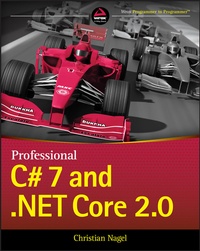
Professional C# 7 and .NET Core 2.0
Description

Professional C# 7 and .NET Core 2.0 provides experienced programmers with the information they need to work effectively with the world's leading programming language. The latest C# update added many new features that help you get more done in less time, and this book is your ideal guide for getting up to speed quickly. C# 7 focuses on data consumption, code simplification, and performance, with new support for local functions, tuple types, record types, pattern matching, non-nullable reference types, immutable types, and better support for variables. Improvements to Visual Studio will bring significant changes to the way C# developers interact with the space, bringing .NET to non-Microsoft platforms and incorporating tools from other platforms like Docker, Gulp, and NPM. Guided by a leading .NET expert and steeped in real-world practicality, this guide is designed to get you up to date and back to work.
With Microsoft speeding up its release cadence while offering more significant improvement with each update, it has never been more important to get a handle on new tools and features quickly. This book is designed to do just that, and more--everything you need to know about C# is right here, in the single-volume resource on every developer's shelf.
* Tour the many new and enhanced features packed into C# 7 and .NET Core 2.0
* Learn how the latest Visual Studio update makes developers' jobs easier
* Streamline your workflow with a new focus on code simplification and performance enhancement
* Delve into improvements made for localization, networking, diagnostics, deployments, and more
Whether you're entirely new to C# or just transitioning to C# 7, having a solid grasp of the latest features allows you to exploit the language's full functionality to create robust, high -quality apps. Professional C# 7 and .NET Core 2.0 is the one-stop guide to everything you need to know.
More details
Other editions
Additional editions
Content
INTRODUCTION
AFTER SO MANY YEARS, .NET has a new momentum. The .NET Framework has a young sibling: .NET Core! The .NET Framework was closed source and available on Windows systems only. Now, .NET Core is open source, is available on Linux, and uses modern patterns. We can see many great improvements in the .NET ecosystem.
NOTE
Because of the recent changes, C# is within the top 10 of the most loved programming languages, and .NET Core is holds position 3 of the most loved frameworks. Among web and desktop developers, C# holds rank 3 among the most popular languages. You can see the details at https://insights.stackoverflow.com/survey/2017.
By using C# and ASP.NET Core, you can create web applications and services that run on Windows, Linux, and Mac. You can use the Windows Runtime to create native Windows apps (also known as the Universal Windows Platform, UWP) using C# and XAML, as well as .NET Core. With Xamarin, you can use C# and XAML to create apps that run on Android and iOS devices. With the help of the .NET Standard, you can create libraries that you can share between ASP.NET Core, Windows apps, Xamarin; you also can create traditional Windows Forms and WPF applications. All this is covered in the book.
Most of the samples of the book are built on a Windows system with Visual Studio. Many of the samples are also tested on Linux and run on Linux and the Mac. Except for the Windows apps samples, you can also use Visual Studio Code or Visual Studio for the Mac as the developer environment.
THE WORLD OF .NET CORE
.NET has a long history, but .NET Core is very young. .NET Core 2.0 got many new APIs coming from the .NET Framework to make it easier to move existing .NET Framework applications to the new world of .NET Core.
As an easy move, you can create libraries that use .NET Standard 2.0, which can be used from .NET Framework applications starting with .NET Framework 4.6.1, .NET Core 2.0 applications, and Windows apps starting with Build 16299.
Nowadays, there are not many reasons to not use ASP.NET Core from the backend. With the easy move to the .NET Standard, more and more libraries can be used from .NET Core. From a high-level view, ASP.NET Core MVC looks very similar to its older brother ASP.NET MVC. However, ASP.NET Core MVC is a lot more flexible, easier to work with when using the .NET Core patterns, and easier to extend.
For creating new web applications, using the new technology Razor Pages might be all you need. If the application grows, Razor Pages can be easily extended to the Model-View-Controller pattern using ASP.NET Core MVC.
At the time of writing, a .NET Core version for SignalR, a technology for real-time communication, is near to being released.
ASP.NET Core works great in combination with JavaScript technologies like Angular and React/Redux. There are even templates to create projects with these technologies in combination with ASP.NET Core for the backend services.
NOTE
You can access the source code of .NET Core at https://github.com/dotnet/corefx. The .NET Core command line is available at https://github.com/dotnet/cli. At https://github.com/aspnet you can find many repositories for ASP.NET Core. Among them are ASP.NET Core MVC, Razor, SignalR, EntityFrameworkCore, and many others.
Here's a summary of some of the features of .NET Core:
- .NET Core is open source.
- .NET Core uses modern patterns.
- .NET Core supports development on multiple platforms.
- ASP.NET Core can run on Windows and Linux.
As you work with .NET Core, you'll see that this technology is the biggest change for .NET since the first version. .NET Core is a new start. From here we can continue our journey on new developments in a fast pace.
THE WORLD OF C#
When C# was released in the year 2002, it was a language developed for the .NET Framework. C# was designed with ideas from C++, Java, and Pascal. Anders Hejlsberg had come to Microsoft from Borland and brought experience with language development of Delphi. At Microsoft, Hejlsberg worked on Microsoft's version of Java, named J++, before creating C#.
NOTE
Today, Anders Hejlsberg has moved to TypeScript (while he still influences C#) and Mads Torgersen is the project lead for C#. C# improvements are discussed openly at https://github.com/dotnet/csharplang. Here you can read C# language proposals and event meeting notes. You can also submit your own proposals for C#.
C# started not only as an object-oriented general-purpose programming language but was a component-based programming language that supported properties, events, attributes (annotations), and building assemblies (binaries including metadata).
Over time, C# was enhanced with generics, Language Integrated Query (LINQ), lambda expressions, dynamic features, and easier asynchronous programming. C# is not an easy programming language because of the many features it offers, but it's continuously evolving with features that are practical to use. With this, C# is more than an object-oriented or component-based language; it also includes ideas of functional programming-things that are of practical use for a general-purpose language developing all kind of applications.
With C# 6, the source code of the compiler was completely rewritten. It's more than that the new compiler pipeline can be used from custom programs; Microsoft also got new sources where changes do not break other parts of the program. Thus, it was becoming a lot easier to enhance the compiler.
C# 7 again adds many new features that come from a functional programming background, such as local functions, tuples, and pattern matching.
WHAT'S NEW IN C# 7
The C# 6 extensions included static using, expression-bodied methods and properties, auto-implemented property initializers, read-only auto properties, the nameof operator, the null conditional operator, string interpolation, dictionary initializers, exception filters, and await in catch. What are the changes of C# 7?
Digit Separators
The digit separators make the code more readable. You can add _ to separate numbers when declaring variables. The compiler just removes the _. The following code snippet looks a lot more readable with C# 7:
In C# 6 long n1 = 0x1234567890ABCDEF; In C# 7 long n2 = 0x1234_5678_90AB_CDEF; With C# 7.2, you can also put the _ at the beginning.
In C# 7.2 long n2 = 0x_1234_5678_90AB_CDEF; Digit separators are covered in Chapter 2, "Core C#."
Binary Literals
C# 7 offers a new literal for binaries. Binaries can have only the values 0 and 1. Now the digit separator becomes especially important:
In C# 7 uint binary1 = 0b1111_0000_1010_0101_1111_0000_1010_0101; Binary literals are covered in Chapter 2.
Expression-Bodied Members
C# 6 allows expression-bodied methods and properties. With C# 7, expression bodies can be used with constructors, destructors, local functions, property accessors, and more. Here you can see the difference with property accessors between C# 6 and C# 7:
In C# 6 private string _firstName; public string FirstName { get { return _firstName; } set { Set(ref _firstName, value); } } In C# 7 private string _firstName; public string FirstName { get => _firstName; set => Set(ref _firstName, value); } Expression-bodied members are covered in Chapter 3, "Objects and Types."
Out Var
Before C# 7, out variables had to be declared before its use. With C# 7, the code is reduced by one line because the variable can be declared on use:
In C# 6 string n = "42"; int result; if (string.TryParse(n, out result) { Console.WriteLine($"Converting to a number was successful: {result}"); } In C# 7 string n = "42"; if (string.TryParse(n, out var result) { Console.WriteLine($"Converting to a number was successful: {result}"); } This feature is covered in Chapter 3.
Non-Trailing Named Arguments
C# supports named arguments that are required with optional arguments but can support readability in any cases. With C# 7.2, non-trailing named arguments are supported. Argument names can be added to any argument with C# 7.2:
In C# 7.0 if (Enum.TryParse(weekdayRecommendation.Entity, ignoreCase: true, result: out DayOfWeek weekday)) { reservation.Weekday = weekday; } In C# 7.2 if (Enum.TryParse(weekdayRecommendation.Entity,...
