

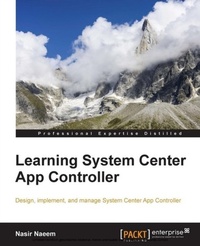
Learning System Center App Controller
Design, implement, and manage System Center App Controller
Published on 7. October 2025
118 pages
978-1-78439-583-4 (ISBN)
Description

Key Features
Book DescriptionThis book is intended for IT professionals working with Hyper-V, Azure cloud, VMM, and private cloud technologies who are looking for a quick way to get up and running with System Center 2012 R2 App Controller. To get the most out of this book, you should be familiar with Microsoft Hyper-V technology. Knowledge of Virtual Machine Manager is helpful but not mandatory.What you will learn
Manage application services using System Center App Controller
Install SQL Server 2012 Service Pack 1, System Center 2012 R2 Virtual Machine Manager, and App Controller
Explore the advanced functionality provided by System Center 2012 R2 App Controller
Install and configure an SCVMM server
Integrate Virtual Machine Manager with App Controller
Connect your Microsoft Azure subscription with App Controller
Configure cloud services and virtual networks and deploy cloud services
Migrate virtual machines from private cloud to Microsoft Azure cloud
Create virtual machine templates, hardware profiles, and operating system profiles in Virtual Machine Manager
Make disaster recovery planning decisions for App Controller recovery
Who this book is forThis book is intended for IT professionals working with Hyper-V, Azure cloud, VMM, and private cloud technologies who are looking for a quick way to get up and running with System Center 2012 R2 App Controller. To get the most out of this book, you should be familiar with Microsoft Hyper-V technology. Knowledge of Virtual Machine Manager is helpful but not mandatory.
Book DescriptionThis book is intended for IT professionals working with Hyper-V, Azure cloud, VMM, and private cloud technologies who are looking for a quick way to get up and running with System Center 2012 R2 App Controller. To get the most out of this book, you should be familiar with Microsoft Hyper-V technology. Knowledge of Virtual Machine Manager is helpful but not mandatory.What you will learn
Manage application services using System Center App Controller
Install SQL Server 2012 Service Pack 1, System Center 2012 R2 Virtual Machine Manager, and App Controller
Explore the advanced functionality provided by System Center 2012 R2 App Controller
Install and configure an SCVMM server
Integrate Virtual Machine Manager with App Controller
Connect your Microsoft Azure subscription with App Controller
Configure cloud services and virtual networks and deploy cloud services
Migrate virtual machines from private cloud to Microsoft Azure cloud
Create virtual machine templates, hardware profiles, and operating system profiles in Virtual Machine Manager
Make disaster recovery planning decisions for App Controller recovery
Who this book is forThis book is intended for IT professionals working with Hyper-V, Azure cloud, VMM, and private cloud technologies who are looking for a quick way to get up and running with System Center 2012 R2 App Controller. To get the most out of this book, you should be familiar with Microsoft Hyper-V technology. Knowledge of Virtual Machine Manager is helpful but not mandatory.
All prices
More details
Edition
Digital original
Language
English
Place of publication
Birmingham
United Kingdom
Target group
US School Grade: College Graduate Student
Edition type
Digital original
File size
3,52 MB
ISBN-13
978-1-78439-583-4 (9781784395834)
Copyright in bibliographic data and cover images is held by Nielsen Book Services Limited or by the publishers or by their respective licensors: all rights reserved.
Schweitzer Classification
Other editions
Additional editions
Nasir Naeem
Learning System Center App Controller
Book
02/2015
Packt Publishing
€38.70
Shipment within 3-4 weeks
Person
Nasir Naeem lives in Birmingham, England. He works for Inframon as a system center consultant. He has been working in the IT field for just over a decade, mostly working on Windows-based networks with a combination of Cisco as well as VMWare. When not working with clients to improve IT cost efficiency and administration improvements, he is an Arduino electronics hobbyist.
Content
Table of Contents
Taking Control with System Center App Controller: Introduction and Setting Up
Installing and Working with Different App Controller Components
Preparing and Installing the System Center Virtual Machine Manager Server
Customizing App Controller
Exploring Advanced Features
Backup and Recovery
Taking Control with System Center App Controller: Introduction and Setting Up
Installing and Working with Different App Controller Components
Preparing and Installing the System Center Virtual Machine Manager Server
Customizing App Controller
Exploring Advanced Features
Backup and Recovery

