

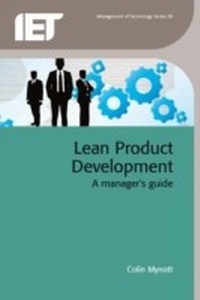
Lean Product Development
A manager's guide
1st Edition
Published on 20. December 2012
256 pages
978-1-84919-672-7 (ISBN)
Description

Lean product development (LPD) is the application of lean principles to product development, aiming to develop new or improved products that are successful in the market. It is a cross-functional activity that seeks to uncover product knowledge hidden within the end-to-end production flow, typically in the hand-over points between functional units. LPD deals with the complete process from gathering and generating ideas, through assessing potential success, to developing concepts, evaluating them to create a best concept, detailing the product, testing/developing it and handing over to the manufacture. LPD is performed against a background of continuously assessing and reducing risk of market failure.
Lean Product Development: A manager's guide explains what needs to be done in order to successfully complete the complex task of developing products. It describes how you set up and run each project according to its particular needs and covers planning your profitability, cutting out waste, creating a market winner and how to control risk. It also contains some practical tools and techniques that help to cut time and cost.
Lean Product Development: A manager's guide explains what needs to be done in order to successfully complete the complex task of developing products. It describes how you set up and run each project according to its particular needs and covers planning your profitability, cutting out waste, creating a market winner and how to control risk. It also contains some practical tools and techniques that help to cut time and cost.
More details
Series
Language
English
Place of publication
Stevenage
United Kingdom
Target group
College/higher education
Professional and scholarly
ISBN-13
978-1-84919-672-7 (9781849196727)
Copyright in bibliographic data and cover images is held by Nielsen Book Services Limited or by the publishers or by their respective licensors: all rights reserved.
Schweitzer Classification
Other editions
Additional editions
Book
12/2012
Institution of Engineering and Technology
€124.50
Shipment within 3-4 weeks
Person
Dr Colin Mynott is a Chartered Engineer, a European Engineer, and a past Fellow of the Institute of Directors. He has extensive hands-on experience of manufacturing systems and of developing products, from devising strategy through to manufacturing engineering and start-up. He formed his present company in 1994 to disseminate best practice to industry on all aspects of product development, how it should be organised, its financial impact and management. He is joint author of a number of publications on product development, continuously researches best practice, and runs workshops, seminars and conferences on the subject.
Content
Chapter 1: Introduction
Chapter 2: Wealth creation in the economy
Chapter 3: Your company's fortunes
Chapter 4: The product development process
Chapter 5: Organising your company to increase profit
Chapter 6: Product costing and company costs
Chapter 7: Product strategy
Chapter 8: Planning your product programme
Chapter 9: The seven key project phases
Chapter 10: Running and managing the programme
Chapter 11: Tools and techniques
Chapter 12: Bibliography
Chapter 2: Wealth creation in the economy
Chapter 3: Your company's fortunes
Chapter 4: The product development process
Chapter 5: Organising your company to increase profit
Chapter 6: Product costing and company costs
Chapter 7: Product strategy
Chapter 8: Planning your product programme
Chapter 9: The seven key project phases
Chapter 10: Running and managing the programme
Chapter 11: Tools and techniques
Chapter 12: Bibliography
