

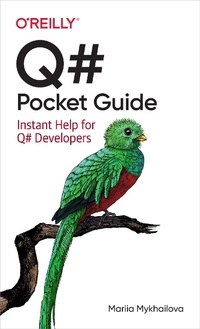
Q# Pocket Guide
Description

Ready to build quantum computing applications using Q# and the Microsoft Quantum Development Kit? This is the book for you. Q# is a domain-specific language for expressing quantum algorithms that combines familiar "classical" language constructs with quantum-specific ones. Ideal for any developer familiar with (or willing to learn) the basics of quantum computing and looking to get started with quantum programming, this pocket guide quickly helps you find syntax and usage information for unfamiliar aspects of Q#.
You''ll explore the quantum software development lifecycle from implementing the program to running it on quantum simulators to testing and debugging it. You''ll learn to use the tools provided by Microsoft''s Quantum Development Kit for each step of the process.
You''ll explore:
- Q# language details, including data types, statements, and operators
- Guidelines for organizing Q# code and invoking it from different environments
- Information on simulators and tools in the Microsoft Quantum Development Kit
- Advice on testing and debugging tools and techniques for quantum programs
More details
Other editions
Additional editions
Content
- Cover
- Copyright
- Table of Contents
- Preface
- Part I. Q# Programming Language
- Chapter 1. Program Structure
- Your First Q# Program
- Namespaces
- Operations and Functions
- Type Declarations
- Comments
- Conclusion
- Chapter 2. Data Types
- The Q# Type System
- Primitive Classical Data Types
- Qubits
- Physics-Imposed Constraints
- Abstracting Away Physical Implementation
- The Qubit Data Type
- Other Primitive Quantum Data Types
- Measurement Results
- Pauli Matrices
- Data Structures
- Arrays
- Tuples
- User-Defined Types
- Operations and Functions
- Conclusion
- Chapter 3. Expressions
- Equality Operators
- Comparison Operators
- Logical Operators
- Bitwise Operators
- Arithmetic Operators
- Conditional Expression
- Range Operator
- String Expressions
- Array Expressions
- User-Defined Type Expressions
- Call Expressions
- Lambda Expressions
- Adjoint and Controlled Functors
- Conclusion
- Chapter 4. Statements
- Example: Calculate Euler's Totient Function
- Working with Variables
- Variable Scope
- Mutable and Immutable Variables
- Declaring Immutable Variables: let Statements
- Declaring Mutable Variables: mutable Statements
- Reassigning Mutable Variables: set Statements
- Assigning Tuples: Tuple Deconstruction
- Conditional Execution: if Statements
- Loops
- Iterate Over a Sequence: for Loops
- Classical Conditional Loop: while Loops
- Call an Operation or a Function: Call Statements
- Stop Execution: return and fail Statements
- Finish Execution: return Statements
- Throw an Exception: fail Statements
- Example: Prepare a Quantum State
- Allocate Qubits: use and borrow Statements
- Quantum Conditional Loops: repeat-until Loops
- Conjugation: within-apply Statements
- Conclusion
- Chapter 5. Operations and Functions
- Defining and Using Operations and Functions: The Basics
- Signatures of Callables
- Quantum Gates and Measurements
- Defining and Using Adjoint and Controlled Specializations of Operations
- Using Operation Specializations
- Generating Operation Specializations Automatically
- Defining Operation Specializations Manually
- Functional Elements of Q#
- Callable-Typed Variables
- Using Callables as Arguments
- Partial Application
- Lambda Expressions
- Defining and Using Type-Parameterized Callables
- Conclusion
- Part II. Using the Microsoft Quantum Development Kit
- Chapter 6. Running Q# Programs
- Quantum Applications
- Quantum Software Development
- Quantum Simulators
- Full State Simulator
- Resources Estimator
- Trace Simulator
- Toffoli Simulator
- Sparse Simulator
- Noise Simulator
- Running Q# Programs
- Standalone Q#
- Q# with a Classical Host
- Q# with .NET Host
- Q# with Python Host
- Q# Jupyter Notebooks
- Conclusion
- Chapter 7. Microsoft Quantum Development Kit Libraries
- Getting and Using the Libraries
- Standard Libraries
- Microsoft.Quantum.Core: Built-In Functions and Attributes
- Microsoft.Quantum.Convert: Data Type Conversions
- Microsoft.Quantum.Logical: Logical and Comparison Functions
- Microsoft.Quantum.Bitwise: Bitwise Functions
- Microsoft.Quantum.Math: Classical Math and Arithmetic
- Microsoft.Quantum.Random: Random Numbers and Probability Distributions
- Microsoft.Quantum.Arrays: Generic Array Manipulation
- Microsoft.Quantum.Intrinsic: Basic Quantum Gates and Measurements
- Microsoft.Quantum.Diagnostics: Testing and Troubleshooting Quantum Programs
- Microsoft.Quantum.Measurement: Additional Measurement Routines
- Microsoft.Quantum.Preparation: Quantum State Preparation
- Microsoft.Quantum.Arithmetic: Quantum Arithmetic
- Microsoft.Quantum.Canon: Catchall
- Advanced Libraries
- Conclusion
- Chapter 8. Testing and Debugging
- Inspecting Elements of Q# Programs
- Classical Variables
- Quantum States
- Quantum Operations
- Program Structure and Its Evolution
- Testing Q# Programs
- Two Ways to Write a Test
- Standalone Q# Test Projects
- Testing Classical Conditions
- Testing Conditions on the Quantum State
- Comparing the Unitaries Implemented by Operations
- Conclusion
- Index
