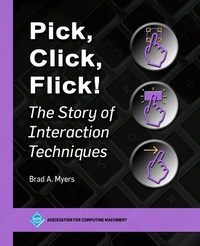
Pick, Click, Flick!
Description

This book provides a comprehensive study of the many ways to interact with computers and computerized devices. An "interaction technique" starts when the user performs an action that causes an electronic device to respond, and includes the direct feedback from the device to the user. Examples include physical buttons and switches, on-screen menus and scrollbars operated by a mouse, touchscreen widgets, gestures such as flick-to-scroll, text entry on computers and touchscreens, interactions with conversational agents such as Apple Siri, Google Assistant, Amazon Alexa, and Microsoft Cortana, and adaptations of all of these for people with disabilities.
Beginning with a history of the invention and development of interaction techniques, the author goes on to describe the various approaches in use today, continuing with a discussion of the state-of-the-art research that is driving the development of novel approaches for the future. The book features summaries of interviews with some of the original inventors of interaction techniques, including David Canfield Smith (the desktop and icons), Larry Tesler (copy/paste), Ted Selker (IBM TrackPoint), Loren Brichter (Pull-to-Refresh), and many others. The author also describes how to use, model, implement, and evaluate new interaction techniques.
Pick, Click, Flick! is written for anyone interested in interaction techniques, including computer scientists and designers working on human-computer interaction, as well as implementers and consumers who want to understand and get the most out of their digital devices.
More details
Other editions
Additional editions