

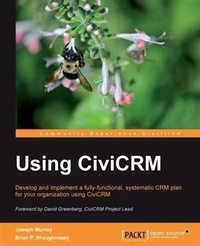
Using CiviCRM
Develop and implement a fully functional, systematic CRM plan for your organization Using CiviCRM
1st Edition
Published on 13. January 2025
464 pages
978-1-84951-227-5 (ISBN)
Description

Develop and implement a fully functional, systematic CRM plan for your organization Using CiviCRMKey Features - Build a CRM that conforms to your needs from the ground up with all of the features that you want
- Develop an integrated online system that handles contacts, donations, event registration, bulk e-mailing, case management and other functions such as activity tracking, grants, reporting, and analytics
- Integrate CiviCRM with Drupal and Joomla!
- Build solutions from the ground up with the help of easy-to-understand steps from practical use-case scenarios.
- Plan a constituency relationship management strategy with ladders of engagement that will improve how your organization realizes its mission
Book DescriptionCiviCRM is a web-based, open source CRM system, designed specifically to meet the needs of advocacy, non-profit and non-governmental organizations. Elected officials, professional/trade associations, political campaigns and parties, government agencies, and other similar organizations are among its growing number of enthusiastic users. This book shows you how to harness CiviCRM's impressive array of possibilities as you develop and execute performance-critical CRM strategies. This book will help you become familiar with the structure and main functions of CiviCRM. It will guide you in developing and successfully implementing a CRM strategy for your organization using detailed explanations and practical examples. Using CiviCRM walks you through developing a CRM Implementation Plan that is suited to your organization's size, culture, and needs. Readers will take away many constituent relationship management best practices and the knowledge of how to implement them with CiviCRM. Benefits of Using CiviCRM will be felt across your organization, and help it better achieve its mission. Overall, your organization will interact with constituents more effectively and handle staff growth and transitions by tracking all contacts and interactions with them in a system shared across the organization. Gathering and analyzing data about your constituents and their interactions with your organization will better inform your decisions. If your organization fundraises, you'll be able to raise more money and reduce costs by identifying qualified prospects for targeted fundraising initiatives. We show how to attract new prospects and convert them to donors using online, direct mail, telemarketing and direct contact channels Using CiviCRM. You'll learn why and how to set up and then grow your monthly donor program, as well as improve the frequency, average donation amounts, and retention rates of your donor base. With this book you'll be able to reduce the burden on administrative resources by providing online payments and self-service options for event registrations and membership renewals. You can increase the likelihood your existing subscribers will become more involved with your organization, ensure more of your members show up to volunteer, identify potential leaders and steward their volunteer activities Finally, you'll be making relevant information easily available that quantifies what a great job you've been doing, including the number of hours that volunteers gave to your organization last year, the number of cases managed, or the number of new viral signups from your latest urgent action e-mail.What you will learn - Create a successful CiviCRM implementation project
- Install and configure CiviCRM in Joomla! or Drupal, understand advanced configuration options, and review the upgrade process in detail
- Get comfortable with the CiviCRM interface and understand the basic contact functionality and concepts to perform various contact records-related operations
- Collect data, organize it, and import it into the system to ensure smooth functioning of your projects
- Use CiviCRM to communicate efficiently and track case history with constituents.
- Build an integrated system to solicit, retain, and manage your donors and members through robust management and reporting tools for administrators
- Take advantage of the many CiviCRM tools for generating both simple and complex event structures and managing registrants through every phase of the project
- Integrate the grant management process with your other constituent management activities, making your organization a more efficient and productive financial support provider
- Make reports using the various templates to retrieve, display and analyze your data
Who this book is forThis book is for project implementers, organization leaders, staff, and volunteers in advocacy, non-profit, and non-governmental organizations, elected officials, professional/trade associations, political campaigns and parties, government agencies, and other similar organizations who want to implement CiviCRM in a manner tailored to their organization's size, culture, and needs. It addresses CRM strategists, implementers, administrators, and end users looking to become power users in communicating, fundraising, managing events, memberships, grants, cases, and people-resource management.
- Develop an integrated online system that handles contacts, donations, event registration, bulk e-mailing, case management and other functions such as activity tracking, grants, reporting, and analytics
- Integrate CiviCRM with Drupal and Joomla!
- Build solutions from the ground up with the help of easy-to-understand steps from practical use-case scenarios.
- Plan a constituency relationship management strategy with ladders of engagement that will improve how your organization realizes its mission
Book DescriptionCiviCRM is a web-based, open source CRM system, designed specifically to meet the needs of advocacy, non-profit and non-governmental organizations. Elected officials, professional/trade associations, political campaigns and parties, government agencies, and other similar organizations are among its growing number of enthusiastic users. This book shows you how to harness CiviCRM's impressive array of possibilities as you develop and execute performance-critical CRM strategies. This book will help you become familiar with the structure and main functions of CiviCRM. It will guide you in developing and successfully implementing a CRM strategy for your organization using detailed explanations and practical examples. Using CiviCRM walks you through developing a CRM Implementation Plan that is suited to your organization's size, culture, and needs. Readers will take away many constituent relationship management best practices and the knowledge of how to implement them with CiviCRM. Benefits of Using CiviCRM will be felt across your organization, and help it better achieve its mission. Overall, your organization will interact with constituents more effectively and handle staff growth and transitions by tracking all contacts and interactions with them in a system shared across the organization. Gathering and analyzing data about your constituents and their interactions with your organization will better inform your decisions. If your organization fundraises, you'll be able to raise more money and reduce costs by identifying qualified prospects for targeted fundraising initiatives. We show how to attract new prospects and convert them to donors using online, direct mail, telemarketing and direct contact channels Using CiviCRM. You'll learn why and how to set up and then grow your monthly donor program, as well as improve the frequency, average donation amounts, and retention rates of your donor base. With this book you'll be able to reduce the burden on administrative resources by providing online payments and self-service options for event registrations and membership renewals. You can increase the likelihood your existing subscribers will become more involved with your organization, ensure more of your members show up to volunteer, identify potential leaders and steward their volunteer activities Finally, you'll be making relevant information easily available that quantifies what a great job you've been doing, including the number of hours that volunteers gave to your organization last year, the number of cases managed, or the number of new viral signups from your latest urgent action e-mail.What you will learn - Create a successful CiviCRM implementation project
- Install and configure CiviCRM in Joomla! or Drupal, understand advanced configuration options, and review the upgrade process in detail
- Get comfortable with the CiviCRM interface and understand the basic contact functionality and concepts to perform various contact records-related operations
- Collect data, organize it, and import it into the system to ensure smooth functioning of your projects
- Use CiviCRM to communicate efficiently and track case history with constituents.
- Build an integrated system to solicit, retain, and manage your donors and members through robust management and reporting tools for administrators
- Take advantage of the many CiviCRM tools for generating both simple and complex event structures and managing registrants through every phase of the project
- Integrate the grant management process with your other constituent management activities, making your organization a more efficient and productive financial support provider
- Make reports using the various templates to retrieve, display and analyze your data
Who this book is forThis book is for project implementers, organization leaders, staff, and volunteers in advocacy, non-profit, and non-governmental organizations, elected officials, professional/trade associations, political campaigns and parties, government agencies, and other similar organizations who want to implement CiviCRM in a manner tailored to their organization's size, culture, and needs. It addresses CRM strategists, implementers, administrators, and end users looking to become power users in communicating, fundraising, managing events, memberships, grants, cases, and people-resource management.
More details
Other editions
Additional editions
Brian Shaughnessy | Joseph Murray
Using Civicrm
Book
01/2011
Packt Publishing
€75.30
Shipment within 3-4 weeks
Content
- Intro
- Using CiviCRM
- Table of Contents
- Using CiviCRM
- Credits
- Foreword
- About the Authors
- About the Reviewers
- www.PacktPub.com
- Support files, eBooks, discount offers and more
- Why Subscribe?
- Free Access for Packt account holders
- Preface
- What this book covers
- What you need for this book
- Who this book is for
- Conventions
- Reader feedback
- Customer support
- Errata
- Piracy
- Questions
- 1. Achieving Your Mission with CiviCRM
- Why your organization needs Constituent Relationship Management
- What is Constituent Relationship Management?
- Customer Relationship Management versus Constituent Relationship Management
- Who are your constituents?
- When is CiviCRM the best CRM?
- Thinking through alternatives
- Other CRMs
- Why CiviCRM?
- Focused on needs of non-profits
- User satisfaction
- No vendor lock-in
- Integration with Drupal and Joomla!
- Total cost
- Dynamic open source development
- Documentation
- Responsive community support
- How CiviCRM will help your organization
- Summary
- 2. Planning Your CRM Implementation
- Barriers to success
- Perfection is the enemy of the good
- Development methodologies
- The conventional Waterfall Development methodology
- Iterative development methodology
- Agile development methodology
- Food Pantry Association of Greater Metropolis
- Right-sizing the process
- Building the team
- Getting started
- Creating a baseline
- Developing the vision
- Creating a project plan
- Total cost of ownership
- Focusing on constituents and mission
- Rethinking organizational processes
- Determining your needs
- Functional requirements
- Contact record management
- Contact subtypes
- Custom data
- e-Newsletters and bulk e-mails
- Fundraising
- Memberships and subscriptions
- Events
- Grant management
- Activities
- Case management
- Roles and permissions
- CMS integration
- Third-party integration
- Server sourcing
- Implementation plan
- Summary
- 3. Installation, Configuration, and Maintenance
- Installing CiviCRM
- Installation in Joomla!
- Installation in Drupal
- Browser/FTP procedure
- Drush procedure
- Installation troubleshooting
- Configuring CiviCRM
- Site Configuration
- Viewing and Editing Contacts
- Sending e-mails
- Handling return e-mail traffic
- Maintaining a good e-mail server reputation
- Configuring the e-mail processor
- Online payment processors
- Integrated versus redirection processors
- Configuring the payment processor
- System workflow templates
- Organization, customization, and components
- Organize your contacts
- Customize Data, Forms and Screens
- Components
- Option Lists
- Synchronization with CMS users
- Drupal access control for CiviCRM
- CiviGroup Roles Sync
- CiviMember Roles Sync
- CiviCRM OG Sync
- CiviCRM access control under Drupal
- Dashboard
- Navigation
- Setting up cron jobs
- Upgrades and maintenance
- Version and revision upgrades
- Joomla! upgrades
- Drupal upgrades
- Moving an installation to a new server
- System maintenance
- Developing a backup policy and procedure
- Summary
- 4. CiviCRM Basics: Moving through the System and Working with Contacts
- Introduction to the interface
- Contacts
- Individuals, organizations, and households
- Contact subtypes
- Planning your contact types
- Core information fields
- Contact details
- Custom data
- Address
- Communication preferences
- Demographics
- Deleting contacts
- Tags and Groups
- Tags
- Groups
- Using groups
- Creating groups
- Managing group membership
- Relationships
- Relationship types
- Adding relationships
- Activities
- Notes
- Search
- Quick search
- Basic search
- Advanced Search
- Full-text Search
- Search Builder
- Understanding contact versus component searches
- Custom search
- Search result actions
- Mail actions
- Groups and tags actions
- Add relationship actions
- Add related record actions
- Update contact actions
- Export/map actions
- Subsequent actions on the same selection
- Working with contact records
- Alternate workflows
- Eliminating duplicates
- Strategies for dealing with duplicates
- Finding and merging duplicates
- Finding duplicates
- Merging duplicates
- Summary
- 5. Collecting, Organizing, and Importing Data
- Custom data fields
- Creating online forms with profiles
- Profiles in action
- Empowering users to update information
- Searching an online directory
- Including profiles in component pages
- Search result views and batch updates
- Exposing profile pages to your website
- Joomla!
- Drupal
- Additional options through URL variables
- Importing contact and activity data
- Contacts import
- Activities import
- Tips for preparing your data
- Migrating to a production server
- Summary
- 6. Communicating Better
- How to communicate better
- Aligning efforts with objectives
- Topic, treatment, tone, and timing
- Call to action
- Reinforcing your brand
- Sending e-mails to one or more constituents
- E-mailing using an external client
- E-mailing using CiviCRM
- Printing address labels
- Recording a postal mailing
- Printing a PDF letter
- Organizing groups for communication
- Encouraging subscriptions using profiles
- Sending a bulk e-mail
- Configuring the header and footer
- Configuring and sending bulk e-mails
- Managing mailings in process
- Creating a bulk e-mail template
- Customizing system workflow messages
- Recording external e-mails
- Summary
- 7. Fundraising: Money for Your Mission
- Developing a fundraising plan
- Segmenting by category
- Segmenting by channel
- Programs
- Money, donors, and prospects
- Benchmarking
- Selecting a payment processor
- Initial fundraising configuration
- Configuring CiviContribute
- Configuring contribution types
- Configuring payment instruments
- Configuring accepted credit cards
- Configuring a payment processor
- Configuring premiums
- Configuring price sets
- Configuring CiviPledge
- Recording a contribution manually
- Importing contributions
- Manually creating a pledge
- Searching, examining, and working with contributions
- Finding contributions
- Examining contributions
- Taking action on contributions
- Update Pending Contribution Status
- Print or E-mail Contribution Receipts
- PDF or e-mail receipts
- Sending e-mails to contacts
- Batch Update Contributions Via Profile
- Export Contributions
- Delete Contributions
- Searching, examining, and taking action on pledges
- Searching pledges
- Examining pledges
- Taking action on pledges
- Export Pledges
- Delete Pledges
- Reporting
- Counting prospects with Advanced Search
- Additional segmentation suggestions and tools
- Researching with profile questionnaires
- Contribution reports
- Implementing an appeal
- Planning
- Creating an online contribution page
- Title and settings
- Contribution amounts
- Membership settings
- Include Profile
- Thank-you and Receipting
- Tell a Friend
- Personal Campaign Pages
- Contribution widget
- Premiums
- Test-drive
- Live Contribution Page
- Publicize the page
- Sending direct mail
- Running a telemarketing appeal
- Direct contact
- Other types of donations
- Permissions
- Summary
- 8. Growing Your Membership and Interacting with Members
- Setting things up
- Defining membership types
- Reviewing status rules
- Setting up renewal reminders
- Configuring cron jobs
- Working with memberships and daily management tools
- Memberships in the contact record
- Forms to solicit new members and retain the existing ones
- Searching and reporting
- Big Picture and other tools
- Common functions in CiviCRM
- Membership directories
- Third-party extensions
- Summary
- 9. Managing Events
- Why host events?
- Building and promoting your event
- Information and settings
- Waitlisting
- Event Location
- Fees
- Online Registration
- Tell a Friend
- Testing and promoting
- Breakfast seminar example
- Processing and managing participants
- Working with event registrations
- Handling expected payments
- Importing participant records
- Tracking, searching, and reporting
- Tracking registrations using the dashboard
- Searching for participants
- Event reports
- Integrating events into your CRM strategy
- Summary
- 10. Interacting with Constituents: Managing Cases
- Thinking through your case management system
- Making it real
- Configuring cases
- Defining activities, workflows, and timelines
- Who are your key players?
- What outside relationships are involved?
- Additional options and testing
- Tracking, managing, and resolving cases
- Creating and managing case records
- Tracking, searching, and reporting cases
- Summary
- 11. Providing Support: Grant Management
- Defining the grant application process
- Managing grantees
- Tracking grant applications
- Other side of the coin: Applying for grants
- Summary
- 12. Telling Your Story: Building Reports
- Getting to the bottom line
- Toolsets and timing
- Report Criteria
- Report Settings
- Report workflows
- Available templates
- Contact report templates
- Contribution report templates
- Member report templates
- Event report templates
- Pledge report templates
- Case report templates
- Grant report templates
- Customizing and building your own templates
- Summary
- 13. Customization, Community, and Cooperation
- Future versions and project roadmap
- New functionality
- Upcoming versions
- Customizing and extending
- Built to be customized
- Hooks and overrides
- APIs
- Developer documentation and sample code
- Forums, IRC, and the issue tracker
- Community and cooperation
- Summary
- Index
