

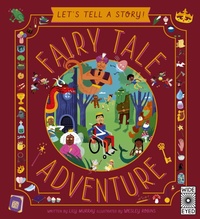
Let's Tell a Story: Fairy Tale Adventure
Published on 9. March 2021
48 pages
978-0-7112-5728-3 (ISBN)
Description

Imagine if you could have an adventure in a fairy tale world.
What if you could have MILLIONS of them?
With this story-building book, you can tell your own fairy tale-inspired adventures, over and over again. Just read the question and choose from the vibrant pictures on the page to create a new story.
The book is packed full of fun, silly and exciting things for the reader to choose from, including:
Dressing up in a pair of glass slippers
Heading off to see the Three Little Pigs
Packing a pot of fairy dust for the trip
Journeying alongside a talking toadstool
Saying hello to Goldilocks
Tasting some punch made from troll snot
Once you've finished, you can turn back to the start and make different choices to build a completely new tale. There are millions of possible combinations and endless stories to be told! And can you find the cheeky penguin hidden on each page?
What if you could have MILLIONS of them?
With this story-building book, you can tell your own fairy tale-inspired adventures, over and over again. Just read the question and choose from the vibrant pictures on the page to create a new story.
The book is packed full of fun, silly and exciting things for the reader to choose from, including:
Dressing up in a pair of glass slippers
Heading off to see the Three Little Pigs
Packing a pot of fairy dust for the trip
Journeying alongside a talking toadstool
Saying hello to Goldilocks
Tasting some punch made from troll snot
Once you've finished, you can turn back to the start and make different choices to build a completely new tale. There are millions of possible combinations and endless stories to be told! And can you find the cheeky penguin hidden on each page?
More details
Series
Language
English
Place of publication
London
United Kingdom
Publishing group
Quarto Publishing PLC
Target group
Children/juvenile
US School Grade: From Kindergarten to Third Grade, Interest Age: From 5 to 7 years
ISBN-13
978-0-7112-5728-3 (9780711257283)
Copyright in bibliographic data and cover images is held by Nielsen Book Services Limited or by the publishers or by their respective licensors: all rights reserved.
Schweitzer Classification
Other editions
Additional editions

Lily Murray
Let's Tell a Story! Fairy Tale Adventure
Book
03/2021
Wide Eyed Editions
€29.89
Article not available
Persons
Lily Murray writes both fiction and non-fiction books for children. Her titles include big books about dinosaurs and stories about escapee hot dogs. Follow Lily on Instagram and Twitter @lilymurraybooksWesley Robins is an illustrator and designer, based in London. He is the winner of the Macmillan Prize for Children's Book Illustration. Wesley is the illustrator of Amazing Evolution, published by Quarto Kids in 2019.
Content
- Cover
- Let's Tell a Story: Fairytale Adventure - US ed
