

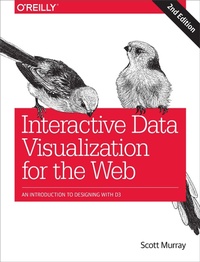
Interactive Data Visualization for the Web
An Introduction to Designing with D3
Published on 3. August 2017
474 pages
978-1-4919-2132-6 (ISBN)
Description

Create and publish your own interactive data visualization projects on the web??even if you have little or no experience with data visualization or web development. It??s inspiring and fun with this friendly, accessible, and practical hands-on introduction. This fully updated and expanded second edition takes you through the fundamental concepts and methods of D3, the most powerful JavaScript library for expressing data visually in a web browser.Ideal for designers with no coding experience, reporters exploring data journalism, and anyone who wants to visualize and share data, this step-by-step guide will also help you expand your web programming skills by teaching you the basics of HTML, CSS, JavaScript, and SVG.Learn D3 4.x??the latest D3 version??with downloadable code and over 140 examplesCreate bar charts, scatter plots, pie charts, stacked bar charts, and force-directed graphsUse smooth, animated transitions to show changes in your dataIntroduce interactivity to help users explore your dataCreate custom geographic maps with panning, zooming, labels, and tooltipsWalk through the creation of a complete visualization project, from start to finishExplore inspiring case studies with nine accomplished designers talking about their D3-based projects
More details
Other editions
Additional editions
Book
08/2017
2nd Edition
O'Reilly
€55.00
Article not available at the moment
Content
- Intro
- Copyright
- Table of Contents
- Preface
- What's New in the Second Edition
- Conventions Used in This Book
- O'Reilly Safari
- How to Contact Us
- Acknowledgments
- Chapter 1. Introduction
- Why Data Visualization?
- Why Write Code?
- Why Interactive?
- Why on the Web?
- What This Book Is
- Who You Are
- What This Book Is Not
- Using Sample Code
- Thank You
- Chapter 2. Introducing D3
- What It Does
- What It Doesn't Do
- Origins and Context
- Alternatives
- Easy Charts
- Graph Visualizations
- Geomapping
- Almost from Scratch
- Three-Dimensional
- Tools Built with D3
- Chapter 3. Technology Fundamentals
- The Web
- HTML
- Content Plus Structure
- Adding Structure with Elements
- Common Elements
- Attributes
- Classes and IDs
- Comments
- DOM
- Developer Tools
- Rendering and the Box Model
- CSS
- Selectors
- Properties and Values
- Comments
- Referencing Styles
- Inheritance, Cascading, and Specificity
- JavaScript
- Hello, Console
- Variables
- Other Variable Types
- Arrays
- Objects
- Objects and Arrays
- Mathematical Operators
- Comparison Operators
- Logical Operators
- Control Structures
- Functions
- Comments
- Referencing Scripts
- JavaScript Gotchas
- SVG
- The SVG Element
- Simple Shapes
- Styling SVG Elements
- Layering and Drawing Order
- Transparency
- A Note on Compatibility
- Chapter 4. Setup
- Downloading D3
- Referencing D3
- Setting Up a Web Server
- Terminal with Python
- MAMP, WAMP, and LAMP
- Diving In
- Chapter 5. Data
- Generating Page Elements
- Chaining Methods
- One Link at a Time
- The Handoff
- Going Chainless
- Binding Data
- In a Bind
- Data
- Please Make Your Selection
- Bound and Determined
- Using Your Data
- High-Functioning
- Data Wants to Be Held
- Beyond Text
- Chapter 6. Drawing with Data
- Drawing divs
- Setting Attributes
- A Note on Classes
- Back to the Bars
- Setting Styles
- The Power of data()
- Random Data
- Drawing SVGs
- Create the SVG
- Data-Driven Shapes
- Pretty Colors, Oooh!
- Making a Bar Chart
- The Old Chart
- The New Chart
- Color
- Labels
- Making a Scatterplot
- The Data
- The Scatterplot
- Size
- Labels
- Next Steps
- Chapter 7. Scales
- Apples and Pixels
- Domains and Ranges
- Normalization
- Creating a Scale
- Scaling the Scatterplot
- d3.min() and d3.max()
- Setting Up Dynamic Scales
- Incorporating Scaled Values
- Refining the Plot
- Other Methods
- Other Scales
- Square Root Scales
- Time Scales
- Chapter 8. Axes
- Introducing Axes
- Setting Up an Axis
- Positioning Axes
- Check for Ticks
- Y Not?
- Final Touches
- Formatting Tick Labels
- Time-Based Axes
- Chapter 9. Updates, Transitions, and Motion
- Modernizing the Bar Chart
- Ordinal Scales, Explained
- Starting Your Own Band
- Referencing the Band Scale
- Other Updates
- Updating Data
- Interaction via Event Listeners
- Changing the Data
- Updating the Visuals
- Transitions
- duration(), or How Long Is This Going to Take?
- ease()-y Does It
- Please Do Not delay()
- Randomizing the Data
- Updating Scales
- Updating Axes
- on() Transition Starts and Ends
- Other Kinds of Data Updates
- Adding Values (and Elements)
- Removing Values (and Elements)
- Data Joins with Keys
- Add and Remove: Combo Platter
- Recap
- Chapter 10. Interactivity
- Binding Event Listeners
- Introducing Behaviors
- Hover to Highlight
- Grouping SVG Elements
- Click to Sort
- Tooltips
- Default Browser Tooltips
- SVG Element Tooltips
- HTML div Tooltips
- Consideration for Touch Devices
- Moving Forward
- Chapter 11. Using Paths
- Line Charts
- Data Preparation
- Scale Setup
- Line 'em Up
- Dealing with Missing Data
- Refining the Visuals
- Area Charts
- Chapter 12. Selections
- A Closer Look at Selections
- Getting More Specific
- Storing Selections
- Enter, Merge, and Exit
- The Enter Selection
- Merging Selections
- The Exit Selection
- Filtering Selections Based on Data
- To each() Their Own
- Chapter 13. Layouts
- Pie Layout
- Stack Layout
- A New Order
- Anchoring Those Bars
- Stacked Areas
- Force Layout
- Preparing the Network Data
- Defining the Force Simulation
- Creating the Visual Elements
- Updating Visuals over Time
- Draggable Nodes
- Chapter 14. Geomapping
- JSON, Meet GeoJSON
- Paths
- Projections
- Choropleth
- Adding Points
- Panning
- Transitioning the Map
- Dragging the Map
- Border Problems
- Zooming
- Fixing the Pan Buttons
- Zoom-y Buttons
- Constraining Panning and Zooming
- Preset Views
- Value Labels
- Acquiring and Preparing Raw Geodata
- Find Shapefiles
- Choose a Resolution
- Simplify the Shapes
- Convert to GeoJSON
- Choose a Projection
- Chapter 15. Exporting
- Bitmaps
- SVG
- Chapter 16. Project Walk-Through
- Prepare the Data
- Load and Parse the Data
- Render the Initial View
- Add Interactivity
- Refine Styling
- Provide Context
- Dancing Versus Gardening
- Appendix A. Case Studies
- "Close Votes"
- "What Size Am I?"
- "Explained Visually" Series
- "Workers' Comp Benefits: How Much Is a Limb Worth?"
- "Farmers' Markets" Series
- "Weather Circles"
- "Data Sketches" Series
- Appendix B. What's New in 4.0
- Modularity
- Namespace and camelCase
- Selections
- Multivalue Maps
- Transitions
- Ordinal Scales
- Axes
- Stack Layout
- Zooming
- Appendix C. Further Study
- Interacting with Other Humans
- Reading Books
- D3 Books
- Other Data Visualization Books
- Surfing Websites
- D3-Related
- Getting a Job and Geeking Out
- Appendix D. Sharing Your Code
- bl.ocks.org
- Making a Block
- Gist-to-Blocks Browser Extensions
- Bl.ock Builder
- Making a Block with Gistup
- Codepen, JS Bin, or Otherwise
- A Normal Web Server
- Appendix E. Quick Reference
- Selections
- Data
- Transitions
- Scales
- Axes
- Interactivity
- Numbers, Dates, and Times
- Other Useful JavaScript
- Index
- About the Author
- Colophon
