

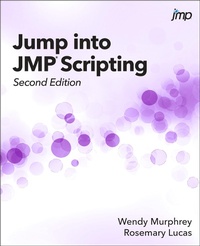
Jump into JMP Scripting, Second Edition
Description

Written in an easy-to-understand style based on the authors' extensive experience, Jump into JMP Scripting, Second Edition teaches beginner scripters how to take advantage of the robust JMP Scripting Language (JSL) using step-by-step instructions and real-world situations. The authors demonstrate how JSL offers the freedom to create scripts from the very simple and specific to the most generic and complex.
With a new chapter on JSL language foundations, the first half of the book explains the fundamentals of JSL and walks you through creating your first scripts, such as opening a data table, adding columns, or selecting rows. A new chapter on the Dashboard and Application Builders provides helpful tips on creating custom dashboards and learning how to build applications. Also new to this edition, a chapter on advanced topics introduces more helpful tools and concepts in JSL. After learning the basics, you are ready to tackle specific tasks using JSL. The second half of the book provides more than 50 examples using a unique question-and-answer format.
This book is part of the SAS Press program.
More details
Other editions
Additional editions
Persons
Content
- Intro
- Contents
- About This Book
- What Does This Book Cover?
- Is This Book for You?
- What Are the Prerequisites for This Book?
- What Is the Scope of This Book?
- What's New in This Edition?
- How This Book Is Organized
- Typographical Conventions Used in This Book
- Software Used to Develop the Book's Content
- References
- About the Authors
- We Want to Hear from You
- Acknowledgments
- Section 1
- Chapter 1: Make JMP Work for You
- Overview
- Capturing Scripts from Your Analyses
- Capturing Scripts from Imported Data
- Capturing Scripts from Data Manipulations
- Creating a Combined Script
- Summary
- Chapter 2: Stitching It Together
- Overview
- Stitching Saved Scripts Together
- Combining Summary Data with an Analysis
- Combining Data Import, Summary, and Two Analyses
- Summary
- Chapter 3: The Double Layer Cake
- Presentation Options
- Display Boxes
- Adding Items to a Report
- Removing Items from a Report
- Summary
- Chapter 4: JSL Language Foundations
- Overview
- Fundamental Concepts
- Data Structures
- Namespaces
- Name Resolution
- Conditional Logic
- Looping
- Summary
- Chapter 5: Close Your Eyes and Jump!
- Debugging Tips
- JSL Debugger
- Defensive Programming Strategies
- Chapter 6: The Dashboard and Application Builders
- Overview
- Combine Windows, the Dashboard Builder, and the Application Builder
- Summary
- Chapter 7: Advanced Topics
- Overview
- Building Custom Dialogs
- Navigating Reports Programmatically
- Expression Handling
- Summary
- Section 2
- Chapter 8: Rows, Columns, and Tables
- Question 8.1: I can manipulate a data table interactively, such as by
- Question 8.2: How can I select rows where more than one condition is true?
- Question 8.3: There are already rows selected in my data table. How can I
- Question 8.4: How can I select from the currently selected rows?
- Question 8.5: How can I perform a Select Where on numeric datetime
- Question 8.6: How can I determine the number of selected, excluded, or
- Question 8.7: I am attempting to select some rows, and then create a
- Question 8.8: How can I determine the number of selected columns in a
- Question 8.9: I want to delete all the character columns in a data table. How
- Question 8.10: Are there any JSL commands for recoding data, as in Cols Recode?
- Question 8.11: I have a set of values that I want to use as the control limits
- Question 8.12: How can a character column containing datetime values be
- Question 8.13: I can replace all the missing numeric values in a table with
- Question 8.14: How can I delete the formula from every column in my data
- Question 8.15: How can I use a variable in a new column with a formula?
- Question 8.16: How can I add multiple columns with formulas in a loop? I
- Question 8.17: How can I get a list of all open data tables?
- Question 8.18: How can I open and concatenate multiple files that have the
- Question 8.19: I have imported several files and performed some data
- Chapter 9: Dialog Windows
- Question 9.1: How can I prompt the user to select columns to be used in an
- Question 9.2: How can I stop a script if a user clicks the Cancel button in a
- Question 9.3: How can I prompt the user to select a file in a specific
- Question 9.4: Can a wildcard character be used to open several data tables
- Question 9.5: How can I can prompt the user for information, and then use
- Question 9.6: How can I prompt the user to select starting and ending dates,
- Question 9.7: How can I populate a Combo Box based upon what a user
- Question 9.8: How can I use Column Switcher to affect multiple graphs in
- Question 9.9: Is it possible to show or hide a display box based upon a
- Question 9.10: Why does the Excel Wizard open when I import data from my
- Question 9.11: When I try to limit the columns shown in a Col List Box to
- Chapter 10: Analyses
- Question 10.1: How can I save the Parameter Estimates table from my
- Question 10.2: How can I save the Parameter Estimates table from my
- Question 10.3: I am using the Neural platform and need to add the
- Question 10.4: How do I use global variables for limit values in a Control
- Question 10.5: For a control chart, how do I request that JMP open and use
- Question 10.6: How do you save limits from the Control Chart analysis into
- Question 10.7: How do you save limits from the Control Chart analysis into
- Question 10.8: How can I use spec limits that are stored in a separate data
- Question 10.9: I have many variables in my data table and want to perform a
- Question 10.10: I need to close the Fit Model dialog window. How do I
- Question 10.11: How can I use a list in place of the Fit Model effects?
- Question 10.12: How do I save X number of principal components of my
- Question 10.13: How can I save the Mahalanobis outlier, Jackknife
- Chapter 11: Graph Components
- Question 11.1: How do I replace the default axis label with a different label
- Question 11.2: The font size, type, style, and color of the axis labels need to
- Question 11.3: How do I specify a different font for the tick labels on my
- Question 11.4: The tick labels on an axis need to be rotated and formatted
- Question 11.5: How can I specify the order of values on an axis?
- Question 11.6: How do I add a reference line on any graph?
- Question 11.7: How can I remove a reference line?
- Question 11.8: How do I add annotations to my graph using a script?
- Question 11.9: I have a spec limits table with columns holding limits for
- Question 11.10: How can I get consistent legend colors when using a local
- Chapter 12: Reports and Journals
- Question 12.1: At the top of my report, there is a text string that begins
- Question 12.2: How can I use a variable in a Where statement so that the
- Question 12.3: How can I arrange my report so that I have two graphs per
- Question 12.4: How can I get a handle to the journal window so that I can save
- Question 12.5: How can I change the name of the journal window?
- Question 12.6: How do I insert the contents of a data table into a journal,
- Question 12.7: I need to save my report as a .jrp file in my script. How is this
- Question 12.8: How can I use a map as a filter?
- Question 12.9: How do I create a tabbed report?
- Question 12.10: My graph has a local data filter. How can I save both
- Index
