

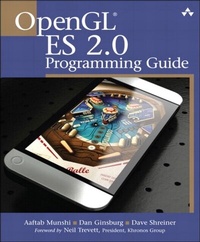
OpenGL ES 2.0 Programming Guide
1st Edition
Published on 24. July 2008
464 pages
978-0-13-270179-2 (ISBN)
Description

OpenGL ES 2.0 is the industry's leading software interface and graphics library for rendering sophisticated 3D graphics on handheld and embedded devices. With OpenGL ES 2.0, the full programmability of shaders is now available on small and portable devices-including cell phones, PDAs, consoles, appliances, and vehicles. However, OpenGL ES differs significantly from OpenGL. Graphics programmers and mobile developers have had very little information about it-until now.
In the OpenGL (R) ES 2.0 Programming Guide, three leading authorities on the Open GL ES 2.0 interface-including the specification's editor-provide start-to-finish guidance for maximizing the interface's value in a wide range of high-performance applications. The authors cover the entire API, including Khronos-ratified extensions. Using detailed C-based code examples, they demonstrate how to set up and program every aspect of the graphics pipeline. You'll move from introductory techniques all the way to advanced per-pixel lighting, particle systems, and performance optimization.
Coverage includes:
Shaders in depth: creating shader objects, compiling shaders, checking for compile errors, attaching shader objects to program objects, and linking final program objects
The OpenGL ES Shading Language: variables, types, constructors, structures, arrays, attributes, uniforms, varyings, precision qualifiers, and invariance
Inputting geometry into the graphics pipeline, and assembling geometry into primitives
Vertex shaders, their special variables, and their use in per-vertex lighting, skinning, and other applications
Using fragment shaders-including examples of multitexturing, fog, alpha test, and user clip planes
Fragment operations: scissor test, stencil test, depth test, multisampling, blending, and dithering
Advanced rendering: per-pixel lighting with normal maps, environment mapping, particle systems, image post-processing, and projective texturing
Real-world programming challenges: platform diversity, C++ portability, OpenKODE, and platform-specific shader binaries
In the OpenGL (R) ES 2.0 Programming Guide, three leading authorities on the Open GL ES 2.0 interface-including the specification's editor-provide start-to-finish guidance for maximizing the interface's value in a wide range of high-performance applications. The authors cover the entire API, including Khronos-ratified extensions. Using detailed C-based code examples, they demonstrate how to set up and program every aspect of the graphics pipeline. You'll move from introductory techniques all the way to advanced per-pixel lighting, particle systems, and performance optimization.
Coverage includes:
Shaders in depth: creating shader objects, compiling shaders, checking for compile errors, attaching shader objects to program objects, and linking final program objects
The OpenGL ES Shading Language: variables, types, constructors, structures, arrays, attributes, uniforms, varyings, precision qualifiers, and invariance
Inputting geometry into the graphics pipeline, and assembling geometry into primitives
Vertex shaders, their special variables, and their use in per-vertex lighting, skinning, and other applications
Using fragment shaders-including examples of multitexturing, fog, alpha test, and user clip planes
Fragment operations: scissor test, stencil test, depth test, multisampling, blending, and dithering
Advanced rendering: per-pixel lighting with normal maps, environment mapping, particle systems, image post-processing, and projective texturing
Real-world programming challenges: platform diversity, C++ portability, OpenKODE, and platform-specific shader binaries
All prices
More details
Edition
1. Auflage
Language
English
Place of publication
Boston
United States
Publishing group
Pearson Education (US)
Target group
College/higher education
File size
12,61 MB
ISBN-13
978-0-13-270179-2 (9780132701792)
Copyright in bibliographic data and cover images is held by Nielsen Book Services Limited or by the publishers or by their respective licensors: all rights reserved.
Schweitzer Classification
Other editions
Additional editions
Aaftab Munshi | Dan Ginsburg | Dave Shreiner
OpenGL ES 2.0 Programming Guide
Book
07/2008
Addison Wesley
€55.07
Article exhausted; check for reprint
Persons
Aaftab Munshi is the spec editor for the OpenGL ES 1.1 and 2.0 specifications. Now at Apple, he was formerly senior architect in ATI's handheld group.
Dan Ginsburg is senior member of technical staff at AMD. At AMD and ATI, he has worked in a variety of roles, including the development of OpenGL drivers, the creation of desktop and handheld 3D demos, and the development of handheld GPU developer tools.
Dave Shreiner is one of the world's foremost authorities on OpenGL. He is a systems architect at ARM, Inc., and the lead author of the official OpenGL (R) Programming Guide, Sixth Edition (Addison-Wesley, 2007) and series editor for the Addison-Wesley OpenGL Series.
Dan Ginsburg is senior member of technical staff at AMD. At AMD and ATI, he has worked in a variety of roles, including the development of OpenGL drivers, the creation of desktop and handheld 3D demos, and the development of handheld GPU developer tools.
Dave Shreiner is one of the world's foremost authorities on OpenGL. He is a systems architect at ARM, Inc., and the lead author of the official OpenGL (R) Programming Guide, Sixth Edition (Addison-Wesley, 2007) and series editor for the Addison-Wesley OpenGL Series.
Content
List of Figures xiii
List of Examples xv
List of Tables xix
Foreword xxi
Preface xxiii
Acknowledgments xxix
About the Authors xxxi
Chapter 1. Introduction to OpenGL ES 2.0 1
What Is OpenGL ES? 1
OpenGL ES 2.0 3
Vertex Shader 4
Primitive Assembly 6
Rasterization 7
Fragment Shader 7
Per-Fragment Operations 9
OpenGL ES 2.0 and OpenGL ES 1.x Backward Compatibility 11
EGL 12
Programming with OpenGL ES 2.0 13
Further Reading 18
Chapter 2. Hello Triangle: An OpenGL ES 2.0 Example 19
Code Framework 20
Where to Download the Examples 20
Hello Triangle Example 21
Building and Running the Examples 25
Using the OpenGL ES 2.0 Framework 26
Creating a Simple Vertex and Fragment Shader 27
Compiling and Loading the Shaders 29
Creating a Program Object and Linking the Shaders 30
Setting the Viewport and Clearing the Color Buffer 32
Loading the Geometry and Drawing a Primitive 33
Displaying the Back Buffer 33
Chapter 3. An Introduction to EGL 35
Communicating with the Windowing System 36
Checking for Errors 37
Initializing EGL 37
Determining the Available Surface Configurations 38
Querying EGLConfig Attributes 39
Letting EGL Choose the Config 39
Creating an On-Screen Rendering Area: The EGL Window 43
Creating an Off-Screen Rendering Area: EGL Pbuffers 46
Creating a Rendering Context 50
Making an EGLContext Current 52
Putting All Our EGL Knowledge Together 52
Synchronizing Rendering 54
Chapter 4. Shaders and Programs 57
Shaders and Programs 57
Uniforms and Attributes 67
Shader Compiler and Shader Binaries 72
Chapter 5. OpenGL ES Shading Language 77
OpenGL ES Shading Language Basics 78
Variables and Variable Types 78
Variable Constructors 79
Vector and Matrix Components 81
Constants 82
Structures 82
Arrays 83
Operators 84
Functions 85
Built-In Functions 86
Control Flow Statements 87
Uniforms 88
Attributes 89
Varyings 90
Preprocessor and Directives 92
Uniform and Varying Packing 94
Precision Qualifiers 96
Invariance 97
Chapter 6. Vertex Attributes, Vertex Arrays, and Buffer Objects 101
Specifying Vertex Attribute Data 102
Declaring Vertex Attribute Variables in a Vertex Shader 110
Vertex Buffer Objects 115
Mapping Buffer Objects 124
Chapter 7. Primitive Assembly and Rasterization 127
Primitives 127
Drawing Primitives 131
Primitive Assembly 136
Rasterization 141
Chapter 8. Vertex Shaders 147
Vertex Shader Overview 148
Vertex Shader Examples 159
Generating Texture Coordinates 167
Vertex Skinning 168
OpenGL ES 1.1 Vertex Pipeline as an ES 2.0 Vertex Shader 173
Chapter 9. Texturing 181
Texturing Basics 181
Compressed Textures 201
Texture Subimage Specification 202
Copying Texture Data from the Color Buffer 204
Optional Extensions 207
Chapter 10. Fragment Shaders 215
Fixed Function Fragment Shaders 216
Fragment Shader Overview 218
Implementing Fixed Function Techniques Using Shaders 222
Chapter 11. Fragment Operations 233
Buffers 234
Fragment Tests and Operations 238
Blending 246
Dithering 249
Multisampled Antialiasing 249
Reading and Writing Pixels to the Framebuffer 250
Chapter 12. Framebuffer Objects 253
Why Framebuffer Objects 253
Framebuffer and Renderbuffer Objects 255
Creating Framebuffer and Renderbuffer Objects 258
Using Renderbuffer Objects 259
Using Framebuffer Objects 262
Deleting Framebuffer and Renderbuffer Objects 269
Examples 271
Performance Tips and Tricks 277
Chapter 13. Advanced Programming with OpenGL ES 2.0 279
Per-Fragment Lighting 279
Environment Mapping 286
Particle System with Point Sprites 290
Image Postprocessing 296
Projective Texturing 300
Noise Using a 3D Texture 307
Procedural Texturing 315
Chapter 14. State Queries 323
OpenGL ES 2.0 Implementation String Queries 323
Querying Implementation-Dependent Limits 324
Querying OpenGL ES State 327
Hints 330
Entity Name Queries 331
Nonprogrammable Operations Control and Queries 332
Shader and Program State Queries 333
Vertex Attribute Queries 335
Texture State Queries 336
Vertex Buffer Queries 337
Renderbuffer and Framebuffer State Queries 337
Chapter 15. OpenGL ES and EGL on Handheld Platforms 339
Handheld Platforms Overview 339
C++ Portability 341
OpenKODE 343
Platform-Specific Shader Binaries 350
Targeting Extensions 351
Appendix A. GL_HALF_FLOAT_OES 353
16-Bit Floating-Point Number 354
Converting Float to Half-Float 355
Appendix B. Built-In Functions 357
Angle and Trigonometry Functions 358
Exponential Functions 360
Common Functions 361
Geometric Functions 364
Matrix Functions 366
Vector Relational Functions 367
Texture Lookup Functions 369
Derivative Functions 371
Appendix C. Shading Language Grammar 375
Appendix D. ES Framework API 385
Framework Core Functions 385
Transformation Functions 390
Index 395
List of Examples xv
List of Tables xix
Foreword xxi
Preface xxiii
Acknowledgments xxix
About the Authors xxxi
Chapter 1. Introduction to OpenGL ES 2.0 1
What Is OpenGL ES? 1
OpenGL ES 2.0 3
Vertex Shader 4
Primitive Assembly 6
Rasterization 7
Fragment Shader 7
Per-Fragment Operations 9
OpenGL ES 2.0 and OpenGL ES 1.x Backward Compatibility 11
EGL 12
Programming with OpenGL ES 2.0 13
Further Reading 18
Chapter 2. Hello Triangle: An OpenGL ES 2.0 Example 19
Code Framework 20
Where to Download the Examples 20
Hello Triangle Example 21
Building and Running the Examples 25
Using the OpenGL ES 2.0 Framework 26
Creating a Simple Vertex and Fragment Shader 27
Compiling and Loading the Shaders 29
Creating a Program Object and Linking the Shaders 30
Setting the Viewport and Clearing the Color Buffer 32
Loading the Geometry and Drawing a Primitive 33
Displaying the Back Buffer 33
Chapter 3. An Introduction to EGL 35
Communicating with the Windowing System 36
Checking for Errors 37
Initializing EGL 37
Determining the Available Surface Configurations 38
Querying EGLConfig Attributes 39
Letting EGL Choose the Config 39
Creating an On-Screen Rendering Area: The EGL Window 43
Creating an Off-Screen Rendering Area: EGL Pbuffers 46
Creating a Rendering Context 50
Making an EGLContext Current 52
Putting All Our EGL Knowledge Together 52
Synchronizing Rendering 54
Chapter 4. Shaders and Programs 57
Shaders and Programs 57
Uniforms and Attributes 67
Shader Compiler and Shader Binaries 72
Chapter 5. OpenGL ES Shading Language 77
OpenGL ES Shading Language Basics 78
Variables and Variable Types 78
Variable Constructors 79
Vector and Matrix Components 81
Constants 82
Structures 82
Arrays 83
Operators 84
Functions 85
Built-In Functions 86
Control Flow Statements 87
Uniforms 88
Attributes 89
Varyings 90
Preprocessor and Directives 92
Uniform and Varying Packing 94
Precision Qualifiers 96
Invariance 97
Chapter 6. Vertex Attributes, Vertex Arrays, and Buffer Objects 101
Specifying Vertex Attribute Data 102
Declaring Vertex Attribute Variables in a Vertex Shader 110
Vertex Buffer Objects 115
Mapping Buffer Objects 124
Chapter 7. Primitive Assembly and Rasterization 127
Primitives 127
Drawing Primitives 131
Primitive Assembly 136
Rasterization 141
Chapter 8. Vertex Shaders 147
Vertex Shader Overview 148
Vertex Shader Examples 159
Generating Texture Coordinates 167
Vertex Skinning 168
OpenGL ES 1.1 Vertex Pipeline as an ES 2.0 Vertex Shader 173
Chapter 9. Texturing 181
Texturing Basics 181
Compressed Textures 201
Texture Subimage Specification 202
Copying Texture Data from the Color Buffer 204
Optional Extensions 207
Chapter 10. Fragment Shaders 215
Fixed Function Fragment Shaders 216
Fragment Shader Overview 218
Implementing Fixed Function Techniques Using Shaders 222
Chapter 11. Fragment Operations 233
Buffers 234
Fragment Tests and Operations 238
Blending 246
Dithering 249
Multisampled Antialiasing 249
Reading and Writing Pixels to the Framebuffer 250
Chapter 12. Framebuffer Objects 253
Why Framebuffer Objects 253
Framebuffer and Renderbuffer Objects 255
Creating Framebuffer and Renderbuffer Objects 258
Using Renderbuffer Objects 259
Using Framebuffer Objects 262
Deleting Framebuffer and Renderbuffer Objects 269
Examples 271
Performance Tips and Tricks 277
Chapter 13. Advanced Programming with OpenGL ES 2.0 279
Per-Fragment Lighting 279
Environment Mapping 286
Particle System with Point Sprites 290
Image Postprocessing 296
Projective Texturing 300
Noise Using a 3D Texture 307
Procedural Texturing 315
Chapter 14. State Queries 323
OpenGL ES 2.0 Implementation String Queries 323
Querying Implementation-Dependent Limits 324
Querying OpenGL ES State 327
Hints 330
Entity Name Queries 331
Nonprogrammable Operations Control and Queries 332
Shader and Program State Queries 333
Vertex Attribute Queries 335
Texture State Queries 336
Vertex Buffer Queries 337
Renderbuffer and Framebuffer State Queries 337
Chapter 15. OpenGL ES and EGL on Handheld Platforms 339
Handheld Platforms Overview 339
C++ Portability 341
OpenKODE 343
Platform-Specific Shader Binaries 350
Targeting Extensions 351
Appendix A. GL_HALF_FLOAT_OES 353
16-Bit Floating-Point Number 354
Converting Float to Half-Float 355
Appendix B. Built-In Functions 357
Angle and Trigonometry Functions 358
Exponential Functions 360
Common Functions 361
Geometric Functions 364
Matrix Functions 366
Vector Relational Functions 367
Texture Lookup Functions 369
Derivative Functions 371
Appendix C. Shading Language Grammar 375
Appendix D. ES Framework API 385
Framework Core Functions 385
Transformation Functions 390
Index 395
