

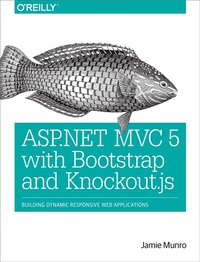
ASP.NET MVC 5 with Bootstrap and Knockout.js
Building Dynamic, Responsive Web Applications
Published on 18. May 2015
278 pages
978-1-4919-1441-0 (ISBN)
Description

Bring dynamic server-side web content and responsive web design together to build websites that work and display well on any resolution, desktop or mobile. With this practical book, you'll learn how by combining the ASP.NET MVC server-side language, the Bootstrap front-end framework, and Knockout.js?the JavaScript implementation of the Model-View-ViewModel pattern.
Author Jamie Munro introduces these and other related technologies by having you work with sophisticated web forms. At the end of the book, experienced and aspiring web developers alike will learn how to build a complete shopping cart that demonstrates how these technologies interact with each other in a sleek, dynamic, and responsive web application.
- Build well-organized, easy-to-maintain web applications by letting ASP.NET MVC 5, Bootstrap, and Knockout.js do the heavy lifting
- Use ASP.NET MVC 5 to build server-side web applications, interact with a database, and dynamically render HTML
- Create responsive views with Bootstrap that render on a variety of modern devices; you may never code with CSS again
- Add Knockout.js to enhance responsive web design with snappy client-side interactions driven by your server-side web application
More details
Other editions
Additional editions
Jamie Munro
ASP.NET MVC 5 with Bootstrap and Knockout.js
Building Dynamic, Responsive Web Applications
Book
06/2015
O'Reilly
€24.00
Shipment within 10-20 days
Content
- Intro
- Copyright
- Table of Contents
- Preface
- Why These Technologies?
- What Is a Web Developer?
- Who Is This Book For?
- Getting Started
- Conventions Used in This Book
- Using Code Examples
- Safari® Books Online
- How to Contact Us
- Acknowledgements
- Part I. Getting Started
- Chapter 1. Introduction to MVC
- Creating Your First Project
- Examining the HomeController
- Examining the Views
- Understanding the URL Structure
- Summary
- Chapter 2. Introduction to Bootstrap
- Examining the Default Menu
- A Menu with Drop-Downs and a Search Box
- Buttons
- Alerts
- Themes
- Summary
- Chapter 3. Introduction to Knockout.js
- Installing Knockout.js
- A Basic Example
- What Is MVVM?
- Creating ViewModels
- Summary
- Chapter 4. Working with a Database
- Introduction to Entity Framework
- Code First
- Database First
- Creating Test Data
- Summary
- Part II. Working with Data
- Chapter 5. Listing, Sorting, and Paging Through Tables
- Scaffolding the Author Model
- Sorting the Authors
- Paging the Authors
- Summary
- Chapter 6. Working with Forms
- Integrating Knockout with a Form
- Sharing the View and ViewModel
- Deleting with a Modal
- Empty Table Listings
- Summary
- Chapter 7. Server-Side ViewModels
- Why Create Server-Side ViewModels?
- The Authors ViewModel
- Updating the Authors Listing
- Updating the Add/Edit Form
- Updating the Delete Modal
- Summary
- Chapter 8. Introduction to Web API
- Installing Web API
- Updating the List of Authors
- Updating the Add/Edit Authors Form
- Summary
- Part III. Code Architecture
- Chapter 9. Creating Global Filters
- Authentication Filters
- Authorization Filters
- Action Filters
- Result Filters
- Exception Filters
- Global Web API Validation
- Automapping with a Result Filter
- Web API Error Handling
- MVC Error Handling
- Summary
- Chapter 10. Adding Authentication and Authorization
- Authentication Overview
- Authorization Overview
- Implementing an Authentication Filter
- Implementing an Authorization Filter
- Summary
- Chapter 11. URL Routing Using Attributes
- Attribute Routing Basics
- Route Prefixes
- Routing Constraints
- Summary
- Chapter 12. Fat Model, Skinny Controller
- Separation of Concerns
- Controllers
- Services
- Behaviors
- Repositories
- Orchestrations
- Unit of Work
- Services and Behaviors
- Summary
- Part IV. A Practical Example
- Chapter 13. Building a Shopping Cart
- Shopping Cart Requirements
- The Shopping Cart Project
- JavaScript Bundling and Minification
- Summary
- Chapter 14. Building the Data Model
- Code-First Models
- Defining the DbContext and Initializing Data
- The ViewModels
- Summary
- Chapter 15. Implementing the Layout
- The Shared Layout
- The Cart Summary
- The Categories Menu
- Summary
- Chapter 16. Lists of Books
- The Home Page
- The Featured Books
- Filtered Books by Category
- Summary
- Chapter 17. Adding Items to the Cart
- The Book Details
- Custom Components and Custom Bindings
- Saving the Cart Item
- Summary
- Chapter 18. Updating and Deleting Cart Items
- The Cart Details
- Knockout for the Cart Details
- Completing the Shopping Cart
- Summary
- Index
- About the Author
