

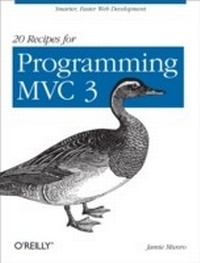
20 Recipes for Programming MVC 3
Faster, Smarter Web Development
1st Edition
Published on 28. September 2011
122 pages
978-1-4493-1766-9 (ISBN)
Description

There's no need to reinvent the wheel every time you run into a problem with ASP.NET's Model-View-Controller (MVC) framework. This concise cookbook provides recipes to help you solve tasks many web developers encounter every day. Each recipe includes the C# code you need, along with a complete working example of how to implement the solution. Learn practical techniques for applying user authentication, providing faster page reloads, validating user data, filtering search results, and many other issues related to MVC3 development.These recipes help you:Restrict access to views with password protectionAllow users to upload and save a file to your websiteImplement AJAX to allow users to see updated content quicklyValidate form input to ensure the data you capture is what you expectCreate thumbnails to preview images rather than view them full-sizeGive your web application the ability to change languagesUse CAPTCHA to prevent automated programs from completing formsMake URLs more user- and search-engine-friendly with the MapRoute function
More details
Other editions
Additional editions
Book
11/2011
O'Reilly
€19.50
Article not available at the moment
Content
- Intro
- Table of Contents
- Preface
- About The Book
- Prerequisites
- Conventions Used in This Book
- Tools
- Using Code Examples
- Safari® Books Online
- How to Contact Us
- The Recipes
- 1.1 Restricting Access to Views with Password Protection
- Problem
- Solution
- Discussion
- See Also
- 1.2 Automating Generation of Controllers and Views
- Problem
- Solution
- Discussion
- See Also
- 1.3 Validating User Input
- Problem
- Solution
- Discussion
- See Also
- 1.4 Implementing Multiple Languages
- Problem
- Solution
- Discussion
- See Also
- 1.5 Sending a Welcome Email
- Problem
- Solution
- Discussion
- See Also
- 1.6 Retrieving a Forgotten Password
- Problem
- Solution
- Discussion
- See Also
- 1.7 Sorting a List of Results
- Problem
- Solution
- Discussion
- See Also
- 1.8 Paging Through a List of Results
- Problem
- Solution
- Discussion
- 1.9 Filtering a List of Results
- Problem
- Solution
- Discussion
- 1.10 Searching a List of Results by Keyword
- Problem
- Solution
- Discussion
- 1.11 Uploading a File Through a Form
- Problem
- Solution
- Discussion
- See Also
- 1.12 Resizing an Image to Create a Thumbnail
- Problem
- Solution
- Discussion
- See Also
- 1.13 Implementing Ajax to Enhance the User Experience
- Problem
- Solution
- Discussion
- See Also
- 1.14 Submitting a Form with Ajax
- Problem
- Solution
- Discussion
- 1.15 Enabling a CAPTCHA
- Problem
- Solution
- Discussion
- 1.16 Mobilizing Your Website
- Problem
- Solution
- Discussion
- See Also
- 1.17 Paging Through Content Without the Pages
- Problem
- Solution
- Discussion
- See Also
- 1.18 Displaying Search Results While Typing
- Problem
- Solution
- Discussion
- See Also
- 1.19 Routing Users to a Specific Controller and Action
- Problem
- Solution
- Discussion
- See Also
- 1.20 Caching Results for Faster Page Loads
- Problem
- Solution
- Discussion
- See Also
- 1.21 Going Further
