

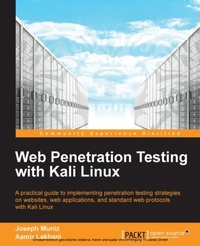
Web Penetration Testing with Kali Linux
Testing web security is best done through simulating an attack. Kali Linux lets you do this to professional standards and this is the book you need to be fully up-to-speed with this powerful open-source toolkit.
1st Edition
Published on 3. June 2024
342 pages
978-1-78216-317-6 (ISBN)
Description

Testing web security is best done through simulating an attack. Kali Linux lets you do this to professional standards and this is the book you need to be fully up-to-speed with this powerful open-source toolkit.Key Features - Learn key reconnaissance concepts needed as a penetration tester
- Attack and exploit key features, authentication, and sessions on web applications
- Learn how to protect systems, write reports, and sell web penetration testing services
Book DescriptionKali Linux is built for professional penetration testing and security auditing. It is the next-generation of BackTrack, the most popular open-source penetration toolkit in the world. Readers will learn how to think like real attackers, exploit systems, and expose vulnerabilities. Even though web applications are developed in a very secure environment and have an intrusion detection system and firewall in place to detect and prevent any malicious activity, open ports are a pre-requisite for conducting online business. These ports serve as an open door for attackers to attack these applications. As a result, penetration testing becomes essential to test the integrity of web-applications. Web Penetration Testing with Kali Linux is a hands-on guide that will give you step-by-step methods on finding vulnerabilities and exploiting web applications. "Web Penetration Testing with Kali Linux" looks at the aspects of web penetration testing from the mind of an attacker. It provides real-world, practical step-by-step instructions on how to perform web penetration testing exercises. You will learn how to use network reconnaissance to pick your targets and gather information. Then, you will use server-side attacks to expose vulnerabilities in web servers and their applications. Client attacks will exploit the way end users use web applications and their workstations. You will also learn how to use open source tools to write reports and get tips on how to sell penetration tests and look out for common pitfalls. On the completion of this book, you will have the skills needed to use Kali Linux for web penetration tests and expose vulnerabilities on web applications and clients that access them.What you will learn - Perform vulnerability reconnaissance to gather information on your targets
- Expose server vulnerabilities and take advantage of them to gain privileged access
- Exploit client-based systems using web application protocols
- Learn how to use SQL and cross-site scripting (XSS) attacks
- Steal authentications through session hijacking techniques
- Harden systems so other attackers do not exploit them easily
- Generate reports for penetration testers
- Learn tips and trade secrets from real world penetration testers
Who this book is for"Web Penetration Testing with Kali Linux" is ideal for anyone who is interested in learning how to become a penetration tester. It will also help the users who are new to Kali Linux and want to learn the features and differences in Kali versus Backtrack, and seasoned penetration testers who may need a refresher or reference on new tools and techniques. Basic familiarity with web-based programming languages such as PHP, JavaScript and MySQL will also prove helpful.
- Attack and exploit key features, authentication, and sessions on web applications
- Learn how to protect systems, write reports, and sell web penetration testing services
Book DescriptionKali Linux is built for professional penetration testing and security auditing. It is the next-generation of BackTrack, the most popular open-source penetration toolkit in the world. Readers will learn how to think like real attackers, exploit systems, and expose vulnerabilities. Even though web applications are developed in a very secure environment and have an intrusion detection system and firewall in place to detect and prevent any malicious activity, open ports are a pre-requisite for conducting online business. These ports serve as an open door for attackers to attack these applications. As a result, penetration testing becomes essential to test the integrity of web-applications. Web Penetration Testing with Kali Linux is a hands-on guide that will give you step-by-step methods on finding vulnerabilities and exploiting web applications. "Web Penetration Testing with Kali Linux" looks at the aspects of web penetration testing from the mind of an attacker. It provides real-world, practical step-by-step instructions on how to perform web penetration testing exercises. You will learn how to use network reconnaissance to pick your targets and gather information. Then, you will use server-side attacks to expose vulnerabilities in web servers and their applications. Client attacks will exploit the way end users use web applications and their workstations. You will also learn how to use open source tools to write reports and get tips on how to sell penetration tests and look out for common pitfalls. On the completion of this book, you will have the skills needed to use Kali Linux for web penetration tests and expose vulnerabilities on web applications and clients that access them.What you will learn - Perform vulnerability reconnaissance to gather information on your targets
- Expose server vulnerabilities and take advantage of them to gain privileged access
- Exploit client-based systems using web application protocols
- Learn how to use SQL and cross-site scripting (XSS) attacks
- Steal authentications through session hijacking techniques
- Harden systems so other attackers do not exploit them easily
- Generate reports for penetration testers
- Learn tips and trade secrets from real world penetration testers
Who this book is for"Web Penetration Testing with Kali Linux" is ideal for anyone who is interested in learning how to become a penetration tester. It will also help the users who are new to Kali Linux and want to learn the features and differences in Kali versus Backtrack, and seasoned penetration testers who may need a refresher or reference on new tools and techniques. Basic familiarity with web-based programming languages such as PHP, JavaScript and MySQL will also prove helpful.
More details
Other editions
New editions
Juned Ahmed Ansari
Web Penetration Testing with Kali Linux 2.0, Second Edition
Build your defense against web attacks with Kali Linux 2.0
E-Book
10/2025
Packt Publishing
from
€40.53
Available for download
Additional editions
Joseph Muniz | Aamir Lakhani
Web Penetration Testing with Kali Linux
Book
08/2013
Packt Publishing
€63.40
Shipment within 3-4 weeks
Content
Table of Contents
