

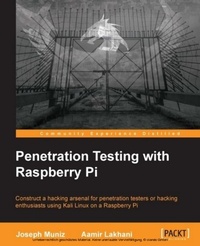
Penetration Testing with Raspberry PI
Construct a hacking arsenal for penetration testers or hacking enthusiasts using Kali Linux on a Raspberry Pi
1st Edition
Published on 17. June 2024
208 pages
978-1-78439-412-7 (ISBN)
Description

Key FeaturesBook DescriptionIf you are looking for a low budget, small form-factor remotely accessible hacking tool, then the concepts in this book are ideal for you. If you are a penetration tester who wants to save on travel costs by placing a low-cost node on a target network, you will save thousands by using the methods covered in this book. You do not have to be a skilled hacker or programmer to use this book. It will be beneficial to have some networking experience; however, it is not required to follow the concepts covered in this book.What you will learn - Install and tune Kali Linux on a Raspberry Pi for hacking
- Use a Raspberry Pi for pentests such as breaking wireless security, scanning networks, and capturing sensitive data
- Perform maninthemiddle attacks and bypass SSL encryption
- Compromise systems using various exploits and toolkits
- Bypass security defenses and remove data off a target network
- Develop a command and control system to manage remotely placed Raspberry Pis
- Turn a Raspberry Pi into a honeypot to capture sensitive information
- Grasp professional penetration testing through proper documentation
Who this book is forIf you are looking for a low budget, small form-factor remotely accessible hacking tool, then the concepts in this book are ideal for you. If you are a penetration tester who wants to save on travel costs by placing a low-cost node on a target network, you will save thousands by using the methods covered in this book. You do not have to be a skilled hacker or programmer to use this book. It will be beneficial to have some networking experience; however, it is not required to follow the concepts covered in this book.
- Use a Raspberry Pi for pentests such as breaking wireless security, scanning networks, and capturing sensitive data
- Perform maninthemiddle attacks and bypass SSL encryption
- Compromise systems using various exploits and toolkits
- Bypass security defenses and remove data off a target network
- Develop a command and control system to manage remotely placed Raspberry Pis
- Turn a Raspberry Pi into a honeypot to capture sensitive information
- Grasp professional penetration testing through proper documentation
Who this book is forIf you are looking for a low budget, small form-factor remotely accessible hacking tool, then the concepts in this book are ideal for you. If you are a penetration tester who wants to save on travel costs by placing a low-cost node on a target network, you will save thousands by using the methods covered in this book. You do not have to be a skilled hacker or programmer to use this book. It will be beneficial to have some networking experience; however, it is not required to follow the concepts covered in this book.
All prices
More details
Other editions
Additional editions
Aamir Lakhani | Joseph Muniz
Penetration Testing with Raspberry Pi
Book
01/2015
Packt Publishing
€39.30
Shipment within 3-4 weeks
Content
Table of Contents - Raspberry Pi And Kali Linux Basics
- Preparing the Raspberry Pi
- Penetration testing
- Raspberry Pi attacks
- Ending the penetration test
- Other Raspberry Pi Projects
- Preparing the Raspberry Pi
- Penetration testing
- Raspberry Pi attacks
- Ending the penetration test
- Other Raspberry Pi Projects

