

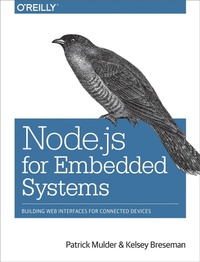
Node.js for Embedded Systems
Using Web Technologies to Build Connected Devices
Published on 10. October 2016
266 pages
978-1-4919-2896-7 (ISBN)
Description

How can we build bridges from the digital world of the Internet to the analog world that surrounds us? By bringing accessibility to embedded components such as sensors and microcontrollers, JavaScript and Node.js might shape the world of physical computing as they did for web browsers. This practical guide shows hardware and software engineers, makers, and web developers how to talk in JavaScript with a variety of hardware platforms. Authors Patrick Mulder and Kelsey Breseman also delve into the basics of microcontrollers, single-board computers, and other hardware components.Use JavaScript to program microcontrollers with Arduino and EspruinoPrototype IoT devices with the Tessel 2 development platformLearn about electronic input and output components, including sensorsConnect microcontrollers to the Internet with the Particle Photon toolchainRun Node.js on single-board computers such as Raspberry Pi and Intel EdisonTalk to embedded devices with Node.js libraries such as Johnny-Five, and remotely control the devices with BluetoothUse MQTT as a message broker to connect devices across networksExplore ways to use robots as building blocks for shared experiences
More details
Other editions
Additional editions
Patrick Mulder | Kelsey Breseman
Node.js for Embedded Systems
Using Web Technologies to Build Connected Devices
Book
11/2016
O'Reilly
€28.50
Article not available at the moment
Content
- Intro
- Copyright
- Table of Contents
- Foreword
- Preface
- Who This Book Is For
- How to Use This Book
- Conventions Used in This Book
- Using Code Examples
- Safari® Books Online
- How to Contact Us
- Acknowledgments
- From Patrick
- From Kelsey
- Chapter 1. Connecting Worlds
- Why the Internet of Things?
- Embedded Devices
- Embedded Internet
- Protocols
- Examples and Use Cases
- JavaScript for Distributed Programming
- JavaScript and the IoT
- Hello World with JavaScript
- JavaScript Runtime Environments
- The Browser
- The Server
- Embedded Devices
- The Node.js API
- Buffer
- Streams
- Chapter 2. Blink with Arduino
- Getting Started with Microcontrollers
- Arduino
- The Blink Sketch
- The Firmata Bridge
- Programming an Arduino with JavaScript
- Functional Blocks of an MCU
- Pins
- Microcontroller Versus Microprocessor
- Block Diagrams
- Analog Inputs
- Pulse-Width Modulation
- Pinouts
- Firmware
- Chapter 3. Espruino
- The Espruino Hardware
- Programming Espruino
- Variable Blink
- Modules
- Flashing Espruino Firmware
- Chapter 4. The Tessel 2
- Hardware
- Toolchain
- Command-Line Interface
- Pin Abstractions
- Digital Pins
- Analog Pins
- Embedded Internet with System-on-Chip
- Chapter 5. Particle Photon
- The Particle Photon
- Particle Command-Line Interface
- OTA Code Deploys
- Chapter 6. Single-Board Computers
- The Raspberry Pi
- BeagleBone
- The Intel Edison
- Boards with 64-Bit Instruction Sets
- Using Embedded Linux
- Working with SD Cards
- Embedded Linux Distributions
- OpenWRT
- Debian
- Yocto
- Network Configuration
- Debugging Network Settings
- Running Node.js
- Deploy Projects with Git
- Chapter 7. Components for Prototyping
- Wiring Circuits
- Breadboards
- Grove Kit
- Soldering
- Printed Circuit Boards
- Tessel Modules
- Basic Components
- Datasheets
- Passive Components
- LEDs
- Sensors
- Temperature
- Motion
- Ultrasonic Distance
- Actuators
- Servo Motors
- Stepper Motors
- DC Motors
- Multimedia
- Cables
- Jumper Wires
- USB Cables
- FTDI-USB-Cable
- Network Cables
- Chapter 8. Node.js Libraries for Hardware
- JavaScript for the Hardware Abstraction Layer
- The node-serialport Library
- Serial Communication with JavaScript
- Scanning for Devices
- Receiving Data from Arduino
- Sending Data to Arduino
- The Johnny-Five Library
- An Empty Project
- The Board Object
- The Johnny-Five REPL
- Buttons
- Analog Inputs
- Proximity
- Nodebot
- The I2C Library
- The LibMRAA Library
- MRAA Setup
- Outputs
- Reading Inputs
- Interrupts
- Communications
- The Cylon.js Library
- Chapter 9. Exploring Network Protocols
- The Hypertext Transfer Protocol
- Requesting the Weather
- Prepare the HTTP Client
- Building a Weather Station
- Adding a Database
- The Transmission Control Protocol and User Datagram Protocol
- The WebSocket Protocol
- The ws Module
- Remote Procedure Calls over Websockets
- Chapter 10. Web Frontends for Things
- Adding Static Pages
- Basic jQuery
- Adding the Model-View-Controller
- Websockets in a Browser
- A Bare Minimum Websocket Connection
- The D3.js Library for Plotting Data
- P5.js
- Chapter 11. Entering the Cloud
- Publish-Subscribe Pattern
- The MQTT Protocol
- Connecting to an MQTT Broker
- Publish Messages
- Subscribe to Updates
- MQTT Server with Mosca
- Cloud Services
- CloudMQTT
- HiveMQ
- PubNub
- Telegram
- Temboo
- System Design with NodeRED
- Install NodeRED
- Concepts
- Chapter 12. Making Robots with Node.js
- What Is a Robot?
- Why Build Robots in Node.js?
- Community
- Education
- Product Development
- The Tessel Project
- Robot Kits
- Motors and Potentiometers
- Sumobot Jr.
- Hackarobot
- Example Project: The Robot Claw
- Example Project: Move a Vehicle
- Servo
- MD25 Motor Shield
- Chapter 13. Wireless Data with Bluetooth
- The Bluetooth Low Energy Protocol
- Communication Modes
- Connect with Centrals
- Beacons
- RedBear Shields and Boards
- BlueIOT
- Libraries for Bluetooth
- Arduino
- BLE Scanner and Parser
- Noble.js
- Bleno.js
- Example Project: Proximity Detection
- Chapter 14. Toward the Physical Internet
- What Are Shared Experiences?
- Connected Products
- Responsive Environments
- Impacts of the Physical Internet
- Chapter 15. From Products to Toolkits
- JavaScript as a Toolkit
- The Power of Modularity
- Modularity in Hardware
- Node.js: Driving Innovation in the IoT
- Building Good Technology
- Appendix A. Node.js
- Module Basics
- The Filesystem Module
- The Node Package Manager
- Install Modules with npm
- Running Scripts with npm
- The Stream Module
- Appendix B. Early Hardware for IoT Systems
- Raspberry Pi
- BeagleBone
- Intel Galileo
- Index
- About the Authors
- Colophon
