

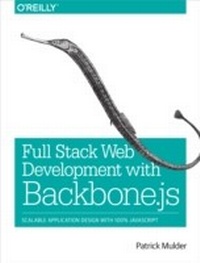
Full Stack Web Development with Backbone.js
Scalable Application Design with 100% JavaScript
1st Edition
Published on 10. June 2014
194 pages
978-1-4493-7096-1 (ISBN)
Description

Learn how to build a full-stack application with Backbone.js by taking advantage of JavaScript modules, workflow automation, and Backbone's interface building blocks. With this practical guide, author Patrick Mulder takes experienced backend developers and JavaScript programmers through the steps necessary to create a fully functional single-page application.
Backbone's rich ecosystem of plugins makes applications easier to design and scale, but knowing which tools to use for your project can be tricky. How do you combine views and the data layer with Backbone, or serve and deploy JavaScript assets? You'll not only learn the answers to these and many other questions; you'll also discover Backbone's vast number of use cases.
- Get started quickly by using a Backbone.js and Browserify
- Track state and organize data with Backbone models and collections
- Capture events from users by using views and manipulating the DOM
- Combine Backbone views with advanced HTML templates
- Use Backbone to browse remote data sources from an API
- Authenticate and authorize client-side interactions
- Build a backend API with Node.js and Restify
- Set up workflow automation with Bower, Grunt, Yeoman, and RequireJS
More details
Other editions
Additional editions
Patrick Mulder
Full Stack Web Development with Backbone.js
Scalable Application Design with 100% JavaScript
Book
07/2014
1st Edition
O'Reilly
€28.50
Shipment within 10-20 days
Content
- Cover
- Copyright
- Table of Contents
- Preface
- Who This Book Is For
- Who This Book Is Not For
- What This Book Will Do for You
- Why I Wrote This Book
- Other Resources
- The JavaScript Language
- jQuery and the DOM
- Other Backbone.js Resources
- API References
- Conventions Used in This Book
- Feedback and Code Examples
- Using Code Examples
- Safari® Books Online
- How to Contact Us
- Acknowledgments
- Chapter 1. The Bigger Picture
- Before You Get Started
- Backbonify Your Stack
- Using npm
- Local Backbone.js
- Backbone.js via Content Delivery Networks
- Modules, Packages, and Servers
- CommonJS Modules
- Beyond index.html
- Browserify
- Combining Express.js and Stitch
- When Things Go Wrong
- Conclusion
- Chapter 2. Kick-Starting Application Development
- Creating a Wireframe
- Decoupling State from the UI
- Models and Collections
- Views
- Backbone.js and MVC
- Preparing a Click Dummy
- Basic HTML and Style
- Building a Data Layer
- Basic Events
- Conclusion
- Chapter 3. Building the User Interface
- Referencing jQuery
- Interfacing the DOM
- Basic Rendering
- Bindings to Data Changes
- Basic View Templates
- Rendering a Collection
- Handling UI Events
- DRYer Views and ViewModels
- Conclusion
- Chapter 4. Router Basics
- Addressing State
- Preparing
- Defining Routes
- Navigating
- Orchestrating Views
- Preparing for a Layout View
- Parent and Child Views
- Conclusion
- Chapter 5. Transforming Collections
- Functional Enhancements
- Sorting
- Filtering
- Backbone.Obscura
- Conclusion
- Chapter 6. Advanced View Templates
- Views and Templates
- JST
- ECO
- Handlebars
- React and Others
- Build Automation
- Grunt
- Conclusion
- Chapter 7. Synchronizing State
- Fetching Remote Movies
- RESTful Web Services
- Mocking an API
- Basic Sync and Fetch
- Asynchronous Effects
- Firebase
- Conclusion
- Chapter 8. Basic API Concerns
- Backend Services
- Proxies
- Building a Movies Service
- Wrapping a Data Store
- Persistence
- Conclusion
- Chapter 9. Authentication
- Security in Browsers
- Cookies
- Signup
- Managing Sessions
- Sessions with Backbone
- A Navbar View
- A Modal View for Sign Up
- The Login Dialog
- The Session Logic
- A New Session
- State of a Session
- Logout
- Conclusion
- Chapter 10. Automated Workflows
- Improving Productivity
- Dependencies with Bower
- Say Hello to Yeoman
- RequireJS
- Main.js
- Adding Modules
- Scaffolding Components
- Conclusion
- Chapter 11. From Backbone To Thorax
- The Role of Frameworks
- Getting Started
- Prepare Mock Data
- Initializing the Application
- A Router Setup
- Thorax.Collection
- Rendering
- Conclusion
- Appendix A. Developing with JavaScript
- Installing Node
- Getting Functional with Underscore.js
- Collections and Arrays
- Functions
- Objects
- Utility
- jQuery Basics
- Selecting Elements
- Working with Events
- Ajax
- Index
- About the Author
